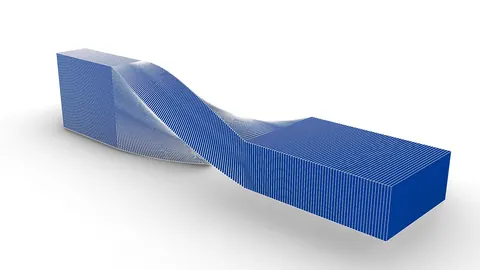
Grasshopper is an incredibly powerful parametric modeling tool that architects and designers use to create complex geometry. In this tutorial, we will look at how Grasshopper can be used to model the futuristic 79B and Park project by acclaimed architecture firm BIG in Stockholm, Sweden.
Overview of 79B and Park
79B and Park is comprised of a series of rotated square blocks that create an intricate pattern. The blocks rise up from the base according to how much daylight they receive. This helps break up the massing and create a fusion between the building and the adjacent park.
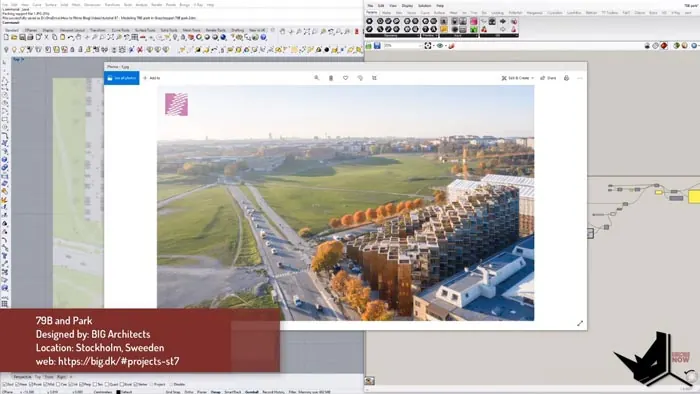
BIG conceived 79B and Park as a progression from the ground to the sky. The lower parts integrate with the park, while the upper volumes step back successively. This allows more outdoor spaces and sunlight to filter down to the public areas below.
Modeling the Base Grid in Grasshopper
We will start the Grasshopper definition by creating a simple rectangle and rotating it 45 degrees. This will form the base unit for the grid.
To multiply this rectangle into a grid, we first need to find the center point. Then we can measure the distance between the center and the corner. Doubling this distance gives us the step value to move the rectangles across in both X and Y directions.
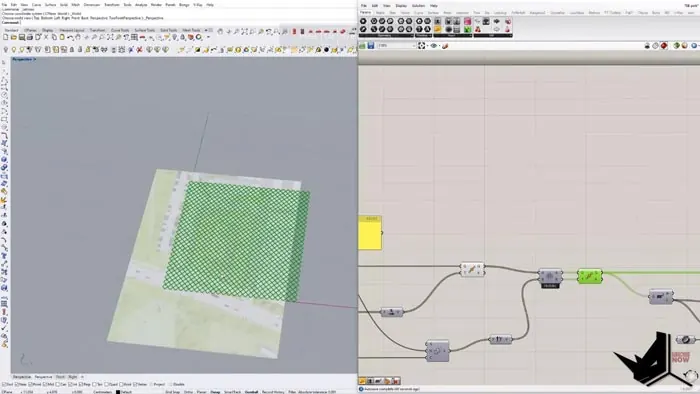
The Move and Series components allow us to iterate the rectangles across and down to form the full grid. Using Cross Reference corrects the data structure so the grid is properly formed.
Now we have a base grid of the rotated rectangles, matching the diagram of 79B and Park.
Using Attractors to Control the Extrusions
Next, we need to raise certain grid cells upwards based on attractor curves. This will simulate the building volumes rising according to daylight levels.
First, we get the center points of each grid cell using the Area component. Then we can find the closest points on the attractor curve using Curve Closest Point. The Distance component gives us the distance from each grid point to its closest point on the curve.
We remap these distances to a controlled target range using Remap Numbers. This prepares the values to be used by the Graph Mapper for smooth transitions between heights.
The mapped numbers control the extrusion factor that raises each grid cell upwards. As we adjust the attractor curve, the building volumes dynamically change in response.
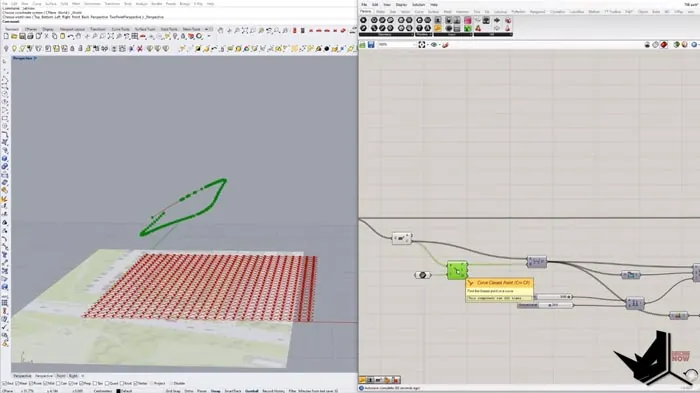
Sculpting the Forms with Subtraction Curves
To sculpt the final forms, we need to subtract volumes that fall outside of our site boundary. First, we check which grid cells are inside the boundary curve using the Point in Curve.
The Larger Than component keeps only the cells that are inside the curve. We feed these results into the Cull Pattern to delete the unwanted cells.
This gives us the first pass at the building volumes. Next, we subtract cells that fall inside a second attractor curve the same way. The split tree lets us work with just the Breps from the previous result.
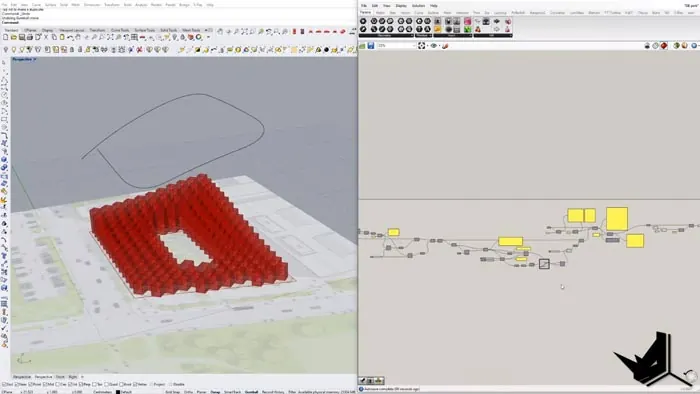
The end result matches the concept model closely. We can tweak the curves to refine the geometry and get the perfect massing for 79B and Park in Grasshopper.
Conclusion
This covers the basics of how to model a complex building like 79B and Park through Grasshopper. With some cleanup of the grid and more subtraction curves, the definition can be developed further.
The key takeaways are using grid multiplication to create the base, attractor curves to control extrusions, and subtraction curves to sculpt the final form. With mastery of these techniques, you can model virtually any complex massing in Grasshopper.
Let me know in the comments if you would like to see more architectural modeling tutorials like this one! I will be posting more on our Patreon page as well.

Grasshopper Complete Course
Give your architectural skills a boost with the Grasshopper Complete Course. Get over 50 hours of comprehensive Grasshopper training tailored for architects. Learn to generate and iterate designs faster. Click below for more information and streamline your workflows!