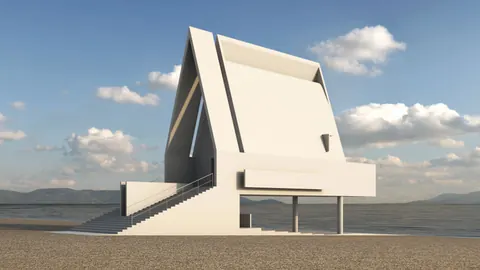
Welcome to another session where we unlock the secret to modeling an architectural masterpiece using the robust features of Rhino. Today, we delve into recreating the Airforce Academy Cadet Chapel. This piece of art was conceived by Walter Netsch of Skidmore, Owings & Merrill, standing in El Paso, USA.
Let's explore the process of crafting the exterior facade of the Chapel, and without further ado, let's jump right into it.
Airforce Academy Cadet Chapel: Setup
Begin your project by importing the necessary section and base plan, setting the ground for accurate scaling as per the original design. Ensure to create guidelines derived from the slab within the base plan to facilitate the scaling process.
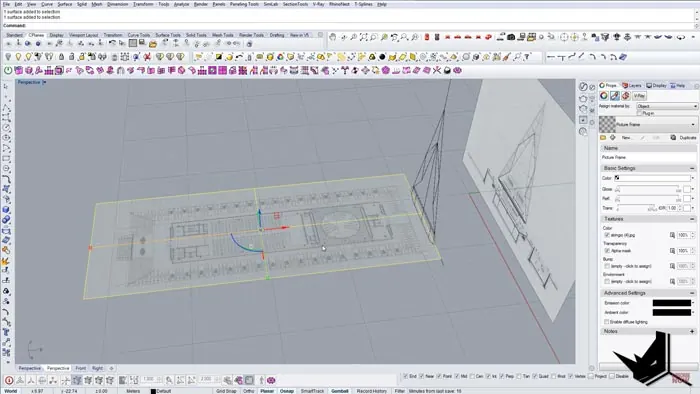
Setting the Base
Bring life to your ground level by defining the boundaries meticulously to resemble the foundational structure of the chapel. Pay attention to creating a precise ground by mirroring rectangles and creating shapes that replicate the base.
Crafting the Core Structure
The next exciting phase is bringing the base to life by elevating the core structure. This involves creating symmetrical elements that mirror each other across the axis, establishing the primary module for your structure. Employ the extrusion technique and boolean union to give your design the desirable thickness and dimension, resembling the true essence of the chapel.
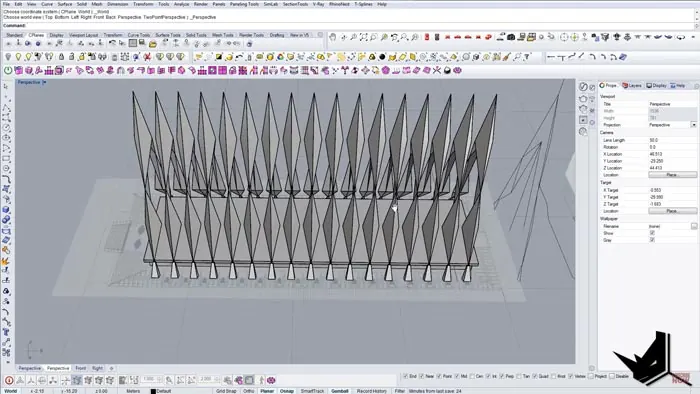
Detailing the Surfaces
Dive into detailing, where you finesse your structure with intricate details such as creating inclined surfaces and establishing symmetrical elements to perfection. This phase involves split and explode functionalities to bring out nuanced details in your 3D module, showcasing the remarkable features of the Airforce Academy Cadet Chapel.
Final Touches
As we near completion, the final steps include creating internal geometries, defining planes, and configuring the remaining panels, thereby knitting together the complete structure. Ensure to replicate the facade detail to the other end, to encapsulate the look of the original structure.
Creating the Exterior
A masterpiece is incomplete without its exterior. Capture the spirit of the chapel by creating a large surface that echoes its formidable front view. Utilize edge duplication and join functionalities to seal your 3D model with an exterior that speaks volumes.
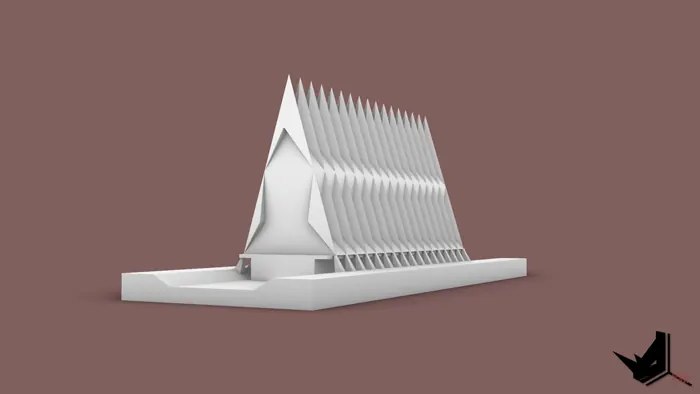
Conclusion
And there you have it, a masterfully crafted 3D model of the Airforce Academy Cadet Chapel, standing as a testimony to your skills and the impeccable architectural work by Walter Netsch.
While we have kept it simple, Rhino offers a broad canvas for you to add as many details as your creativity commands. You have the freedom to elevate this model to a detailed masterpiece, adding layers of intricacies that mirror the actual Chapel.

Rhino for Architects Course
Give your architectural skillset a major boost with the Rhino for Architects Course. Get over 60 hours of focused training tailored specifically for architects. Master commands and techniques to model, render, and animate architectural visualizations at the highest level. Click below for more information and watch your designs come alive!