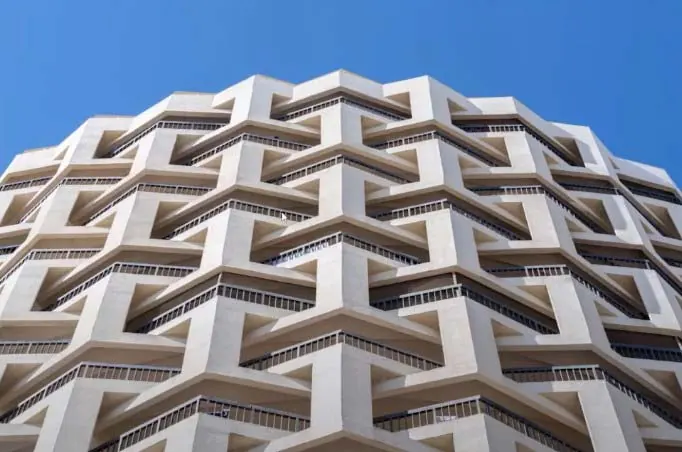
In this tutorial, we'll learn how to model the iconic Al Ibrahimi Tower in Grasshopper. Designed by the Egyptian architect Farouk El Gohary, the Al Ibrahimi Tower features a fascinating geometric facade made up of interlocking cubes.
Overview of the Al Ibrahimi Tower
The Al Ibrahimi Tower is located in Abu Dhabi and consists of 16 stories. The most distinctive aspect of its design is the cube-like modules that jut out from the main tower body at an angle.
These tilted cubes create a dynamic geometric pattern as they stack upwards, with each cube serving as a balcony for the floor below. The cubes connect back to the central tower via a thin column.
Overall, the faceted geometry of the Al Ibrahimi Tower facade makes it an outstanding example of modernist architecture.
Modeling the Facade in Grasshopper
Now let's look at how we can recreate the Al Ibrahimi Tower's facade geometry using Grasshopper.
We'll break the process down into a few key steps:
- Create an arc segment
- Extract points from the arc
- Construct a 3D module
- Array the module around a center point
- Stack the floors vertically
Creating the Arc Segment
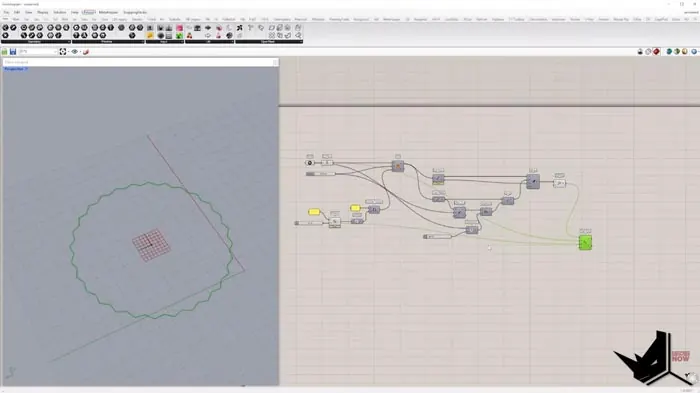
First, we need to create an arc representing a segment of the tower's floorplan. To do this, we'll define a base plane, radius, and angle domain.
The angle domain controls how much of a circle's circumference the arc occupies. We can divide 360 degrees by the number of modules we want to have.
For example, dividing 360 by 28 gives us an angle of 12.86 degrees. This will create 28 arc segments to fill the full circle.
Extracting Points from the Arc
Next, we extract some key points from the arc: the two endpoints and the midpoint.
We'll pull the midpoint slightly towards the center using a Move component. This creates the distinctive jutting-out shape of the cubes.
Creating a 3D Module
Using the three points, we can generate surfaces to create a 3D module representing one cube.
We extrude the arc segment into a panel for the cube's facade. For the top and bottom, we extrude perpendicular to the facade.
Two thin extrusions of the arc make the connecting column.
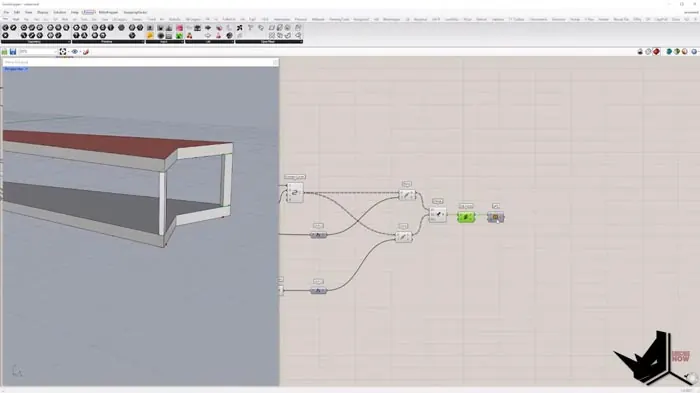
Arraying the Module
Now we can array our module around the center point using a Polar Array.
This repeats the geometry in a circular pattern to generate the complete floorplate.
Stacking the Floors
The last step is to take this single floor and array it vertically. We group the geometry and use a Linear Array.
To create the offset pattern from one floor to the next, we rotate the arrayed copy by half of the original arc angle.
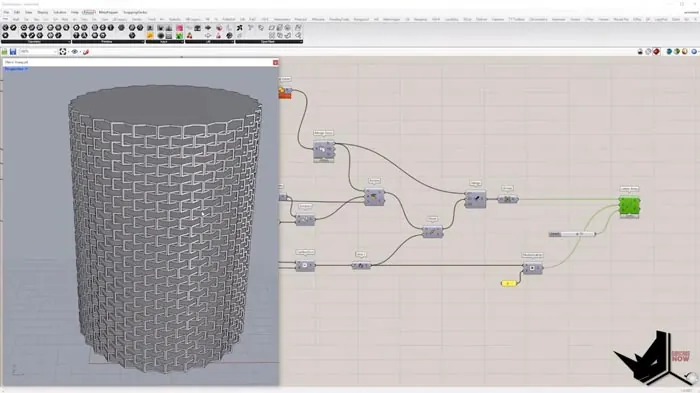
And that's it! By following these steps, we can model the distinctive stacked cube geometry of the Al Ibrahimi Tower in Grasshopper.
Final Thoughts
This project shows how even complex building forms can be broken down into simple operations like point extraction, extrusion, and arrays. Grasshopper's visual programming is perfect for this kind of generative modeling.
Let me know if you have any questions! I'm happy to explain the process in detail!

Grasshopper Complete Course
Give your architectural skills a boost with the Grasshopper Complete Course. Get over 50 hours of comprehensive Grasshopper training tailored for architects. Learn to generate and iterate designs faster. Click below for more information and streamline your workflows!