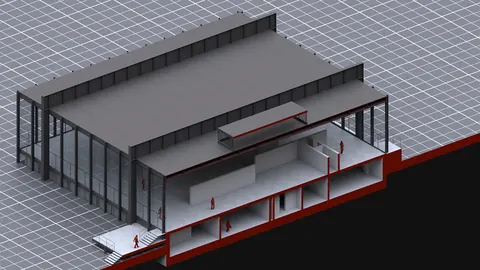
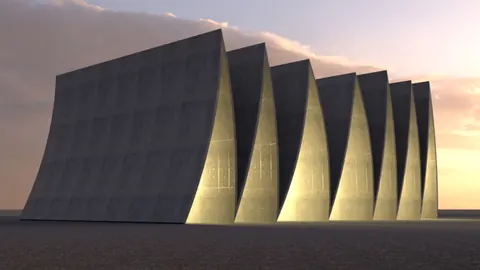
Architectural rendering diagram is essential for communicating design intent and bringing projects to life. With the right tools and techniques, you can create beautiful and professional diagrams to showcase your architectural models. In this post, we’ll look at using Rhino and Vray to make architectural rendering diagrams that impress.
Architectural Rendering Diagram - Overview of the Process
The key to a great architectural diagram is having an efficient workflow. We’ll break the process down into several key steps:
- Set up the base 3D model in Rhino
- Add materials in Vray
- Set up lighting for the best effect
- Populate the scene with an entourage like trees and people
- Render out the final diagram
With some practice, you can streamline this process and quickly generate various diagram options to communicate your architectural vision. The powerful combination of Rhino's modeling capabilities and Vray's rendering tools makes it easy to produce impressive results.
Building the Base 3D Model
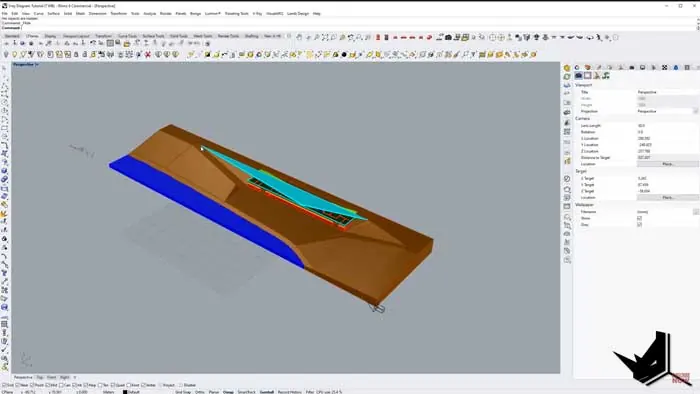
In Rhino, we’ll start by setting up a simple plane to act as our base. It’s important to position this at the 0 coordinate so it’s centered.
Next, we'll build up the basic shapes for the ground, water, and main architectural elements. Simple blocky masses are sufficient for this diagram style. We won’t worry about complex geometry.
It’s handy to organize objects onto different layers in Rhino. This will help control visibility as we work.
Applying Materials in Vray
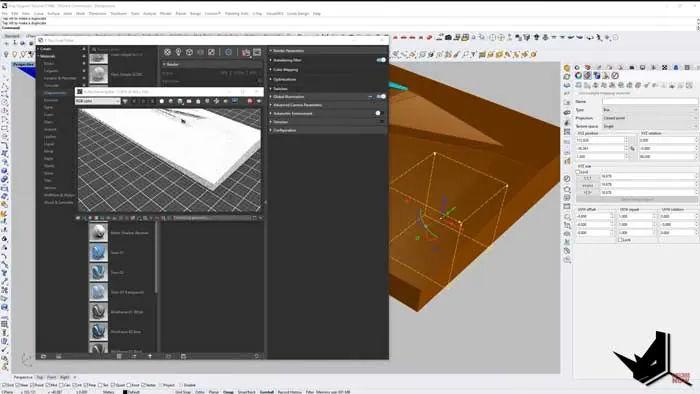
Once the base model is ready, it’s time to add materials using Vray. The powerful Vray Material Editor gives you many options.
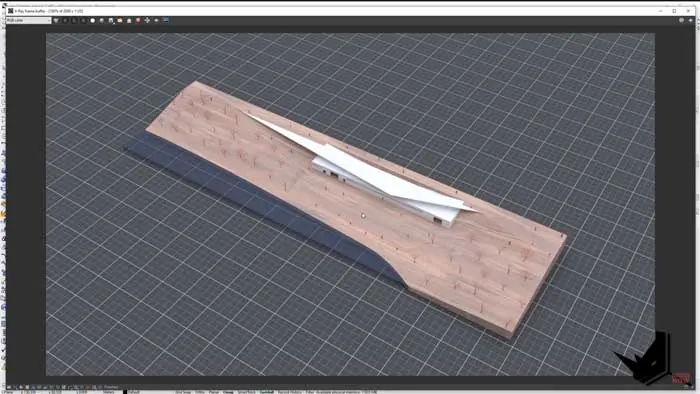
For the ground plane, we can use a grid material with the line colors set to white and a black fill. Adjusting the grid spacing and line thickness will get the desired effect. A bit of reflectivity also adds realism.
The water uses a specialty Vray water material with customized settings. We set this to a transparent dark blue with realistic wave patterns.
The remaining elements use a simple diffuse shader with color settings to differentiate them. A touch of reflectivity helps enhance the materials across the scene.
Lighting for Maximum Impact
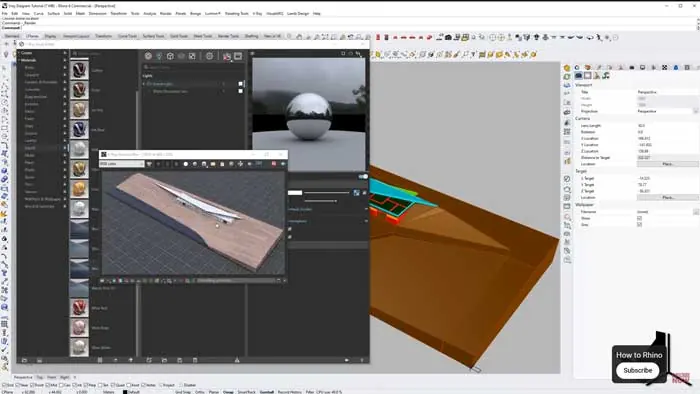
Proper lighting can make or break an architectural rendering diagram. We want soft, even lighting to showcase the design.
A Vray dome light with an HDRI sky is perfect for this task. HDRIs from HDRI Haven provide overcast lighting without harsh shadows - ideal for architectural diagrams. Tweaking the HDRI intensity adjusts the brightness as needed.
The soft lighting enhances all materials and creates a professional, high-end look for the rendering.
Populating the Scene
Entourage elements like trees, people, cars, etc. help the rendering come alive. We can use Grasshopper in Rhino to quickly populate objects onto our base surfaces.Grasshopper’s array and scatter tools make short work of placing countless trees or people. We can refine the overall amount, randomness, rotation, and scaling with just a few sliders.
Once placed, a quick batch material assignment in Vray adds color. The scene feels lush and lived in.
Rendering it Out
With the model fully set up, it’s time to render the final architectural diagram.
Vray’s fast Interactive rendering lets you preview and refine the render settings. For final output, Vray’s Production Render generates a high-resolution image suitable for professional use.
The result is a gorgeous diagram highlighting the architectural design. Crisp yet attractive materials, soft lighting, and a lush environment all work together to showcase the project vision.
Architectural Rendering Diagram Made Easy
As you can see, Rhino and Vray make generating architectural rendering diagrams surprisingly straightforward. With some practice, you can perfect an efficient workflow to quickly produce various design visualization options.
Quality rendering is crucial for demonstrating design intent and impressing clients. Architectural rendering diagrams elevate ordinary 3D models into works of art. The powerful combination of Rhino and Vray offers all the tools you need to showcase your architectural visions in the best possible light.
For more tips on creating architectural diagrams and elevating your visualization skills, check out our in-depth Rhino tutorials. The world of architectural rendering awaits!

Rhino for Architects Course
Give your architectural skillset a major boost with the Rhino for Architects Course. Get over 60 hours of focused training tailored specifically for architects. Master commands and techniques to model, render, and animate architectural visualizations at the highest level. Click below for more information and watch your designs come alive!