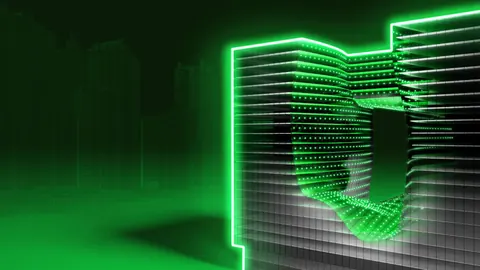
Grasshopper and Kangaroo are very powerful tools that we can use to model and simulate physical forces. In this tutorial, we're going to guide you how to create Evolo Skyscraper with Grasshopper. We will cover the winning project from 2018, the Foldable Skyscrape for Disaster Zones designed by Damian Granosik.
Creating the Rectangles
Firstly, we need to set the point that we will use as the center of the rectangle and position it on the XY plane. To set the X and Y dimensions, we are going to use the Contruct Domain component. In addition to this, using Linear Arrayand the slider we will define the size of the rectangle.
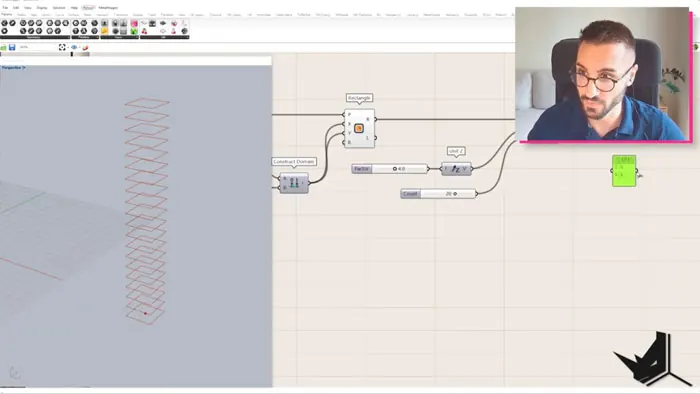
Next up we're going to multiply this rectangle 20 times along Z direction. We'll set the distance between these rectangles as 4. Using the Sift Patterncomponent, we're going to take out every second rectangle, and keeping their index item, we will rotate each of there by 45 degrees.
Furthermore, with Combine Data we will merge them in the original list.
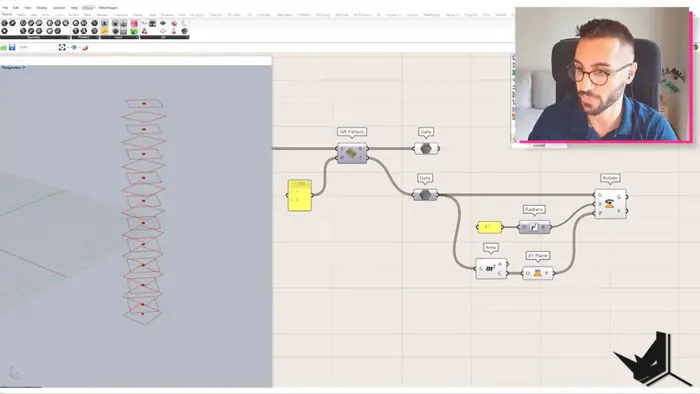
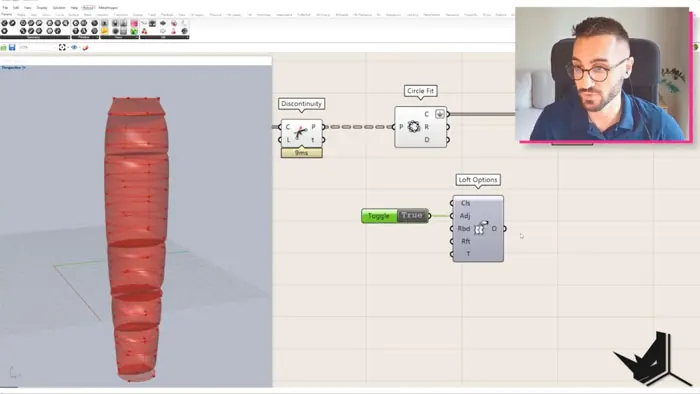
After rotating and scaling the rectangles with Range, Graph Mapper and Remap components, we will go on to use the component Circle Fit and create a circle around every rectangle, and based on these circles, we will create a surface.
What must be remembered is to set the value to True in the Align input of the Loft Option.
Creating the Mesh
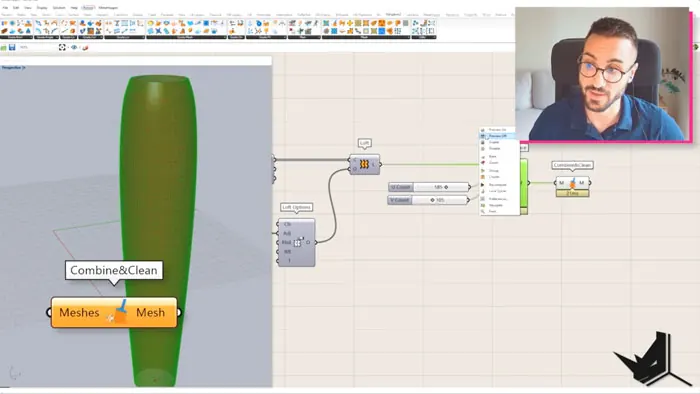
In the next step, we will create a mesh based on this surface. In the U and V input, we will set a number of divisions. Using Combine and Clean component from the Kangaroo tab, we will weld the vertices.
Defining the Anchor Points
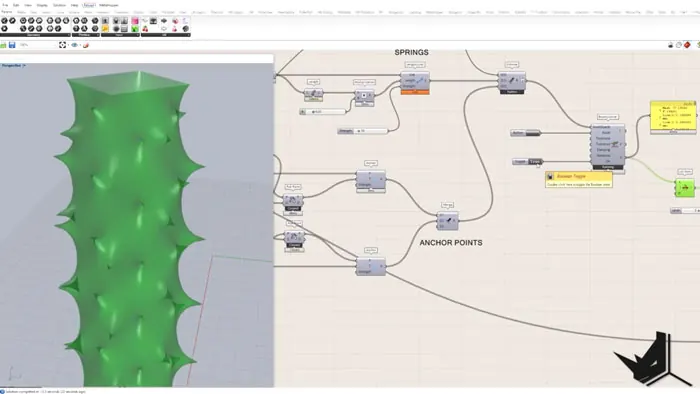
After this, we need to define the anchor points. We will have two sets of anchor points. The first set is going to be the corners of the rectangles. We will take out the corners and pull them to mesh points.The other set is going to be naked points of the mesh, which we will pull to the closest rectangle.
When we define both of these lists of anchor points, we can merge them into one, and call them Anchor Points. We need this for the Kangaroo calculation.
Kangaroo Springs
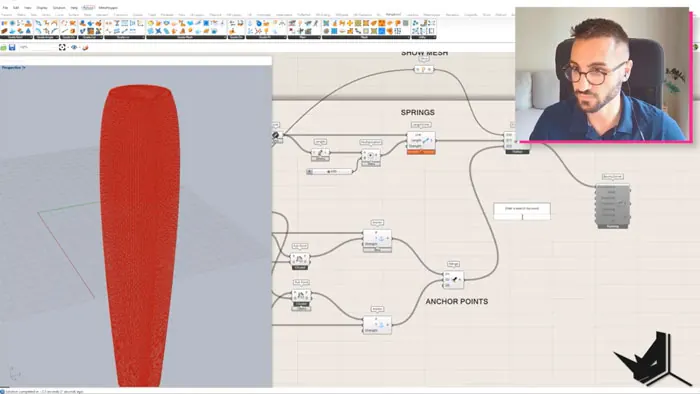
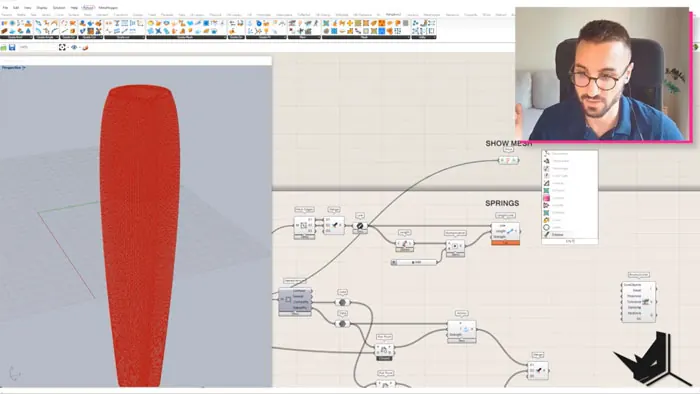
In this step we need to define the Kangaroo springs. We're going to calculate the length of all the mesh edges, and multiply them by a certain factor. The tensile structure will be generated based on the parameter we get this way. If the parameter is smaller than one, then the whole structure will be more straightened. Then after we create a show mesh as well, we can take these three elements and place them in the Kangaroo BouncySolver. Create the Toggle and Button components. Set Toggle to true, and start the calculation.
When the calculation is over, take the mesh and place in the Catmull-Clark Subdivision in the Weavebird plugin to get a a smoother mesh.
Creating Diagonal Lines
In the following step, we need to go back and create diagonal lines with theRelative Items component. We will separate the branches of the rectangles in two lists, one with even and the other with odd numbers.
Points from odd and even branches will be connected, and also with the points that have index number -1. As a result, we got the first set of lines.
The other set of lines we will create by connecting the same index point from all branches with the points from even branches, and additionally, with the points index number plus one from even branches. Wrap item needs to be set to true.
We will merge these diagonal lines into one list, and then divide it into five segments to create points that are going to be pulled on the mesh that was generated by the Kangaroo Solver. We will create the curves and the pipes based on these points, using Interpolate, Create Curve and Pipe components.
Creating the Floors
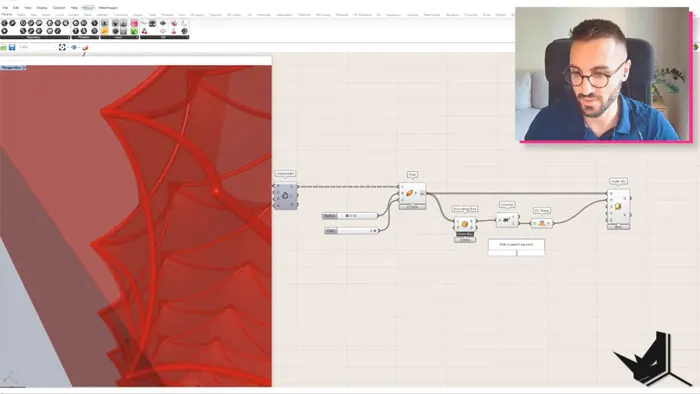
Finally, as the last step, we will create floors. We will do this by intersecting the rectangle planes with mesh. Based on the output we get, we will create the curves, and convert these into surfaces. Using the Prune Tree component, we will take out only branches with one item in the list. We'll scale the output, and extrude it along the Z axis.
Final Thoughts
Following this tutorial, you'll be able to re-create the Foldable Skyscraper projects, and see the power of Grasshopper and Kangaroo when modeling intricate and complex geometries.
With these tools you can also explore how to simulate physical forces on digital meshes, which make them really powerful for architects, designers and planners.

Grasshopper Complete Course
Give your architectural skills a boost with the Grasshopper Complete Course. Get over 50 hours of comprehensive Grasshopper training tailored for architects. Learn to generate and iterate designs faster. Click below for more information and streamline your workflows!