Grasshopper is a visual programming app that lets you create complex geometry and forms algorithmically. One powerful technique is using Grasshopper Random Rotation to introduce controlled randomness into your models. In this tutorial, we’ll look at how to use random rotation in Grasshopper to create randomly rotated and extruded planes.
Overview
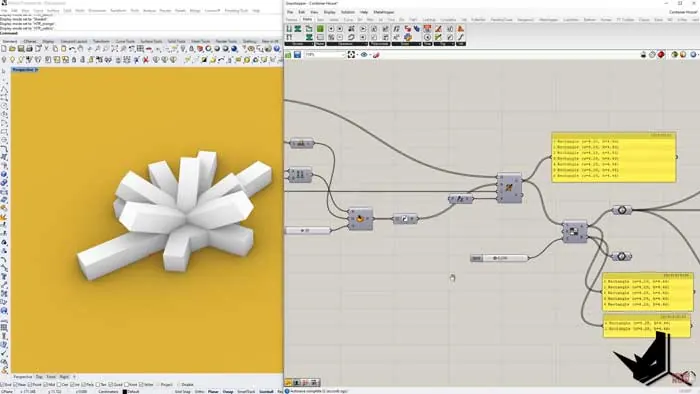
The goal is to create a complex surface made up of extruded rectangles similar to the Joshua Tree Residence by Whitaker Studio.
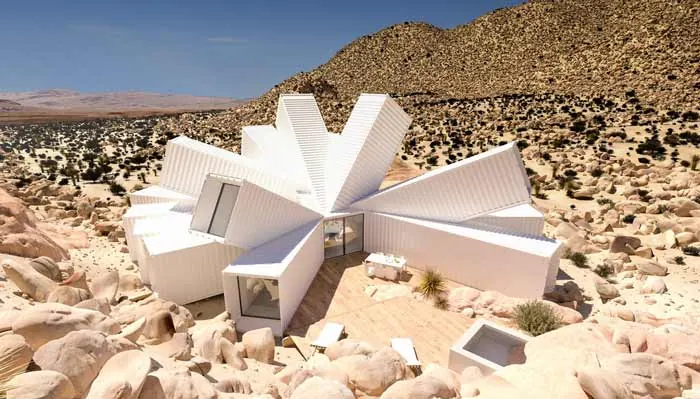
To achieve this, we will:
- Create a base surface
- Generate points to rotate planes from
- Use Grasshopper Random Rotation but keep some angles fixed
- Extrude rectangles on the planes randomly
- Control extrusion distance of some elements
Creating the Base Surface
First, we need a base surface to build off of. To do this:
- Create two points to define a vector
- Use the Vector to construct a plane
- Build a rectangle on the plane using Point components
This creates our base surface that we can start generating geometry from.
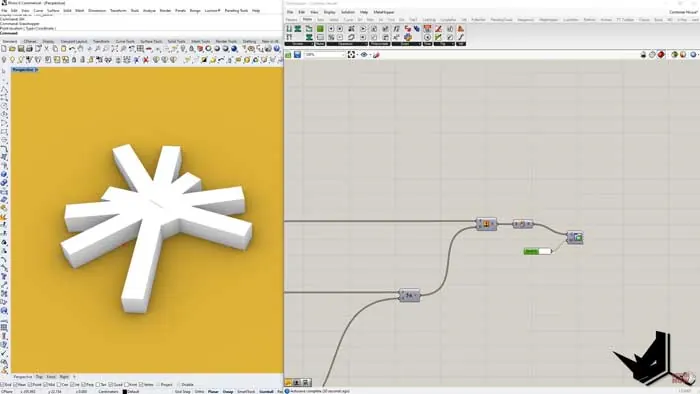
Grasshopper Random Rotation
Next, we want to rotate planes randomly coming off the base surface. To do this:
- Create a list of rotation angles from 0-360 degrees
- Split the list into two parts - one fixed, one random
- Add random numbers to the second list
- Merge the lists back together
- Use List items to rotate planes with Grasshopper Random Rotation
This will create rotated planes but keep the first 3 angles fixed, similar to the example project.
We also need to orient the planes so the normals are aligned. To do this, extract the Y-direction of a sample plane and use it to orient the other planes.
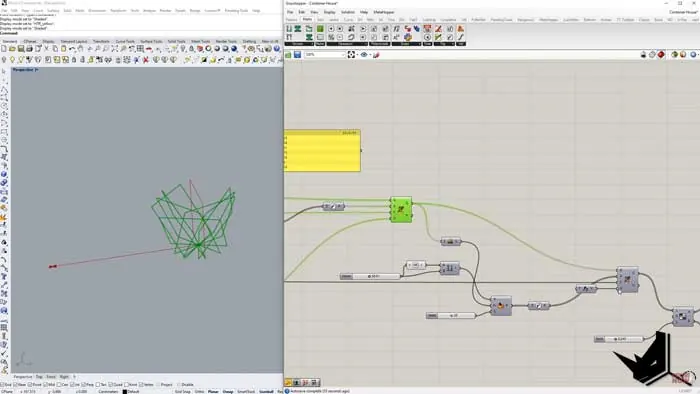
Extruding Rectangles
Now we can extrude rectangles onto the planes we created. To control the extrusion we:
- Generate random numbers for the extrusion distance
- Insert one controlled distance into the list
- Extrude rectangles based on the list
This lets us fix one extrusion amount but randomize all the rest. We can then cap and trim the extruded geometry to create our base surface.
Controlling the Outcome
There are several areas we can control and modify the surface:
- Grasshopper Random Rotation angles
- Number of fixed planes
- Plane orientation
- Percentage of planes to extrude
- Random extrusion distances
By changing these parameters in Grasshopper we can iterate and refine the design to create the complex surface we want.
Conclusion
Controlling randomness with Grasshopper allows us to introduce variation into our designs while maintaining some order and intent. The techniques covered here demonstrate how you can use lists, random numbers, and clever component connections to create unique, algorithmic architectural geometry in Grasshopper.

Grasshopper Complete Course
Give your architectural skills a boost with the Grasshopper Complete Course. Get over 50 hours of comprehensive Grasshopper training tailored for architects. Learn to generate and iterate designs faster. Click below for more information and streamline your workflows!

![Rhino Grasshopper - Convert a set of Lines into Single Closed Brep [QUICK SOLUTION]](/images/blog/featured/variants/rhino-grasshopper-closed-brep--related-card.webp?cb=seo-meta-20260227-164423)