Rhino Inside is an exciting new tool that allows you to easily convert Grasshopper geometry to Revit. This revolutionary plugin creates a live link between the two programs, enabling powerful parametric workflows. In this post, we’ll explore how Rhino Inside can transform your Revit projects.
Grasshopper to Revit Overview
Rhino Inside is an open-source plugin that lets you run Rhino and Grasshopper inside Revit. It establishes a direct connection between the two programs so you can transfer geometry back and forth.
With Rhino Inside, you can build complex Grasshopper models and instantly see them in Revit. Any changes made in Grasshopper automatically update in Revit in real time. This makes it easy to iterate and test different design options.
The key benefits of these transfers include:
- Bring Grasshopper geometry into Revit without losing data
- Update Revit models dynamically from Grasshopper
- Creating complex parametric models, which is not possible in Revit
- Bidirectional transfer between programs
- Works with Revit categories, families, and more
Overall, Rhino Inside lets you leverage the power of Grasshopper for generative design in Revit.
Step-by-Step Workflow
Here is a step-by-step overview of using Rhino Inside to bring Grasshopper geometry to Revit:
1. Download and Install Rhino Inside
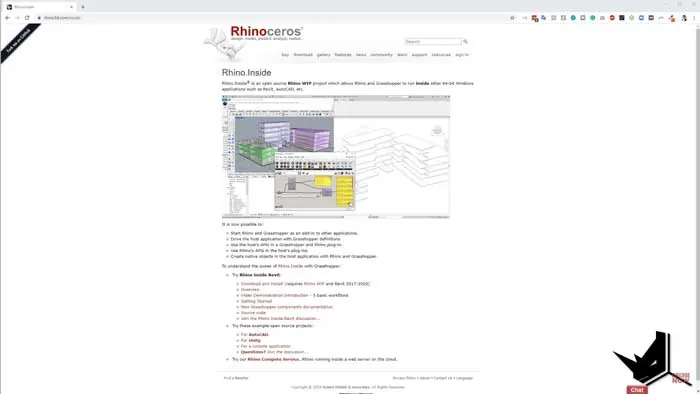
First, download the Rhino Inside installer. Make sure you have a valid Rhino 6 license as well.
Once installed, you'll see a new Rhino tab in Revit. This launches Rhino and Grasshopper directly within the Revit interface.
2. Reference Revit Geometry
To start, select any Revit model geometry like walls, roofs, railings, etc. Right-click and choose "Set 1 Revit Host". This will import the element into Grasshopper for manipulation.
You can also use the "Element Geometry" component to convert to Rhino geometry for more control over the transfer.
3. Model in Grasshopper
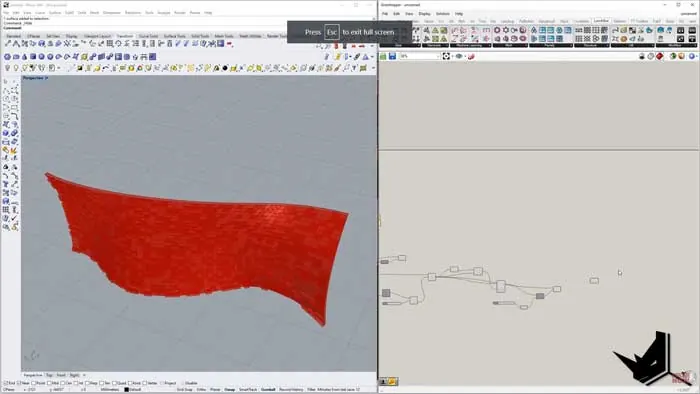
With the Revit geometry imported, you can now model as needed in Grasshopper. The live link enables any changes to automatically update in Revit.
Some examples include:
- Creating curved curtain walls
- Adding paneling and divisions
- Generating complex surface structures
- Designing parametric facades
The possibilities are endless with Grasshopper's robust toolset for Grasshopper to Revit workflows.
4. Export Back to Revit
Finally, use the "Add Direct Shape" component to export your Grasshopper model back into Revit. You'll now have incredible new forms and geometry generated parametrically from Grasshopper.
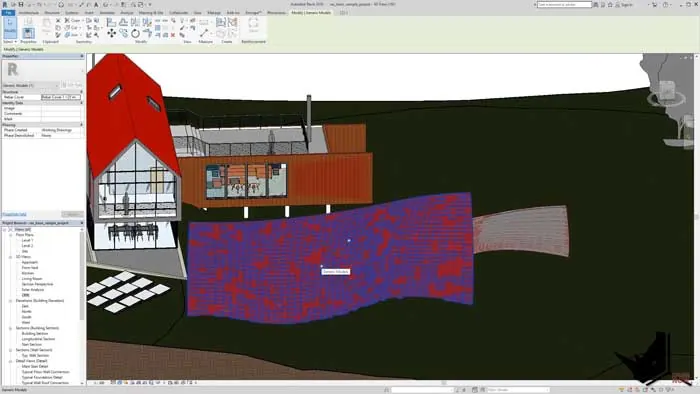
Grasshopper to Revit - Revolutionizing Workflow
Rhino Inside provides an invaluable bridge between Grasshopper and Revit. Designers can break free from the constraints of Revit to create advanced parametric models.
No more losing data or struggling to get complex geometry into Revit. With Rhino Inside, you get the best of both worlds for seamless workflows in a simple plug-in.
The benefits are:
- Streamlined generative design
- Greater geometric flexibility
- Faster iteration and prototyping
- Data preservation between programs
- Real-time synchronization
In short, Rhino Inside is a game changer for Revit users who want to leverage Grasshopper's power. It makes parametric modeling easier and more accessible than ever before.
Try Rhino Inside Today
If you haven't explored Rhino Inside yet, now is the perfect time. This free tool can take your Revit work to the next level.
Download Rhino Inside and see how it enables incredible new workflows. Let us know if you want to see more on optimizing geometry transfer from Grasshopper to Revit!
Rhino Inside Revit Course
Streamline your architectural workflows leveraging Rhino and Grasshopper directly in Revit with the Rhino Inside Revit Course. Get specialized training to master RIR components and techniques. Seamlessly develop complex forms in Rhino and integrate them into your Revit projects. Click below for more information and unify your workflow!