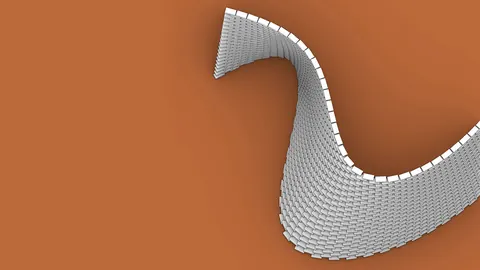
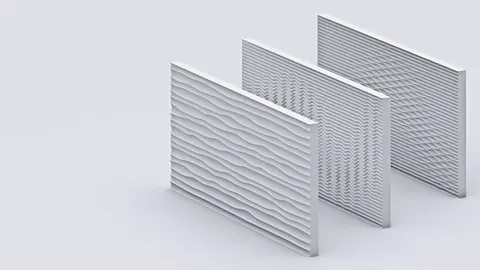
The Kangaroo plugin for Grasshopper is an incredibly powerful tool for architects and designers looking to create kinetic structures and forms. In this step-by-step tutorial, you’ll learn how to harness the power of Kangaroo to recreate the mesmerizing Kinetic Wall project by Barkow Leibinger.
Overview
The Kinetic Wall project consists of an undulating fabric surface with motorized nodes arranged in a grid pattern. As the nodes move in and out, the surface morphs in organic ways.
In the first part of the tutorial, you’ll set up the basic surface and divide it into a grid. Then you’ll create circular cutouts and anchor points to attach to the Kangaroo physics system.
In part two, you’ll define Kangaroo springs and use anchor points to generate the final kinetic form. You’ll also learn tricks for modifying and randomizing the structure.
By the end, you’ll have a deep understanding of how the Kangaroo plugin can be used to generate complex, physics-based forms in Grasshopper.
Creating the Base Surface
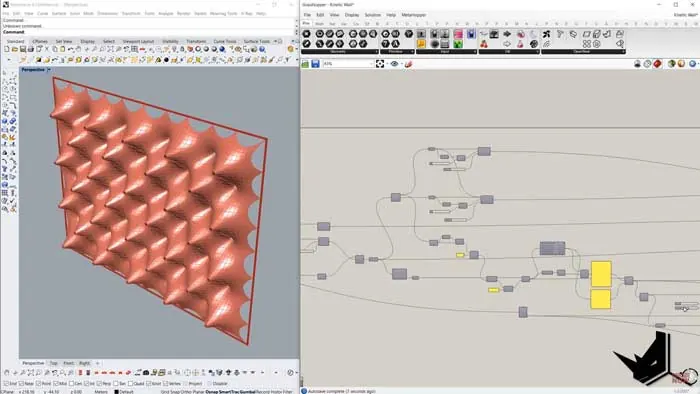
The first step is setting up a rectangular surface as the foundation. This involves:
- Creating a line to define the X direction
- Constructing a plane from the line
- Building a rectangle on the plane surface
- Dividing the rectangle into a grid using the Divide Surface component
An essential trick here is to divide the surface into nearly uniform squares. This is done by taking the ratio of the rectangle’s sides and using it to set the U and V divisions.
The divided surface gives us grid points that will eventually become anchor points for Kangaroo.
Adding Circular Cutouts
Next, we need to add circular cutouts to the mesh surface. Here’s how it’s done:
- Construct a mesh from the rectangle using the Mesh Surface component
- Explode the mesh faces and find their centers
- Use the Centers to cut holes using Closest Point
- Delete faces at the holes by indexing with Closest Points
- Combine the remaining faces into a mesh
This leaves us with a gridded mesh surface with circular cutouts.
Creating Anchor Points
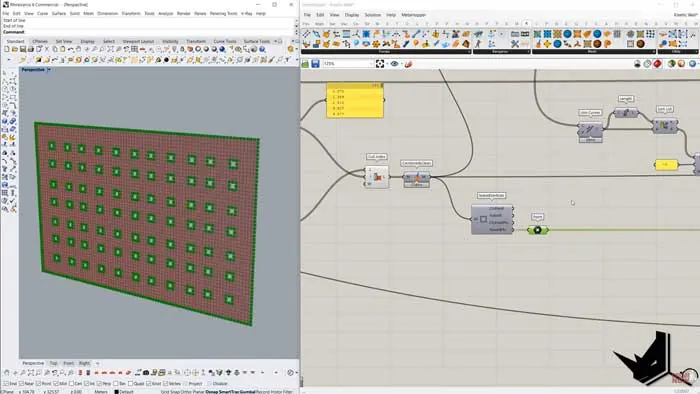
Now we need to create anchor points along the cutout edges. The steps are:
- Find the naked edges of the mesh
- Pull points onto the naked edges
- Sort the points using Replace Pattern
- Fit circles to the sorted points
- Move every other circle inward along the normal
- Project original points onto the offset circles
These offset circle points will act as our first set of anchor points. The grid points from earlier will be the second static set of anchors.
Defining Kangaroo Springs
Finally, we can start setting up the Kangaroo physics simulation. This involves:
- Converting mesh edges into Kangaroo springs
- Setting spring length and stiffness properties
- Creating anchor points from the point lists
- Combining anchors, springs, and display into a Kangaroo network
- Adding solve controls and reset button
With the simulation primed, we can tweak spring stiffnesses and anchor point positions to achieve the desired organic form.
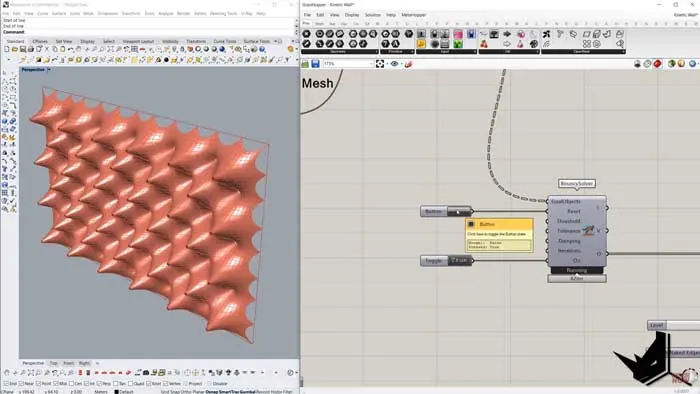
Kangaroo Plugin - Modifying the Structure
A few tricks allow for modifying the kinetic structure. For example:
- Changing circle cutout scale
- Altering circle inward movement
- Randomizing anchor points
- Randomizing spring stiffness
These parametric controls enable iterating through design options quickly.
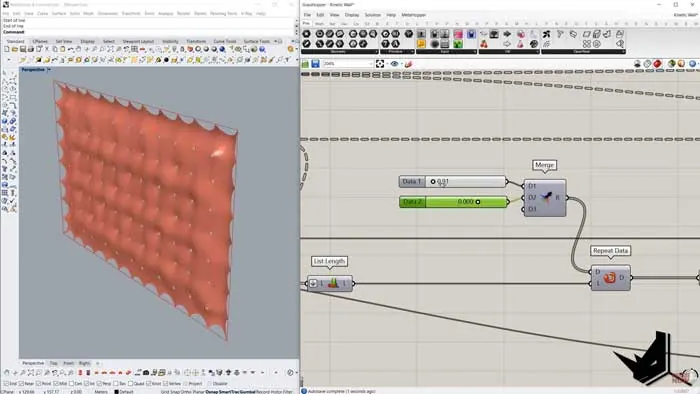
Summary
The Kangaroo plugin empowers Grasshopper users to create physics-based generative models like Kinetic Pole. This tutorial walked through the key steps of constructing a dynamic structure by:
- Building a gridded base surface
- Adding circular cutout patterns
- Creating anchor points
- Defining Kangaroo spring forces
- Controlling and modifying the simulation
With these fundamentals, you can start experimenting with Kangaroo to produce all kinds of kinetic architecture and design projects. The physics-based form-finding will open up new possibilities for dynamic and performative models.
Let me know if you have any other topics you’d like to see covered in future tutorials!

Grasshopper Complete Course
Give your architectural skills a boost with the Grasshopper Complete Course. Get over 50 hours of comprehensive Grasshopper training tailored for architects. Learn to generate and iterate designs faster. Click below for more information and streamline your workflows!