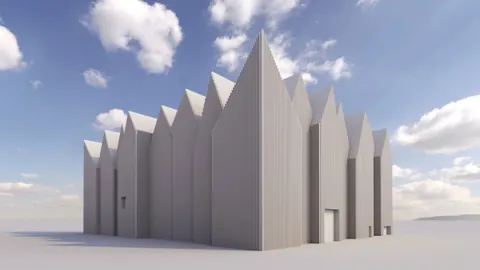
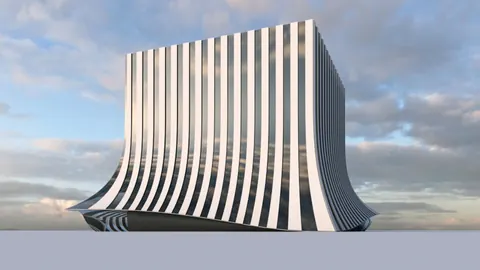
The Kilden Performing Arts Center in Kristiansand, Norway is an architectural marvel designed by the talented team at ALA Architects in Finland. With its sloping white façade and glass exterior, this building makes a striking statement in the cityscape.
In this tutorial, we will model the unique Kilden Performing Arts Center in Rhino step-by-step. By following along, you'll learn techniques for creating complex curved surfaces and adding details like glass panels and mullions.
Overview of the Kilden Performing Arts Center
The Center was designed by ALA Architects and completed in 2012. It houses a concert hall, theater, and library on a beautiful site along the harbor in southern Norway.
ALA Architects are known for their creative use of simple geometric shapes. At Kilden, they used straight rectangular forms combined with sloping walls to create an eye-catching exterior.
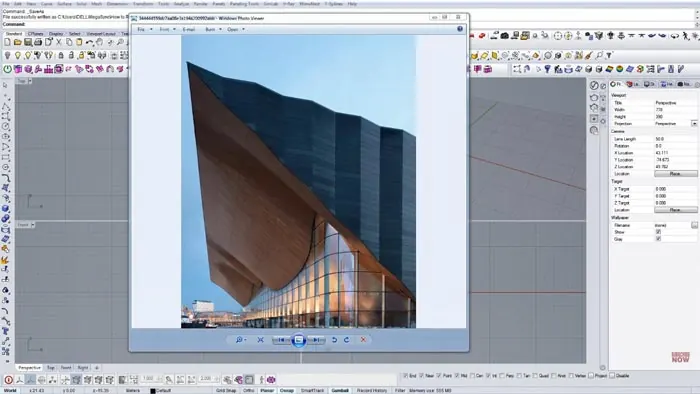
Inside, the 1,000-seat concert hall features state-of-the-art acoustics. The dramatic glass façade offers sweeping views over the water. This building truly combines form and function in an innovative way.
Setting up the Basic Structure in Rhino
To begin modeling Kilden, we'll set up the basic underlying structure.
First, create a simple rectangular surface for the roof outline when viewed from above. Make it the approximate proportions of Kilden's roof based on reference images.
Next, draw guidelines showing the angles of the sloping side walls when viewed from the front. Adjust the angles until they match the building façade.
Copy and rotate the guidelines to create inclined surfaces for the roof perimeter. Use the Scale and Rotate commands to fine-tune the angles.
Once the underlying planes are positioned correctly, join them together to form a rough 3D outline of the roof.
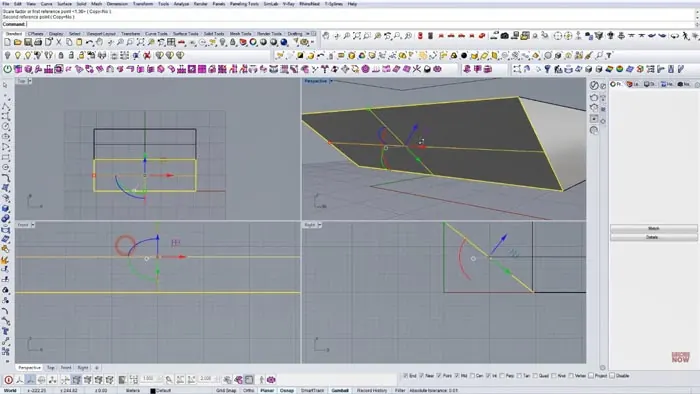
Adding the Curved Roof Surface
The most distinctive part of Kilden is its gracefully curved roof surface. To model this in Rhino, first create a rectangular surface between two perimeter lines to use as a starting point. Refine it into a smooth curved shape using Rhino's T-Splines tools and trim away any excess areas. Convert the T-Spline back into a Rhino surface.
Adjust the control points until you have a surface that flows beautifully from the high point down the sloping sides, similar to the real building.
Creating the Glass Facade
The all-glass exterior wall is another key feature of Kilden's design. To model it:
- Offset the main roof surface downwards to create the facade outline
- Divide it into panels using vertical and horizontal reference lines
- Offset the panels inwards to create glass thickness
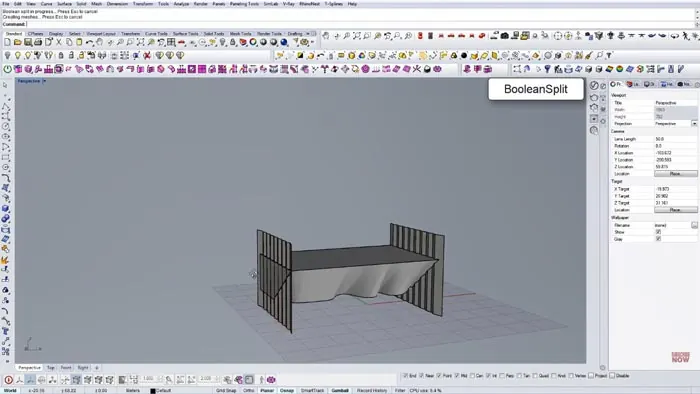
- Use Boolean Split to divide them into individual panels
Add fillets at the base to create the curved glass corner seamlessly connecting the facade to the ground.
Adding Exterior Details
To give the model greater realism, we can add some other exterior details to match the original building.
Mullions can be created by copying vertical and horizontal surfaces from the edges of the glass panes. Give them a small thickness with the Offset Surface command.
The entrance canopy is a simple rectangular form with softened edges. Position it at an angle projecting out from the main facade.
Finishing Touches
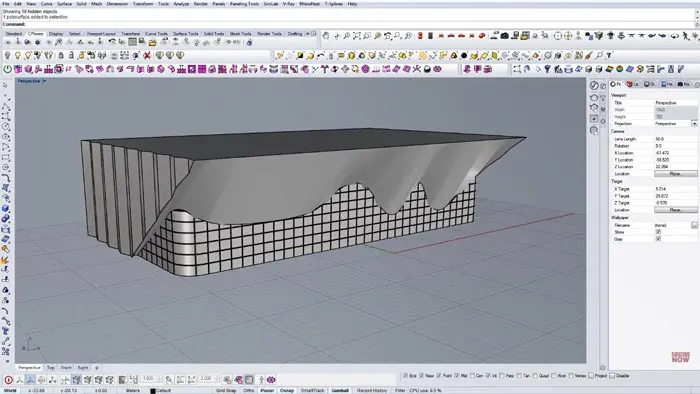
To complete the Kilden model, refine any rough edges and add some basic materials like glass, metal, and white paint. Quick renderings show off the building's dramatic profile:
Recap and Next Steps
In this step-by-step tutorial, we modeled the sweeping Kilden Performing Arts Center in Rhino by:
- Creating the underlying curved roof structure
- Adding a smoothly sloping glass facade
- Including exterior details like mullions and the entrance canopy
The completed model captures the vision of ALA Architects using Rhino's powerful modeling tools!

Grasshopper Complete Course
Give your architectural skills a boost with the Grasshopper Complete Course. Get over 50 hours of comprehensive Grasshopper training tailored for architects. Learn to generate and iterate designs faster. Click below for more information and streamline your workflows!