The Bund Financial Center is one of the most recognizable buildings in Shanghai, China. Located in the city's financial district, this striking tower complex features a fascinating curved glass facade dotted with circular extrusions. In this tutorial, I'll show you the modeling process for the Bund Financial Center in Rhino using parametric modeling techniques.
Overview of the Bund Financial Center
The Bund Financial Center consists of two towers, both standing at the height of 180 meters.
Both towers were designed by Heatherwick Studio together with Foster and Partners. Their distinctive curved glass facade swoops concavely inwards, giving the buildings a futuristic look. The most eye-catching elements are the hundreds of circular glass extrusions dotting the facade.
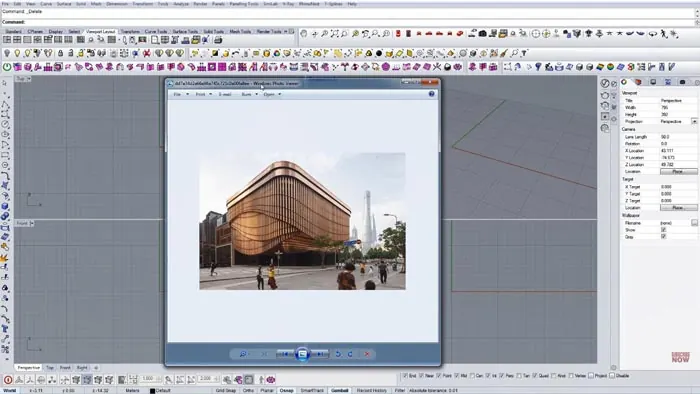
Modeling this complex geometry in Rhino requires some parametric wizardry. By using Grasshopper, we can create a definition to generate the circular extrusions and map them onto the surface of the towers.
Step-by-Step Modeling in Rhino
Let's look at how to model the Bund Financial Center in Rhino step-by-step:
Model the Basic Tower Form
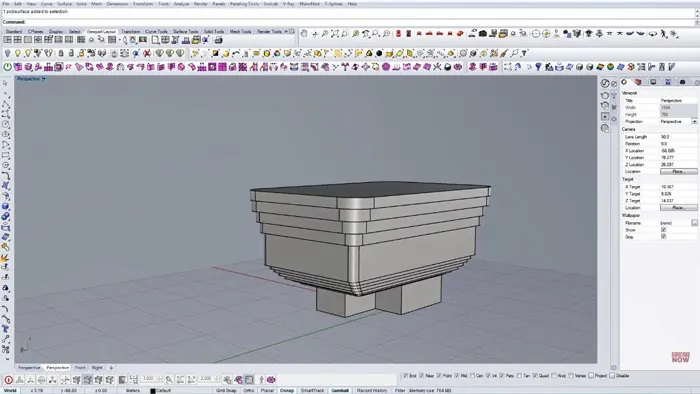
First, we'll model the basic shape of the towers using Rhino's modeling tools. Create rounded rectangles for the tower roofs and extrude them upward. Then add rectangular floors below, extending inward to create the concave facade shape.
Adjust the sizes until the proportions match the reference images. We're not worried about details yet, just getting the overall massing right.
Add Guide Curves for Extrusions
Next, we'll model guide curves along the facade where we want to place the circular extrusions. On the reference image, there are rows of extrusions on the north, south, and west sides.
Make vertical line curves on these faces, dividing them into segments. We'll use these lines to generate the extrusion points.
Create Grasshopper Definition
Now open Grasshopper and start a new definition. Bring in the guide curves and use them to generate a grid of points along each facade. Adjust the point divisions until the density matches the building.
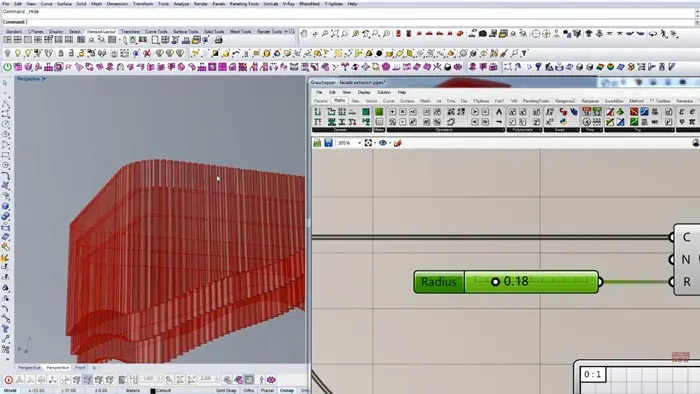
Then construct circles at each point using the Circle component. Set the radius to 0.18 meters based on reference imagery.
Map Extrusion Heights
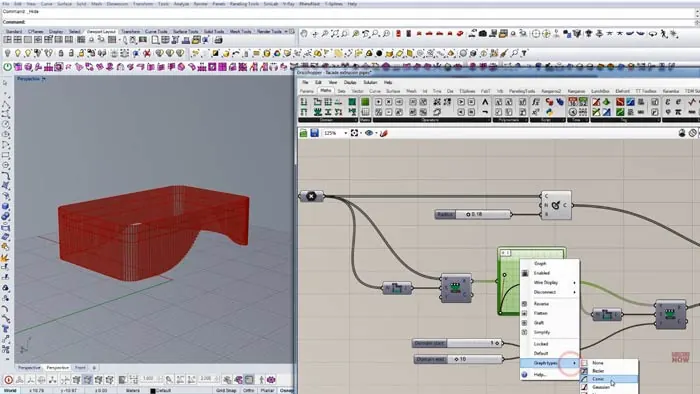
Here's where the parametric magic happens. We'll use a Graph Mapper component to map values onto each circle extrusion, driving their heights.
Connect the circles to the Graph Mapper and experiment with mapping types like Conic. Adjust the handles to create a wave-like pattern of heights matching the building facade.
Extrude and Cap Circles
Once we have the circles mapped with extrusion heights, we can extrude them perpendicular to the surface. The ExtrudeCrv component does this perfectly.
Make sure to cap the extrusion tops so they are closed. Bake the results into the Rhino model.
Add Final Details
With the main parametric facade complete, finish by adding any final detailed elements in Rhino. Create the base and roof structures, materials, lighting, etc.
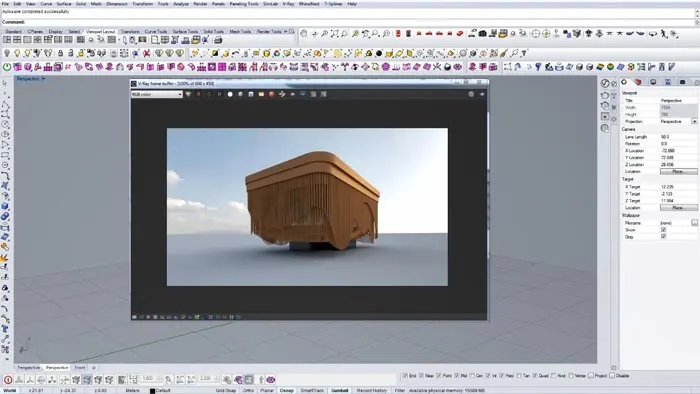
After some tweaking, we now have an accurate model of the iconic Bund Financial Center! The power of Grasshopper helped recreate the complex geometry of the facade in a fully customizable way.
Key Takeaways
Some key tips from this modeling exercise:
- Start with simple base geometry then add detail
- Use guide curves to generate pattern elements
- Map values onto shapes to drive properties like height
- Parametric tools like Grasshopper enable complex forms
Modeling the Bund Financial Center demonstrates how computational design opens up new possibilities in architecture. With the right Rhino and Grasshopper skills, you can recreate some of the most complex building designs!

Rhino for Architects Course
Give your architectural skillset a major boost with the Rhino for Architects Course. Get over 60 hours of focused training tailored specifically for architects. Master commands and techniques to model, render, and animate architectural visualizations at the highest level. Click below for more information and watch your designs come alive!