Are you a fan of 3D modeling and looking to take on a new challenge? Dive into the world of Rhino as we guide you through modeling Buzludzha Monument, enigmatic structure that combines ancient inspirations with futuristic designs.
Nestled in the heart of Bulgaria, this monument is an example of brutalist architecture and timeless design envisioned by Georgi Stoilov. Let’s embark on a journey to recreate this iconic monument!
The Influences Behind the Buzludzha Monument
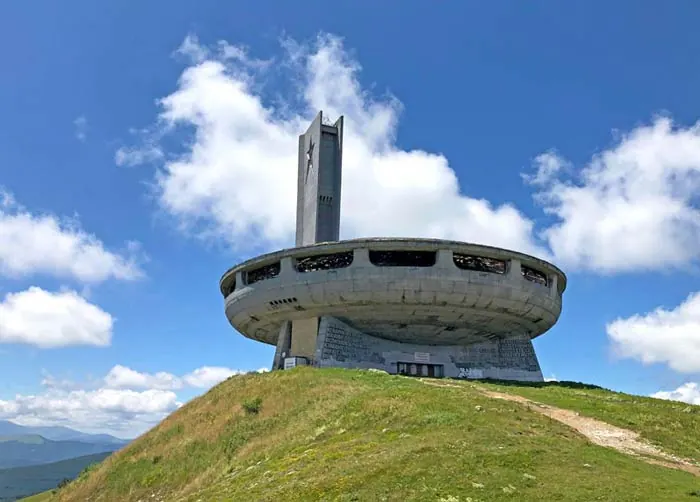
Before we delve into modeling Buzludzha Monument, it’s essential to grasp the deep-seated influences behind Stoilov’s masterpiece. The architect drew inspiration from an array of sources, such as the brutalist architectural movement prevalent in Western Europe and iconic figures like Mies van der Rohe, Gropius, and Le Corbusier. Stoilov envisioned a timeless monument, mixing the Roman Pantheon inspiration with the dynamic energy seen in 1950s sci-fi films.
Beginning Your Rhino Journey
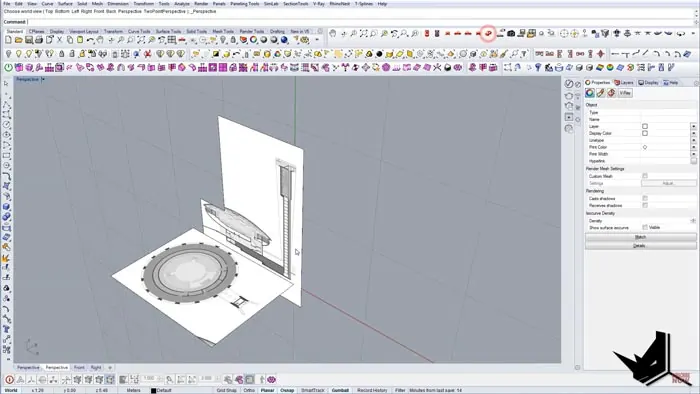
Embarking on your Rhino journey begins with importing an image of the monument as a reference, making sure to retain the correct proportions to replicate the monument accurately. This reference image aids in creating all the other elements needed for a detailed model.
Creating the Base
First things first, we start by crafting the base of the monument. Rhino’s functionalities, such as the polar array center, aid in marking out the base with precise curves, helping set a strong foundation for the model.
Crafting the Top and Outer Edges
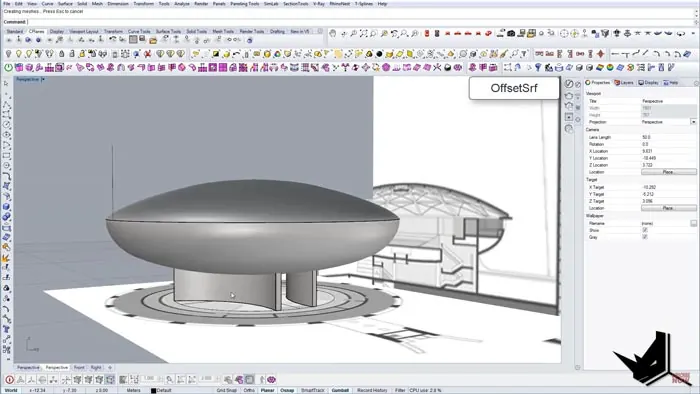
The next step involves defining the outer edges and the top of the monument. This phase demands a meticulous approach to capture the monument’s true essence. Use the Revolve function to give the monument its rounded, futuristic structure, reminiscent of a UFO, a noticeable in Stoilov's sci-fi influences.
Designing the Openings
As we proceed further, we can create the monument's distinct windows — a crucial element that brings the Buzludzha Monument to life. Utilize Polar Array to create these symmetrical openings, which bring natural light into the interior. This function allows for precise window placements, replicating the exact look of the monument.
Detailing the Monument
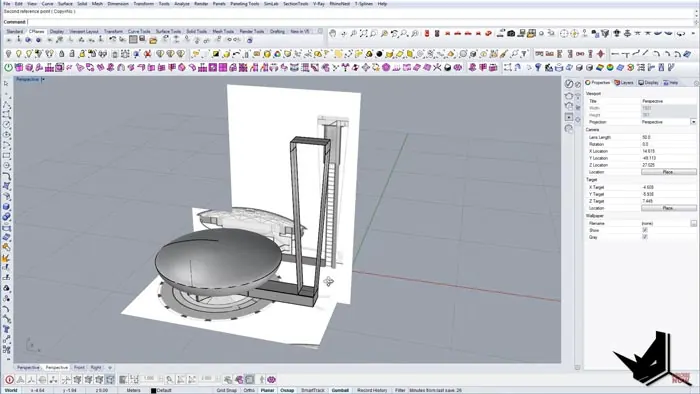
As your model starts taking shape, it’s time to infuse life into it with intricate details. Remember, the devil is in the details! This stage involves creating the top view of the monument and laying out the outer ground. Use the Polyline tool to craft the distinct features that make the monument stand out.
Final Touches and Rendering
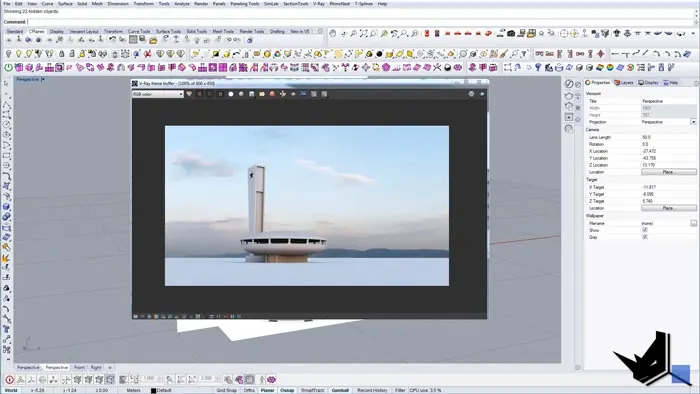
With all the elements in place, it’s time to render your masterpiece. Add those final touches, polish the details, and prepare to be mesmerized as the Buzludzha Monument comes to life digitally. Once satisfied with your creation, render it out to witness the final result - a digital representation of Bulgaria’s iconic monument.
Conclusion
Modeling Buzludzha Monument with Rhino not only offers a deep understanding of Stoilov’s architectural prowess but also allows enthusiasts to appreciate the timeless design of the monument. Whether you’re a student, an architect, or someone intrigued by the fascinating world of 3D modeling, this tutorial offers hands-on experience in creating one of the world’s architectural marvels.
We encourage you to try it yourself. Happy modeling!

Rhino for Architects Course
Give your architectural skillset a major boost with the Rhino for Architects Course. Get over 60 hours of focused training tailored specifically for architects. Master commands and techniques to model, render, and animate architectural visualizations at the highest level. Click below for more information and watch your designs come alive!