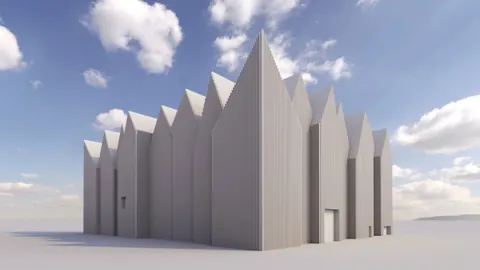
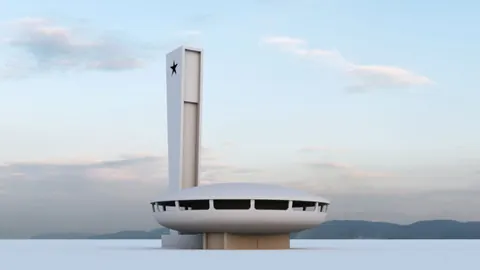
In this tutorial, we’ll give you a step-by-step approach to modeling the Heidelberg Convention Center in Rhino. We'll use a combination of Rhino's modeling tools along with a few tips for bringing in 3D models from other software.
The Heidelberg Convention Center is one of the most iconic modern buildings in Germany. Designed by Degelo Architects, this building combines glass, concrete, and steel in a unique sculptural form.
Overview of the Heidelberg Convention Center
The Heidelberg Convention Center opened in 1985 and features a distinctive sweeping glass roofline. Under the roof, a series of 10 cylindrical conference halls are stacked together to form the core of the building.
Surrounding the conference halls is a concrete base and a glass envelope that provides panoramic views of the river and city.
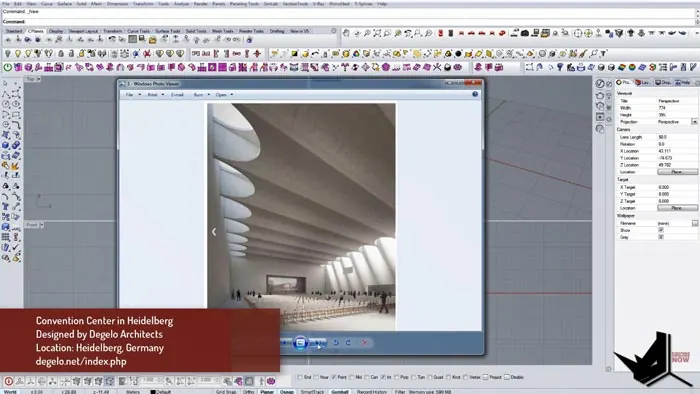
Modeling this building in Rhino will allow us to explore the interplay between organic shapes and more rigid geometric forms.
Modeling Heidelberg Convention Center: Setup
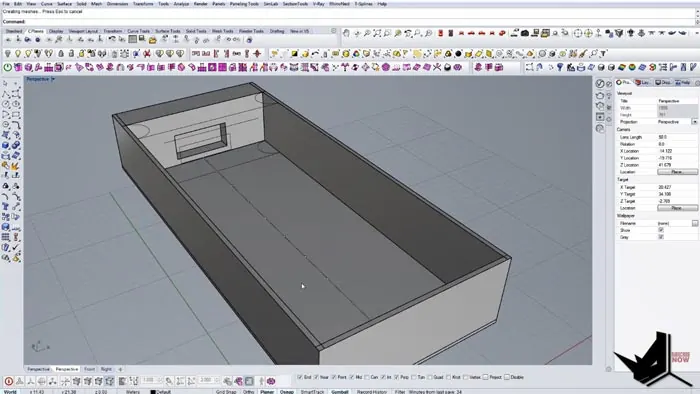
First, let's model the basic footprint of the building. We can draw a simple rectangle that is 45 units wide by 20 units deep. This will form the foundation for our model.
Next, we'll build one of the 10 cylindrical conference halls as a modular unit. We can draw a circle, offset it to create a ring shape, and extrude it upward.
Using Rhino's array tool, we can copy this conference hall module 10 times to generate the core of the building.
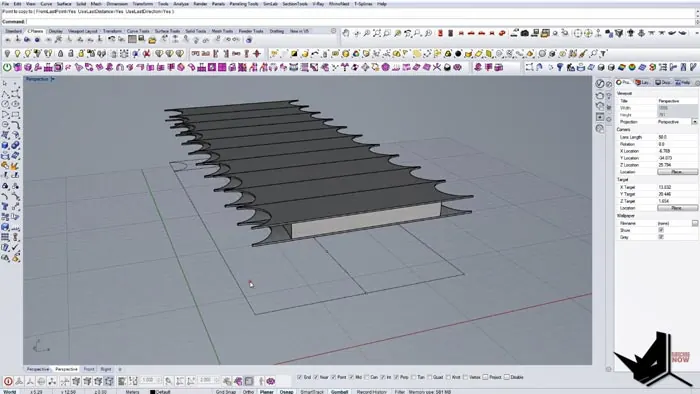
Adding the Sloped Glass Roofline
The sweeping glass roofline is a key feature of the Heidelberg Convention Center. We can model this in Rhino by drawing profile curves and using control points to manipulate the shape.
First, create a polyline using the control point editing tool to make a basic sloped line. Then add additional control points to bend and shape the roofline into an organic, swooping form.
Once the shape is right, we can extrude the surface and trim away any excess to complete the glass roof.
Modeling the Base and Podium
The base of the Convention Center features a solid concrete podium. We can model this simply by subtracting a rectangle from the bottom of the extruded roof surface using Boolean tools.
Let's also add a floor surface and extract the overall massing of the building. At this point, we have a basic model that captures the unique shape of the Convention Center.
Adding Details with Imported Models
To add more realism, we can bring in some detailed models, like chairs, from 3D software. The website 3D Sky has some great free models.
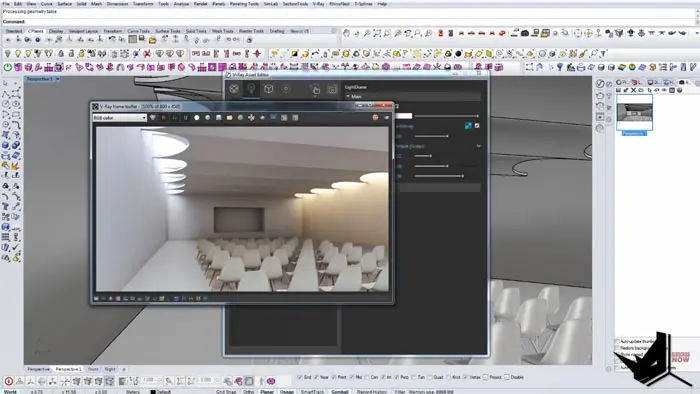
I imported a chair model, scaled it down, and copied it around the interior space. With just a few chairs, it helps convey the conference hall environment.
We can even apply different materials like wood and plastic to elements of the imported model. This adds to the realism without needing to model every detail.
Creating Photorealistic Renderings
The final step in modeling the Convention Center is setting up lighting and textures to create a photorealistic rendering of our Rhino model.
Using an HDRI dome light, we can illuminate the scene with a realistic sky map. This instantly provides natural lighting based on a real-world environment.
By adjusting the HDRI rotation and intensity, we can fine-tune the lighting to match our desired view. Add some simple textures and Rhino's powerful rendering produces a life-like image of this iconic building.
Conclusion
In this step-by-step tutorial, we explored modeling the Heidelberg Convention Center entirely in Rhino. By combining Rhino's modeling tools with imported models and photorealistic rendering, we can create stunning architectural visualizations.
The techniques covered here, like modular modeling, Boolean operations, and photorealistic rendering, can be applied to many other architectural modeling projects in Rhino.
I hope you found this helpful for modeling the iconic Heidelberg Convention Center! Let me know if you have any other requests for Rhino architecture tutorials.

Rhino for Architects Course
Give your architectural skillset a major boost with the Rhino for Architects Course. Get over 60 hours of focused training tailored specifically for architects. Master commands and techniques to model, render, and animate architectural visualizations at the highest level. Click below for more information and watch your designs come alive!