Rhino is a powerful NURBS modeling tool used by architects and designers worldwide. In this tutorial, we will learn the process of modeling the iconic Les Choux de Creteil social housing project in Rhino.
Overview of Les Choux de Creteil
Les Choux de Creteil is a famous residential complex located in Créteil, a suburb of Paris, France. It was designed by architect Gérard Grandval between 1966 and 1974.
The project consists of 768 apartments arranged in 10 fifteen-story towers. The towers feature a unique design - the lower floors have an octagonal shape while the upper floors have semicircular balconies creating a terraced effect.
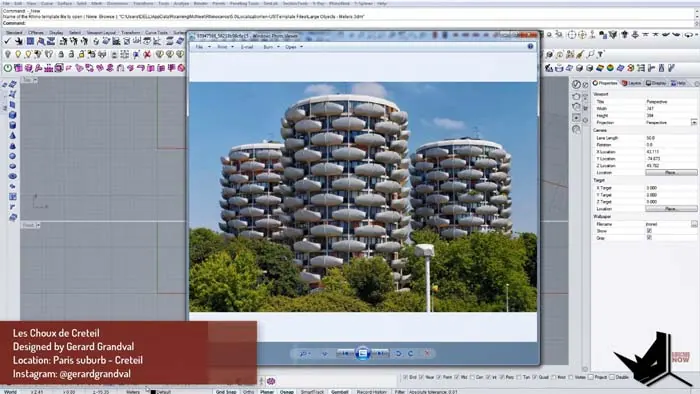
The sculptural curves and balcony edges make Les Choux de Creteil an iconic example of modernist architecture. Let's see how we can model this interesting geometry in Rhino.
Modeling the Balcony Module
We will begin modeling Les Choux de Creteil by creating a single balcony module which can then be distributed around each tower.
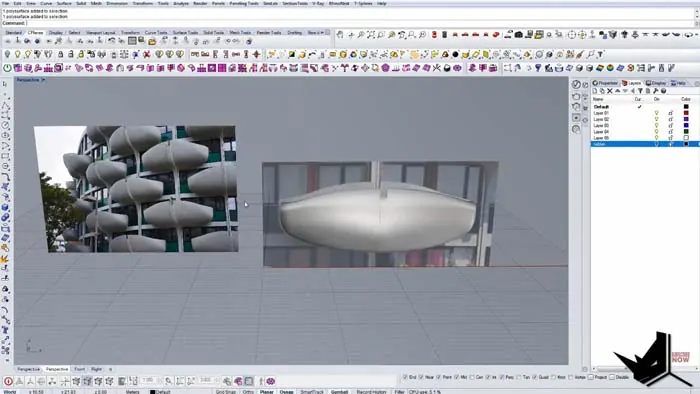
First, import a front and top view image of Les Choux de Creteil into Rhino for reference. Trim the images to show just a single balcony section.
Using T-Splines, start creating splines to build up the overall balcony shape. Match the curves to the reference image to recreate the smooth edges. Extrude the balcony spline shape to give it some depth.
Add edge loops along the perimeter to sharpen the edges. The module should now have clean geometry while matching the curvature of the real balcony.
Creating the Tower Structure
With the balcony module complete, we can now make the tower structure.
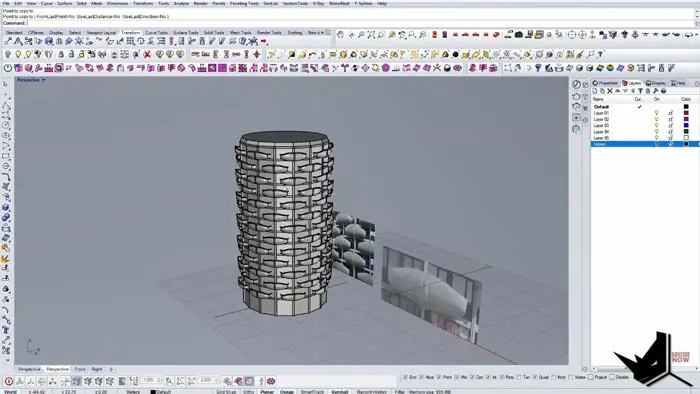
Draw a 16-sided polygon for the tower floorplate and extrude it up to 13 floors. Be sure to use different floor heights to match the tapering shape of the original towers.
Copy the balcony module into position along one of the exterior faces. Use the Polar Array to distribute the balcony around the tower 8 times.
Duplicate this for the other towers, rotating the balconies on alternating towers. Add some vertical elements to create columns and divide the facade.
The basic tower shape and balcony distribution are now complete. Continue refining the geometry adding finer details until you achieve the iconic organic forms of Les Choux de Creteil.
Tips for Modeling Complex Shapes
Here are some tips for modeling complex architectural forms like Les Choux de Creteil in Rhino:
- Use reference images for accuracy. Trim to isolate the section you need to model.
- Build up complex shapes gradually. Start with basic splines, then refine.
- Add edge loops, creases, etc. to sharpen edges and surfaces.
- Use commands like Polar Array for quick duplication and distribution.
- Refine, refine, refine. Sculpt and smooth the geometry until you match the original.
With practice, Rhino provides all the tools needed to recreate even very complex curvilinear buildings. The only limit is your imagination!
Conclusion
Modeling iconic works of architecture like Les Choux de Creteil is a great way to improve your skills. This social housing project exemplifies the sculptural forms and experimental spirit of modernist design.
Following this step-by-step tutorial, you learned how to:
- Model a balcony module using T-Splines
- Create the octagonal tower structure
- Distribute the balconies around using Polar Array
- Refine the geometry to match the original design
Rhino lets you recreate and analyze any building. Try modeling your own favorite architectural landmark!

Rhino for Architects Course
Give your architectural skillset a major boost with the Rhino for Architects Course. Get over 60 hours of focused training tailored specifically for architects. Master commands and techniques to model, render, and animate architectural visualizations at the highest level. Click below for more information and watch your designs come alive!