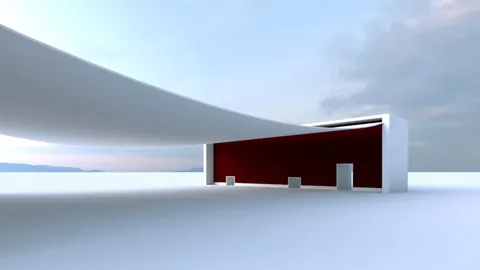
The Norwegian Wild Reindeer Pavilion is an impressive and unique architectural structure located in Hjerkinn, Norway. Designed by Snohetta, this pavilion features a striking wooden shell structure that creates an inviting indoor/outdoor space. In this post, we'll walk through the process of modeling the Norwegian Pavilion in Rhino using a combination of techniques.
Overview of the Norwegian Wild Reindeer Pavilion
Before jumping into the process of modeling the Norwegian Pavilion in Rhino, let's take a quick look at the pavilion itself. The structure consists of a sweeping curved wooden shell enclosing an open interior space. Large glass doors provide access and views from the interior bench seating area.
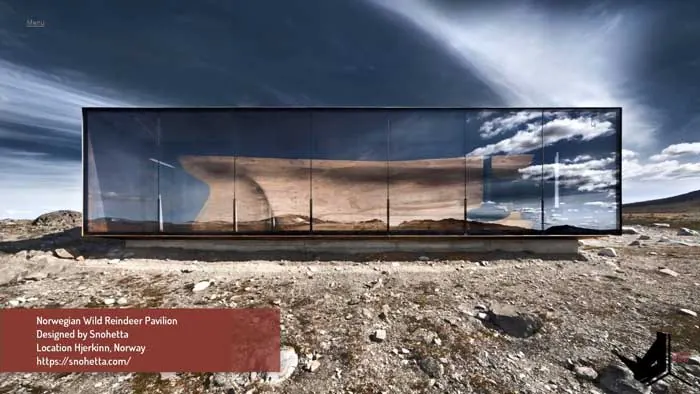
The facade features an interplay between the smooth curves of the shell and vertical wood slats on the doors. The overall effect is organic yet structured. It creates an inviting and visually intriguing architectural form.
Modeling the Main Shell Structure
With an understanding of the pavilion's design, we can now look at recreating it in Rhino. We'll focus specifically on modeling the front facade area, including the curved bench and doorway.
To start, we'll import a reference image of the pavilion into Rhino. After scaling up a rectangle to match the proportions, we can lock it to use as a guide.
Next, we'll model the main shell using T-Splines. It's important to begin by extruding edges to maintain control over the curvature. Once the initial edges are placed, we can refine the shape in the perspective view, moving control points to match our reference.
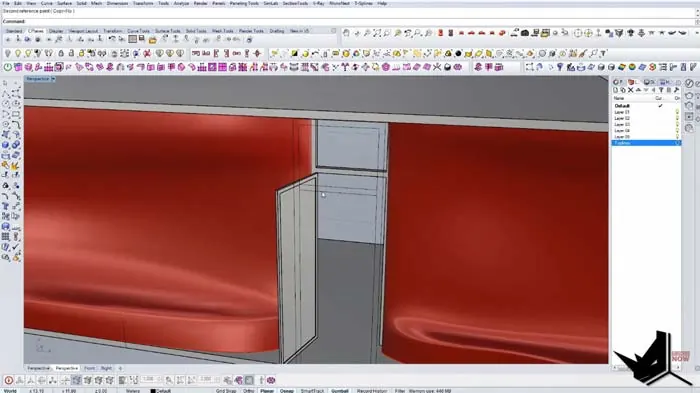
Edges are strategically added to create the proper contours and transitions from the straight bench area to the smooth inward curve above. The T-Splines geometry allows smooth shaping while still providing the needed definition.
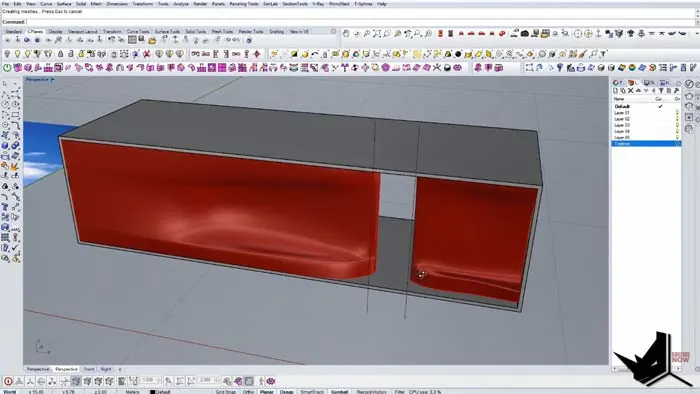
Modeling the Bench and Doorway
With the main shell form modeled, we can now focus on the bench seating and doorway area. Again using T-Splines, this section is modeled following a similar process. Edges are extruded and positioned to shape the bench.
The vertical door elements can then be created by converting the T-Splines to standard Rhino geometry and using surfaces and booleans. An opening is cut into the doors to replicate their open position.
Glass is modeled by offsetting the doorway surface and using it to split the door geometry. This creates the needed transparency effect.
Final Touches and Render
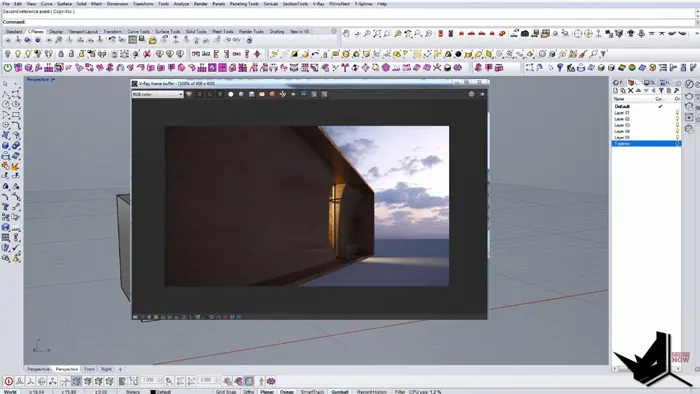
To complete the facade model, a simple wood material and copper-like metal shader are applied. The scene is then rendered using Rhino's built-in renderer.
The final result accurately recreates the look and feel of the Norwegian Wild Reindeer Pavilion's unique front facade. The combination of T-Splines and Rhino booleans allowed efficient shaping of the complex organic forms.
Recap of Modeling the Norwegian Pavilion
To quickly recap the process:
- Imported reference image for guidance
- Modeled main shell with T-splines
- Strategically placed edges to control curvature
- Shaped bench and doorway area with T-splines
- Converted to Rhino geometry for doors and glass
- Used booleans and surfaces for final details
- Added materials and rendered
Key Takeaways for Architectural Modeling
This exercise demonstrated several best practices for modeling architectural forms in Rhino:
- Use reference images for proportions and shaping
- Combine T-Splines and Rhino tools for efficiency
- Control curvature with edge placement
- Build up complex forms section by section
- Convert between model types as needed
- Use booleans for subtractive details
- Render for realistic materials and lighting
Next time you need to model a complex architectural project in Rhino, keep these tips in mind! Proper planning and a mix of modeling techniques will help streamline the process.
The unique curves and details of the Norwegian Pavilion make it an engaging modeling subject. Strategically applying Rhino's capabilities resulted in an accurate digital 3D replica of this fascinating architectural structure. Try it out for yourself!

Rhino for Architects Course
Give your architectural skillset a major boost with the Rhino for Architects Course. Get over 60 hours of focused training tailored specifically for architects. Master commands and techniques to model, render, and animate architectural visualizations at the highest level. Click below for more information and watch your designs come alive!