In this tutorial, we will cover the process of modeling the Seed Pavilion designed by Heatherwick Studio for the Shanghai Expo 2010. This incredible structure is made up of 60,000 slender transparent rods, and we'll explore how to recreate it in Rhino using Grasshopper.
Overview of the Modeling Process
For the modeling of the Seed Pavilion, we will use Rhino for the base geometry and Grasshopper to generate the array of rods on the surface. Here are the key steps we will follow:
- Model the basic surface in Rhino
- Import the surface into Grasshopper
- Populate the surface with points
- Determine normals for the points based on the surface
- Create circles at each point using the normals
- Extrude the circles into rods using the normals and a specified height
- Cap the rods to create the final model
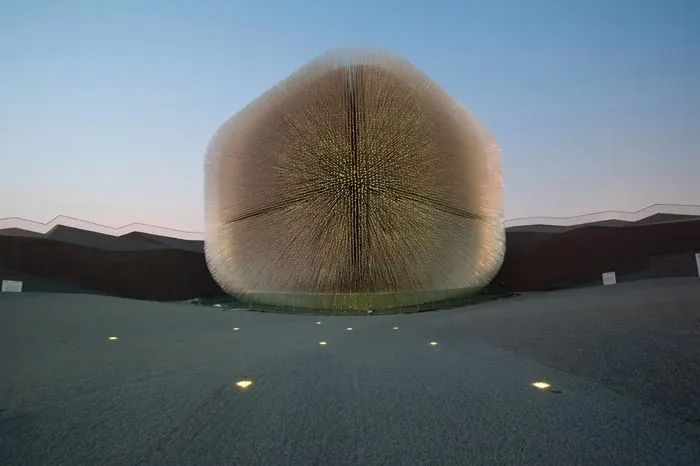
While the end result has 60,000 rods in the real structure, we will use a more manageable 5,000 points for the sake of time and computing power. Let's look at each step in more detail.
Modeling the Base Surface in Rhino
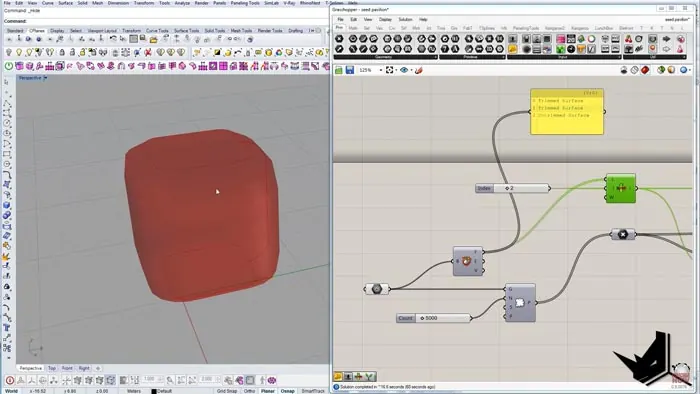
We start by modeling a simple rectangular surface in Rhino, applying fillets to the edges. We extract some edges and use them to create a curved cross-section. This gets mirrored and used to cut the surface. A rail sweep creates the final enclosing surface.
Importing the Surface into Grasshopper
Once we have the base surface, we bring it into Grasshopper using the Geometry component. We can select the surface we want to work with using the Deconstruct Brep component.
Populating the Surface with Points
To generate the rods, we need to populate the surface with points. The Populate Geometry component lets us specify how many points we want - 5,000 in this case.
Determining Normals Based on the Surface
Now that we have points, we need to determine the normal direction at each point based on the underlying surface geometry. The Evaluate Surface component calculates these normals for us.
Creating Circles with Normals as Orientation
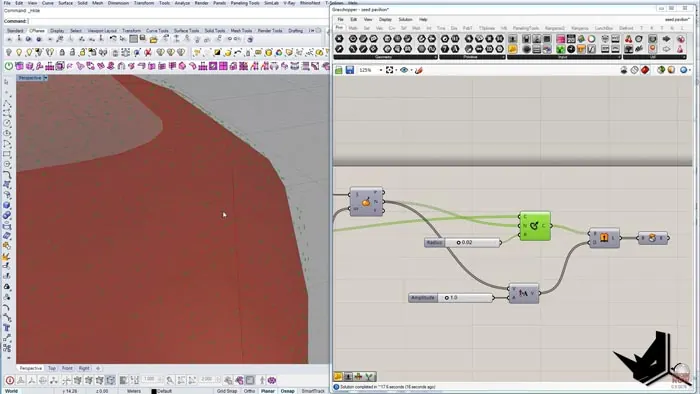
Using the points as centers and the normals as orientation, we generate circles using the Circle CNR component. This orients the circles properly on the curved surface.
Extruding Circles into Rods
We extrude the circles into rods using the Extrude Planar Curve component, with the normals directing the extrusion. A length parameter controls the rod height.
Capping Rods to Complete the Model
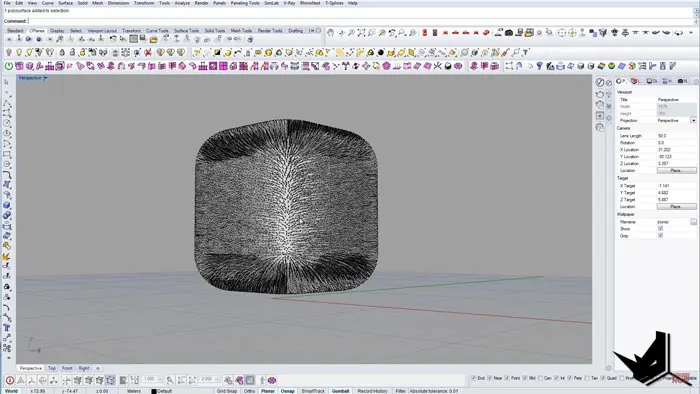
Finally, we use the Cap Holes component to add tops and bottoms to the rods, completing the model.
Final Result
With the base surface modeled in Rhino and the rod population generated with Grasshopper, we can create a model of the incredible Seed Pavilion with minimal effort. The definition streamlines generating the thousands of rods needed to build this freeform structure.
This has been a brief overview of modeling the Seed Pavilion in Rhino with Grasshopper. If you found this tutorial helpful, make sure to subscribe to our YouTube Channel to be notified of more tutorials like this!

Rhino for Architects Course
Give your architectural skillset a major boost with the Rhino for Architects Course. Get over 60 hours of focused training tailored specifically for architects. Master commands and techniques to model, render, and animate architectural visualizations at the highest level. Click below for more information and watch your designs come alive!