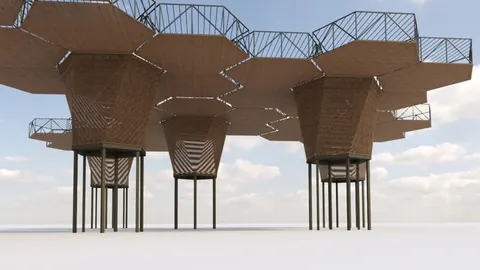
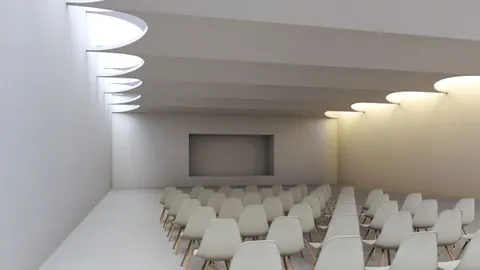
The Sleuk Rith Institute designed by Zaha Hadid Architects is an impressive and unique building located in Phnom Penh, Cambodia. In this tutorial, we will lay out a step-by-step method of modeling Sleuk Rith Institute using Rhino3D.
Overview of the Modeling Process
Modeling the Sleuk Rith Institute in Rhino requires some planning and strategic steps. Here is a quick overview of the process:
- Create 2D lines representing the building's extruded sections
- Project the 2D lines onto the 3D surface to create the overall building form
- Model one module and copy it to create the full structure
- Add details like paneling and interior lighting
Starting with the 2D Profile
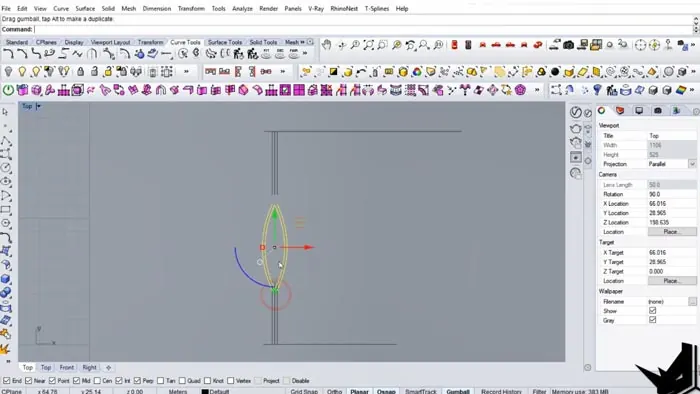
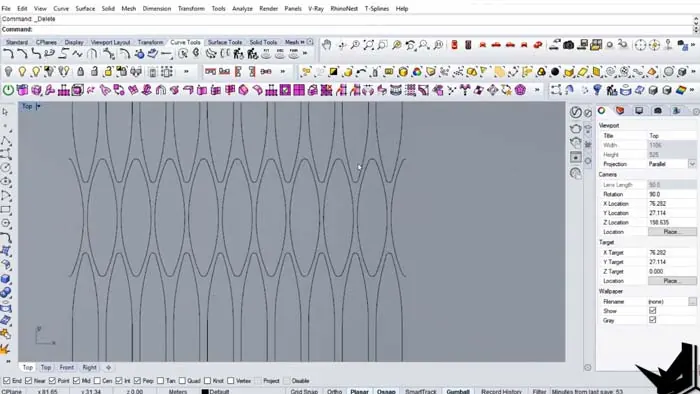
The first step is to create a 2D profile representing the unique shape of one vertical section of the building. This will be done using lines and curves to control the shape.
The goal is to create a smooth curved profile that matches the Institute's organic aesthetic. Once the 2D profile is complete, it can be revolved and copied to quickly generate the overall massing.
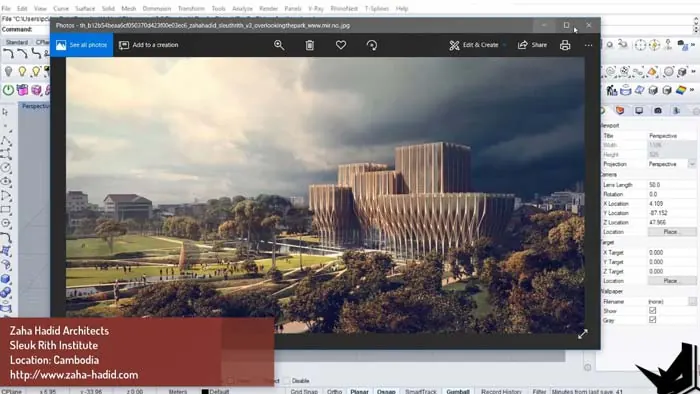
Projecting the Lines onto the 3D Surface
With the 2D profile ready, it is projected vertically onto the curved surface of the model. The surface acts as a canvas to map the vertical sections onto.
This is an efficient technique for generating the complex forms of the Institute. The vertical lines are projected onto the surface using Rhino's project command.
Modeling and Copying the Module
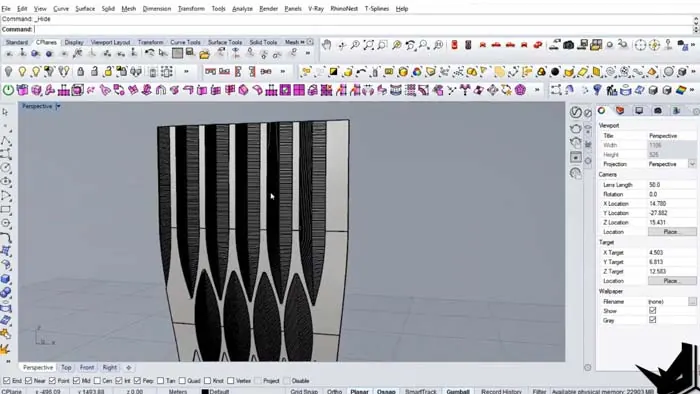
After defining the overall surface, the next step is modeling one module of the Sleuk Rith Institute in detail. This includes adding features like paneling and interior bars.
Once the single module is complete, it can be copied around to create the full structure. This workflow of modeling one unit and then copying it is very efficient.
The corners need slight modifications from the standard module to account for the changing angle. But the rest can be duplicated.
Adding Details and Lighting
To complete the model, additional details are created - like the metal bars and lighting inside the atrium spaces. This extra level of detail takes the model to the next level.
The lighting adds a nice glow inside the atrium and creates a more photorealistic render. This completes the architectural model of the famous Sleuk Rith Institute in Rhino.
Key Takeaways from Modeling the Sleuk Rith Institute
By following along with this step-by-step tutorial, you can gain some valuable skills:
- Using 2D profiles to generate complex 3D forms
- Projecting 2D lines onto curved surfaces
- Modeling a modular unit and copying it around a structure
- Adding details like paneling, bars, and interior lighting
- Creating an organic building form in Rhino
The techniques covered in this tutorial can be applied to many other projects as well. Using procedural methods like this allows the creation of complex forms efficiently.
Why This Example?
Modeling this contemporary building designed by Zaha Hadid has unique geometry that makes it an interesting challenge. The smooth curves and unusual shapes of this project push the boundaries of modeling in Rhino.
Replicating the intricate details of buildings like the Sleuk Rith Institute will expand your Rhino skills. By completing this tutorial, you will improve your proficiency in generating and manipulating complex surfaces.
The organic aesthetic of Zaha Hadid's designs is defined by softly bending shapes. Mastering how to recreate these shapes will add to your architectural modeling expertise.
So in summary, the goal of this tutorial was to provide great practice for controlling curves and surfaces in Rhino, and the striking form of the Sleuk Rith Institute gives a worthy modeling subject.

Rhino for Architects Course
Give your architectural skillset a major boost with the Rhino for Architects Course. Get over 60 hours of focused training tailored specifically for architects. Master commands and techniques to model, render, and animate architectural visualizations at the highest level. Click below for more information and watch your designs come alive!