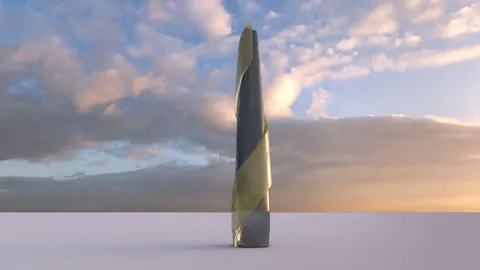
The striking curved shape of Foster + Partners' St Mary Axe building in London is an iconic landmark in the city's skyline. Nicknamed "The Gherkin" for its resemblance to the small pickled cucumbers, this building presents an interesting modeling challenge for architects using Rhino. In this tutorial, we'll look at techniques for efficiently modeling St Mary Axe in Rhino.
Modeling St Mary Axe: Overview
St Mary Axe is a commercial skyscraper located in London's financial district. Designed by architecture firm Foster + Partners, it opened in 2004 and features a distinctive curved glass facade with diamond-shaped panels.
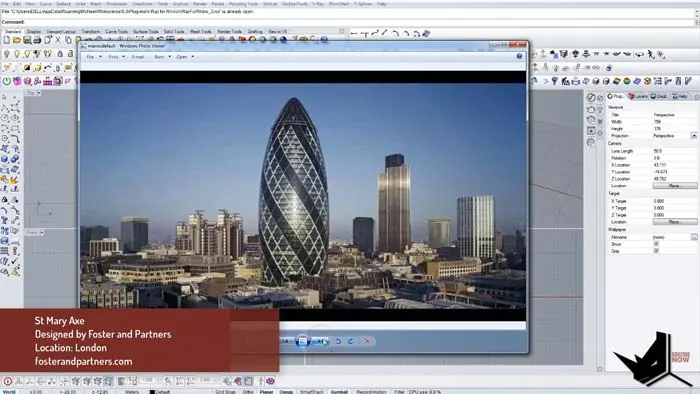
At 590 feet (180 m) tall, St Mary Axe has 24 floors of office space. Its tapered shape maximizes views and natural light for occupants.
Setting Up the Modeling Reference
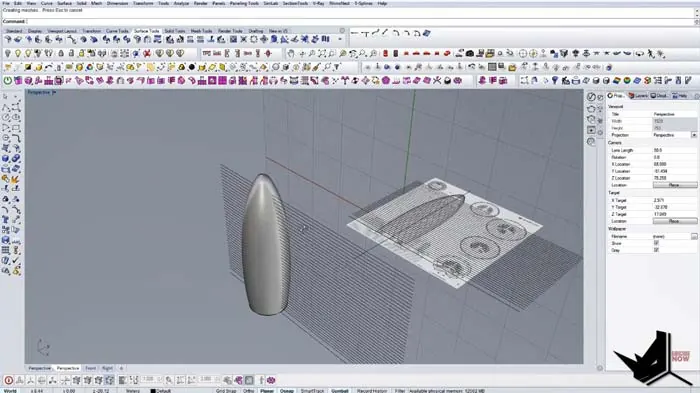
When modeling a complex building like St Mary Axe in Rhino, it's important to have good reference images to follow. This tutorial uses a front elevation view of the tower as a guide.
To set up the reference image:
- Import the image file into Rhino
- Make the image 50% transparent so the model geometry is still visible
- Lock the image in place as an underlay
Creating the Overall Form
With the reference visible, the next step is generating the overall curved form of St Mary Axe. Draw center guideline curves on the image to map out the core shape. After this, use control points to refine the curve and match the photo. Copy the curve to make a closed planar curve for the profile. Revolve the profile curve to create the basic cylindrical tower form
Adding in the Floor Plates
The next key elements to the model are the floor plates that give St Mary Axe its distinctive tiered shape. To achieve this, copy the outline of the floor plates from the reference image and array these profile curves up the height of the building. Use the Curve Extrude command to create the floor slab geometry.
Modeling the Facade Panels
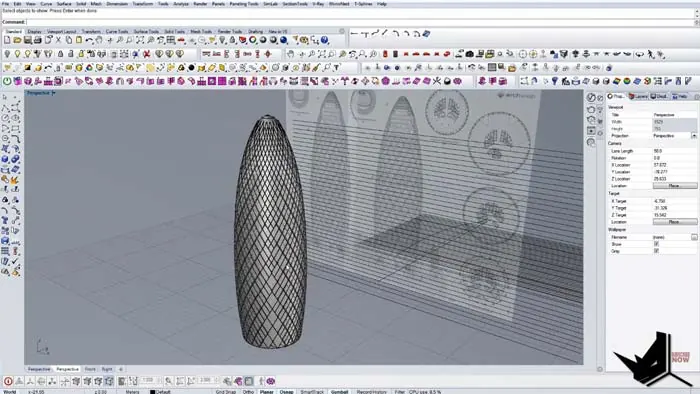
The intricately patterned glass curtain wall gives St Mary Axe its unique Facade. This can be modeled in Rhino by:
- Bringing the surface into Grasshopper and using the Diamond Panels component
- Experimenting with the panel resolution until it matches the reference image
- Baking the Grasshopper pattern back into Rhino
- Using Extract Wireframe and Pipe to create 3D facade ribs
Final Touches
To complete the St Mary Axe model:
- Group and hide the preliminary curves and surfaces
- Add final materials like glass, steel, and stone textures mapped to the different Facade elements
And there you have it!
Conclusion
The techniques covered in this tutorial demonstrate a workflow for accurately modeling St Mary Axe's complex geometry in Rhino. With the right approach, even dramatic curved buildings like this are possible to model.

Rhino for Architects Course
Give your architectural skillset a major boost with the Rhino for Architects Course. Get over 60 hours of focused training tailored specifically for architects. Master commands and techniques to model, render, and animate architectural visualizations at the highest level. Click below for more information and watch your designs come alive!