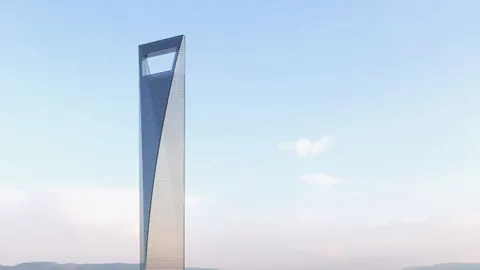
The Yongsan Landmark Tower is set to be one of the most futuristic and expensive buildings in the world. With construction costs rumored to be even higher than Dubai's renowned Burj Khalifa, this Samsung-backed project masterminded by architect Renzo Piano aims to redefine the Seoul skyline. In this post, we'll explore an easy technique for modeling the Yongsan Landmark Tower and its signature spiral design in Rhino.
Overview of the Building’s Design
The Yongsan Landmark Tower incorporates several signature elements that create its unique futuristic aesthetic. Most notably, the building features a prominent diagonal twist that winds around the structure from bottom to top. This spiral contour gives the highrise an almost vortex-like appearance.
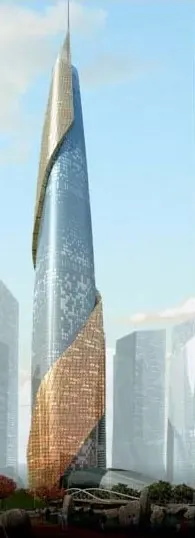
In addition to this spiraled shape, the building also utilizes a curved glass façade that provides ultra-modern curvature. The structure appears to curve inward near the base, creating a slimming effect as the tower rises into the sky.
Step-by-Step Modeling in Rhino
Modeling the Yongsan Landmark Tower’s unconventional form requires some specialized techniques in Rhino. Here is an overview of the step-by-step process:
- Create a simple box shape: Start with a basic box or shape to represent the general mass of the building. Convert this to a Rhino geometry.
- Build a spiral: Construct a diagonal line to act as the axis of the spiral. Create a cylindrical curve around this line using the Helix command.
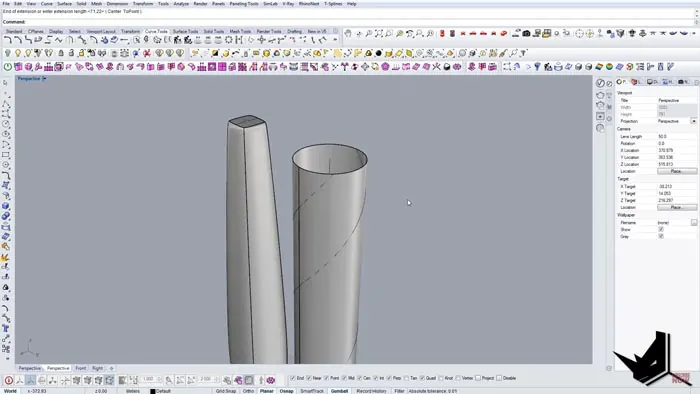
- Extrude surfaces: Offset the main building surfaces outward and inward to create spiraling edges. Extrude these new surfaces to add thickness.
- Align the spiral: Position the spiral form so it aligns with the extruded building shape. Use trimming and splitting tools to integrate the two together.
- Refine the surfaces: Edit control points and use joining tools to refine the spiral and achieve a smooth final form.
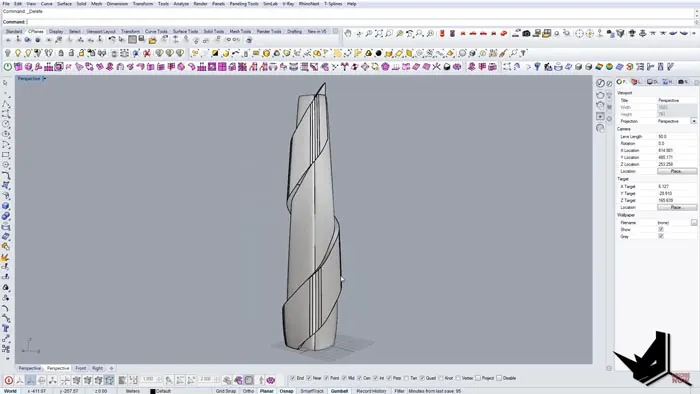
As you can see, the process utilizes some core Rhino commands like Helix, Extrude, Trim, and Split to construct the twisting shape. The spiral is modeled separately and then merged with the main building mass.
Tips for Accurate Modeling
Here are some tips to keep in mind when modeling the Yongsan Landmark Tower in Rhino:
- Make sure your initial building form has accurate proportions before adding the spiral.
- The spiral may need to be resized using Scale 1D to match the building footprint.
- Use reference images for precision - the spiral has a very specific curvature.
- Refine surfaces judiciously to create a smooth spiral with no irregularities.
- Check your model from all angles to ensure the spiral aligns properly.
Rendering the Final Model
Once your model is complete, you can bring it to life by adding realistic materials and lighting. Rhino's built-in renderer produces stunning photorealistic results with just a few clicks.
Add glass, metal, and concrete textures to approximate the tower's real-world appearance. Dial in sunlight for dramatic shadows and highlights. Consider adding an entourage like trees, people, and vehicles to complete the scene.
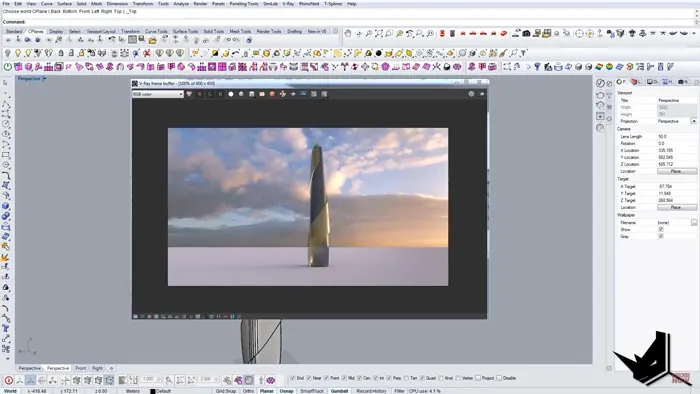
The spiral technique creates a distinctive curved shape that makes the building truly one-of-a-kind.
With some practice, you can model this cutting-edge Seoul landmark right within Rhino!

Rhino for Architects Course
Give your architectural skillset a major boost with the Rhino for Architects Course. Get over 60 hours of focused training tailored specifically for architects. Master commands and techniques to model, render, and animate architectural visualizations at the highest level. Click below for more information and watch your designs come alive!