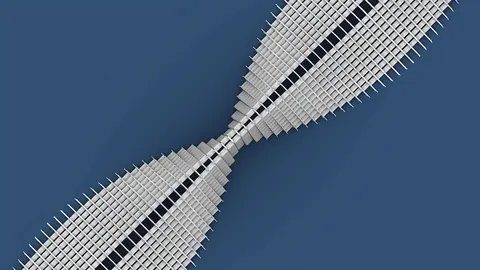
Converting a set of lines into a single closed Brep in Grasshopper can be very useful for creating watertight meshes and solid 3D models. In this step-by-step guide, we will show you how to easily convert lines into closed Brep using Grasshopper.
Overview
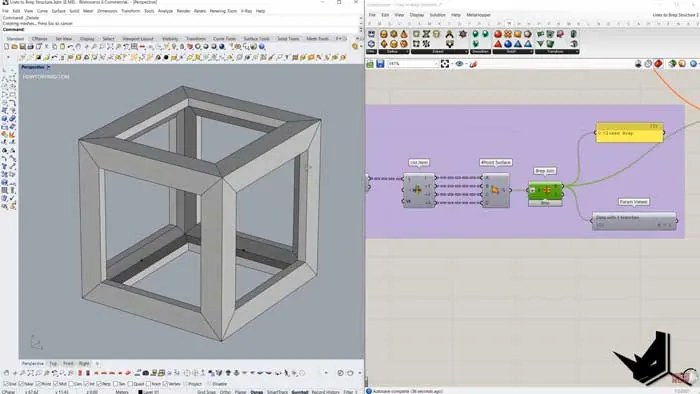
We will use the Box component in Grasshopper to extract the edges and convert them into lines. The lines may contain duplicates so we need to filter out overlapping lines. We will then convert these lines into a mesh using the Weaver Bird components. From this mesh, we can extract the boundary curves and join them into a single closed Brep. There are a couple of methods we can use - either via the Cytoskeleton and Plankton components or using the Picture Frame component in Weaver Bird.
Prerequisites
To follow this tutorial, you will need to have the following Grasshopper plugins installed:
- Lunchbox
- Weaver Bird
- Plankton
- Cytoskeleton
Step 1 - Extract Lines from Box
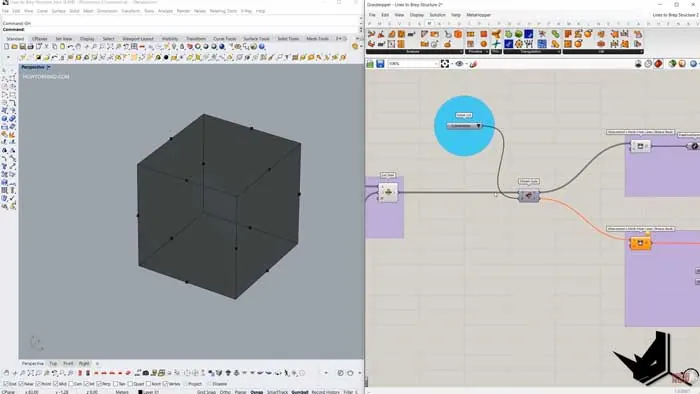
To start converting lines into closed Brep, we need to first reference a Box component in Grasshopper. We can then extract just the edges of the box using the Deconstruct Brep component.
The edges output will contain lines representing each edge of the box.
Step 2 - Remove Duplicate Lines
Since a box is a closed Brep, some of the lines may be overlapping. We need to filter these out before converting them into a mesh.
To do this:
- Find the midpoint of each line using the Evaluate Curve component
- Remove any duplicate midpoints using the Cull Pattern component
- Use the midpoint indices to filter out duplicate lines
This will give us just the unique lines for each edge.
Step 3 - Create Mesh from Lines
Now we can convert these lines into a mesh using the Mesh From Lines component in Weaver Bird.
This gives us a mesh matching the shape of the original box.
Step 4 - Extract Boundary and Join
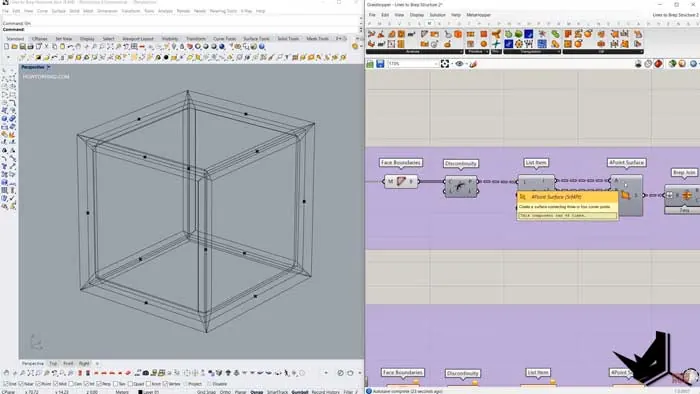
From this mesh, we can extract the boundary of each face using Polyline From Mesh Boundary.
This gives us a set of closed polylines representing the mesh faces.
We can then turn each polyline into a surface using the FourPointSurface component.
Finally, we can join all these surfaces into a single closed Brep using the Brep Join component.
Method 1 - Cytoskeleton and Plankton
For the first method, we will utilize the Cytoskeleton and Plankton components to help bridge the gap between the lines and create the mesh.
The steps are:
- Create mesh from lines using Weaver Bird
- Convert to Plankton mesh using Plankton components
- Feed Plankton mesh into Cytoskeleton to create thickened mesh
- Extract the boundary from this mesh and join it into a Brep
Method 2 - Picture Frame
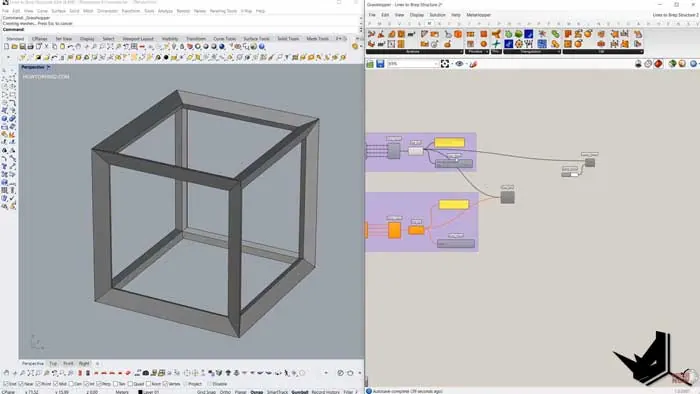
The second method utilizes the Picture Frame component in Weaver Bird. The steps are:
- Create mesh from lines
- Use Picture Frame to create thick frames from mesh
- Extract boundary from framed mesh and join into a Brep
This provides a simpler workflow without needing the Plankton and Cytoskeleton components.
Example with Sphere
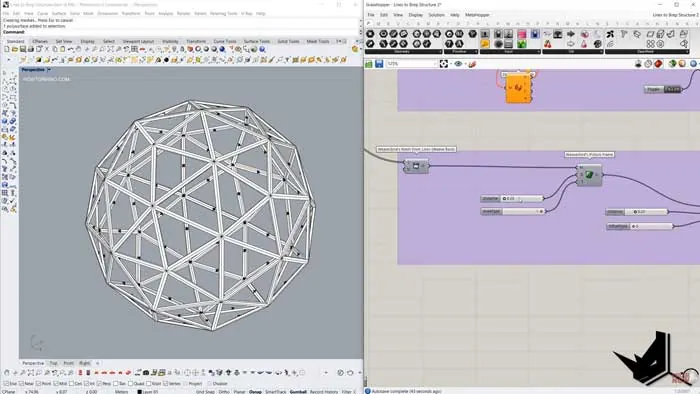
To demonstrate how this works with more complex geometry, we can also try it with a subdivided sphere.
The process is the same:
- Extract lines from each face
- Remove duplicate lines
- Create mesh
- Extract boundaries and join
This allows us to convert any lines representing a closed shape into a solid Brep.
Summary
Converting lines into a closed Brep can be very useful for creating watertight meshes and geometry in Grasshopper.
The key steps are:
- Extract lines and remove duplicates
- Create mesh from lines
- Extract boundary curves and join them into Brep
We showed two methods using different Grasshopper components - Cytoskeleton & Plankton, or the Weaver Bird Picture Frame.
Hopefully, this gives you a good understanding of how to convert lines into closed Brep in Grasshopper!

Grasshopper Complete Course
Give your architectural skills a boost with the Grasshopper Complete Course. Get over 50 hours of comprehensive Grasshopper training tailored for architects. Learn to generate and iterate designs faster. Click below for more information and streamline your workflows!