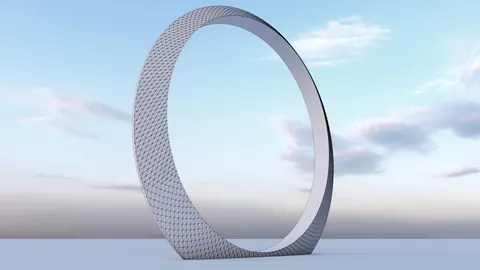
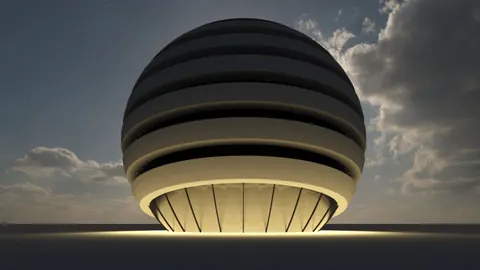
The Rounds Pavilion is an interesting architectural structure located in New York and designed by the firm SPORTS Architects. In this tutorial, we will look at how to model the Rounds Pavilion Design in Rhino step-by-step.
Overview of the Rounds Pavilion Design
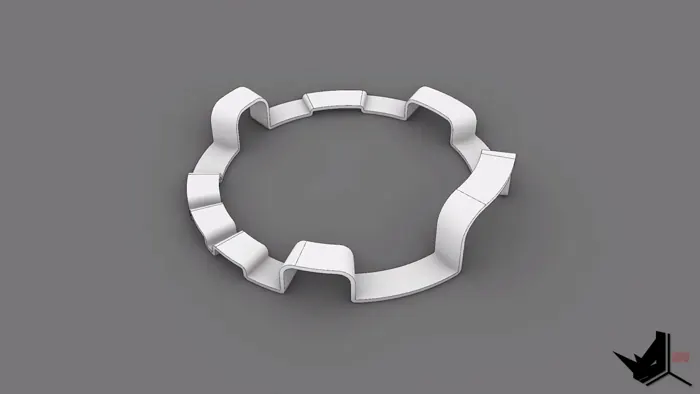
The Rounds Pavilion features a cylindrical form with jagged edges that give it a unique and eye-catching look. The cylinder features cutouts at different heights, creating platforms and benches at staggered levels. The smooth curves contrast with the sharp edges to create a sculptural quality.
Rounds Pavilion Design was conceived as an outdoor gathering space, performance venue, and architectural focal point. The dynamic form encourages people to explore the space and experience it from different vantage points.
Modeling the Rounds Pavilion in Rhino
To model the Rounds Pavilion in Rhino, we will go through several key steps:
- Set up the model and import reference images
- Create the base cylinder
- Add vertical division lines
- Trim cylinder to create platforms
- Create fillets for the edges
- Offset and trim fillets into the final form
Importing References and Setting Scale
First step of Rounds Pavilion design is to import the top and section reference images provided by SPORTS Architects. After importing, we need to properly scale the images. By comparing the 1-foot dimension in the drawing with a dimensioned line in Rhino, we can scale the images to match real-world sizes.
With the references in place, we can start constructing.
Modeling the Cylinder
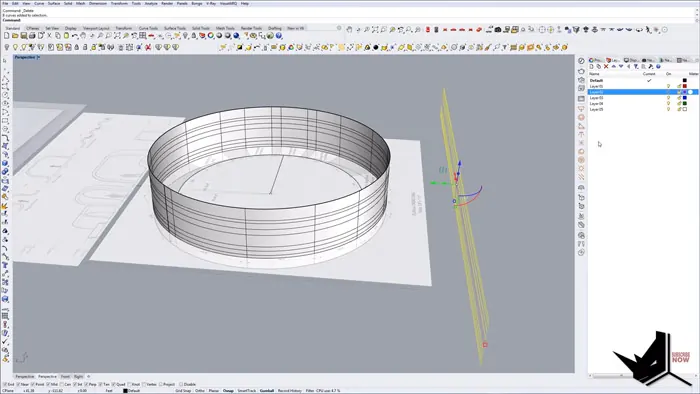
Using the dimensioned ring that shows the overall diameter, we create a cylinder that matches this size. We give it a height of 13 feet based on the section diagram.
To build up the levels, we recreated the vertical division lines from the drawings using intersection and extrusion. This divides the cylinder into different heights.
Creating Platforms
Now we can start truncating the cylinder by trimming away sections above certain heights. The hatch patterns in the section indicate how high each level should be. We end up with platforms at 1 foot, 2.5 feet, 4 feet, and so on.
The lowest parts will touch the ground, while the tallest platform forms the stage. We trim and isolate each level to form the appropriate platforms.
Adding the Rounded Edges
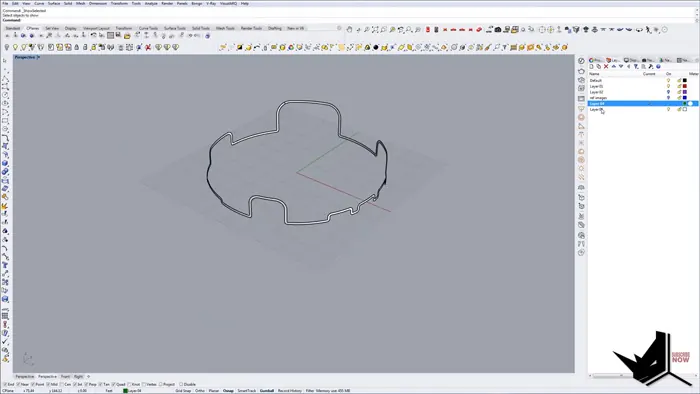
The most complex part is adding the smooth rounded edges that give the Rounds Pavilion its signature look. Because of the cylinder surface curves, we have to create construction geometry to help generate even fillets.
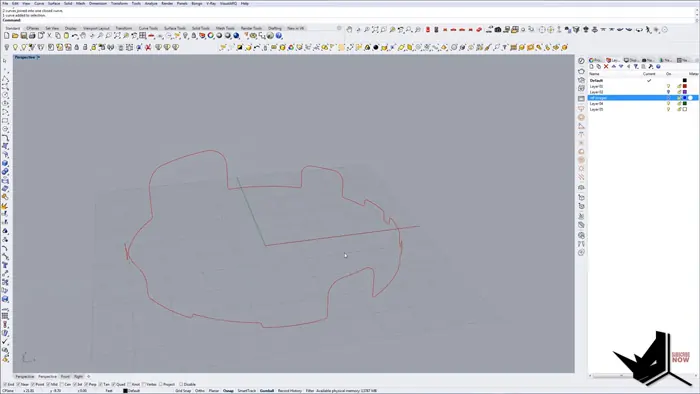
After some work, we are able to create fillets between the platforms. We then carefully trim them to join into a single clean curve defining the edge.
Finalizing the Form
The last steps are offsetting the curve onto the surface, tweaking any problem areas, and then using surface offsets to create the final enclosure.
After all this work, we have successfully modeled the distinctive form of the Rounds Pavilion in Rhino!
Recreating Architectural Designs with Rhino
Following along with this tutorial shows how Rhino can be used to recreate and analyze intricate architectural forms. For designers, being able to quickly mockup and iterate on complex shapes makes Rhino an invaluable tool.
Modeling existing buildings allows you to understand how professional firms approach constructing challenging designs. By breaking down each step, you can improve your skills in Rhino's various tools and functions.
The Rounds Pavilion is an example of a sculptural, contemporary building that likely involved significant computer modeling throughout the design process. Rhino allows you to understand and recreate this process yourself.
Understanding how forms like the Rounds Pavilion Design were actually built helps you create your own feasible designs. Mastering architectural modeling workflows lays the foundation for designing and realizing your own unique structures.
So follow along with tutorials, learn from existing projects, and start pushing Rhino to its limits as you develop as an architectural designer.

Rhino for Architects Course
Give your architectural skillset a major boost with the Rhino for Architects Course. Get over 60 hours of focused training tailored specifically for architects. Master commands and techniques to model, render, and animate architectural visualizations at the highest level. Click below for more information and watch your designs come alive!