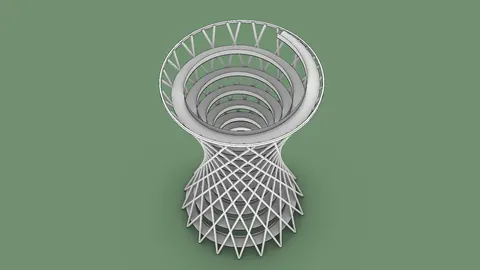
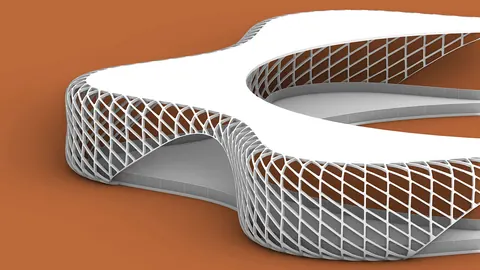
Grasshopper is a visual programming language for Rhino that allows designers to create complex geometric forms. One of the most stunning effects you can achieve in Grasshopper is spiral surfaces. These intricate 3D shapes have a hypnotizing quality and endless design applications.
In this post, you'll learn step-by-step how to model different types of spiral surfaces in Grasshopper.
Overview of Spiral Surface Modeling Approaches
There are several techniques for generating spiral surfaces in Grasshopper:
- Using the Point Polar component
- Connecting multiple point grids
- Creating conical spirals
- Combining Point Polar with Graph Mapper
- Adding rotation to conical spirals
We'll cover all these methods so you have a toolbox of approaches to create spiral surfaces in Grasshopper.
Essential Point Polar Component
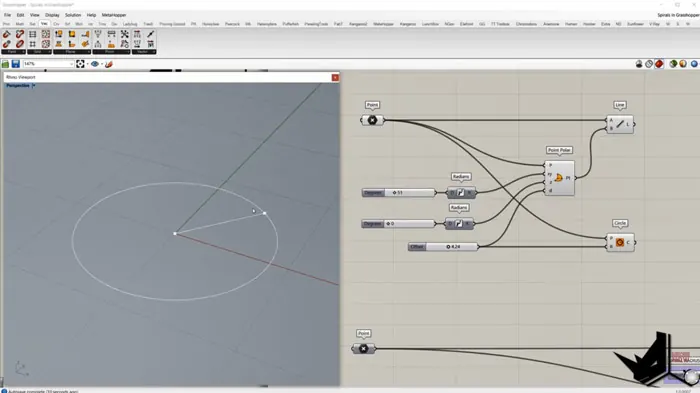
The key to modeling any spiral form in Grasshopper is the Point Polar component. This component creates points based on an origin point.
Here's how it works:
- P input: origin point
- XY input: angle in radians
- D input: offset distance from the origin point
- Z input: rotation angle
By changing these inputs you can distribute points in spiral patterns.
Connecting Multiple Point Grids
One way to model a spiral surface in Grasshopper is by connecting two grids of points:
- Create two Point Polar components with different offset distances
- Generate a range of XY angle values
- Move points up in the Z direction using different amplitude values
- Connect point grids with Lines
- Loft surface between lines
This creates a smooth spiral surface in Grasshopper by interpolation between the point grids.
Modeling Conical Spirals
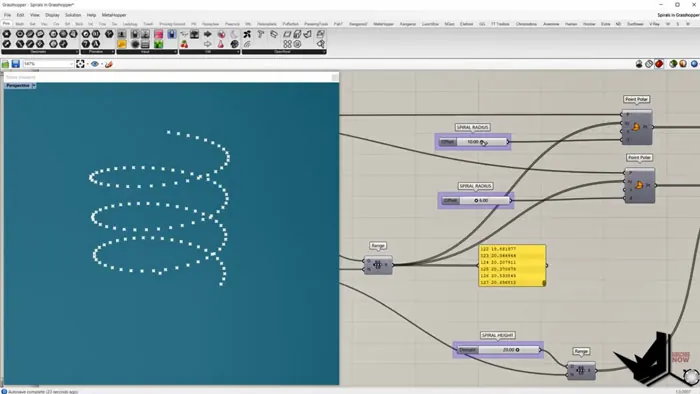
To make conical spiral shapes:
- Use Point Polar and generate a range of XY angles
- Create a range of increasing offset values
- Set Z amplitude range
- Loft between points
By varying the offset distance, you get a spiral that coils around a cone.
Combining Point Polar with Graph Mapper
For organic-looking spiral surfaces in Grasshopper:
- Connect Point Polar to Graph Mapper
- Remap 0-1 domain to larger Z amplitude
- Generate lines from points
- Loft surface
Graph Mapper lets you create spirals with nonlinear profiles.
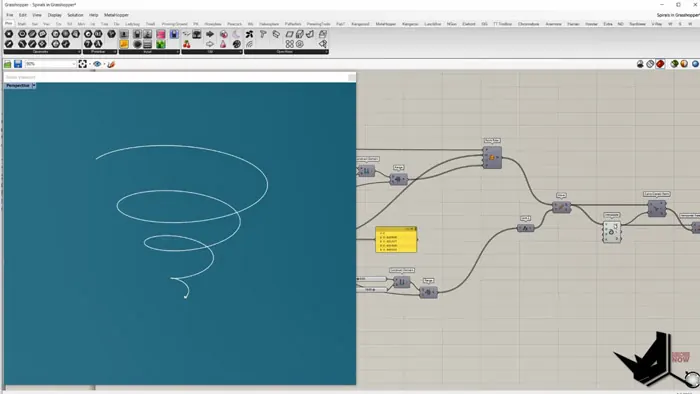
Adding Rotation to Conical Spirals
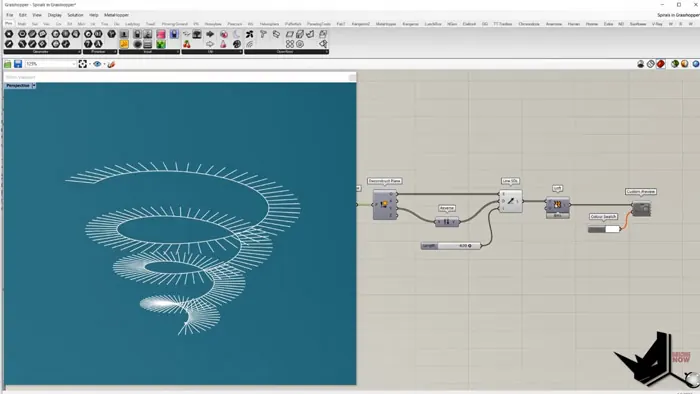
The Z input of Point Polar rotates points. To make spiral surfaces in Grasshopper:
- Create two Point Polar components
- Use Z input to rotate both sets of points
- Generate lines between point grids
- Loft between lines
This achieves a spiral surface with a twisted quality.
Conclusion
As you can see, Grasshopper provides limitless options for generating spiral surfaces in Grasshopper. Mastering these techniques will let you produce shapes of awe-inspiring complexity.
The spiraling forms possible in Grasshopper have fascinating applications in architecture, product design, jewelry, sculpture, and more.
So download Grasshopper and start spiraling your designs to new heights!

Grasshopper Complete Course
Give your architectural skills a boost with the Grasshopper Complete Course. Get over 50 hours of comprehensive Grasshopper training tailored for architects. Learn to generate and iterate designs faster. Click below for more information and streamline your workflows!