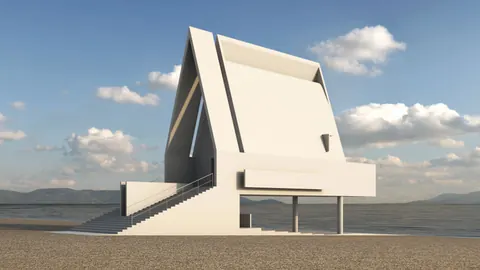
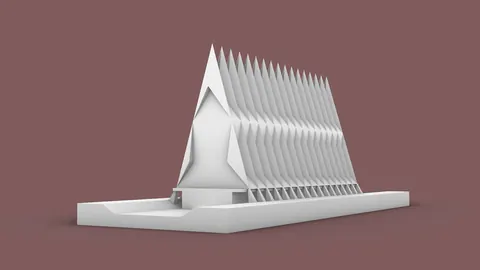
The Sayama Forest Chapel in Japan features a beautiful and unique wooden beam structure. In this tutorial, we'll walk you through the process of modeling the Sayama Forest Chapel in Rhino step-by-step.Enter your text here...
Starting with a 5-sided Polygon
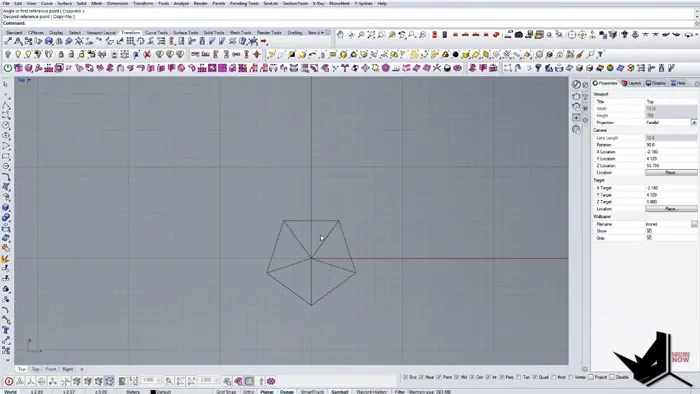
To start modeling the Sayama Forest Chapel in Rhino, we begin with a simple 5-sided polygon to match the 5 angles of the chapel's base.
We set the sides to around 5 meters each to get the scale right. Then we position the polygon in the center and rotate it to match the orientation seen in the reference image.
Extruding the Sides
Next, we extrude some of the sides that need to be longer, basing the lengths on measurements from the image. For example, we extrude one side around 2.5 meters to extend it.
We mirror one of the extruded sides over to the opposite side to make them symmetrical.
Creating the Half Circle Beams
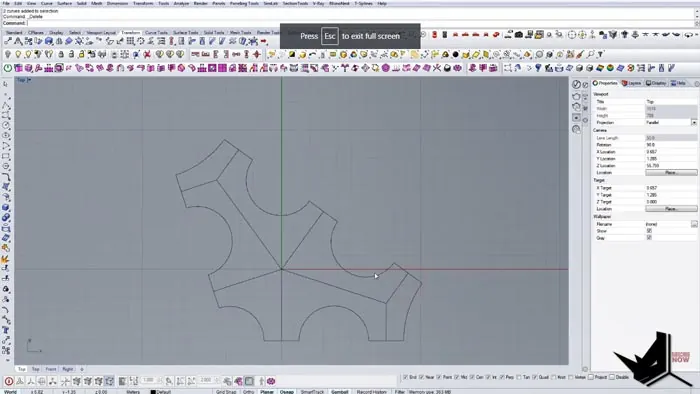
The next step is to create the half-circle wooden beams around the perimeter. To do this efficiently, we use the Circle Tangent Radius command in Rhino.
This lets me draw a circle tangent between two existing lines very easily. We just select the two lines as the tangents and then adjust the radius until the circle forms a half circle.
We repeat this process for each of the lines around the perimeter to create all of the half-circle beam connections.
Building Up the Vertical Beams
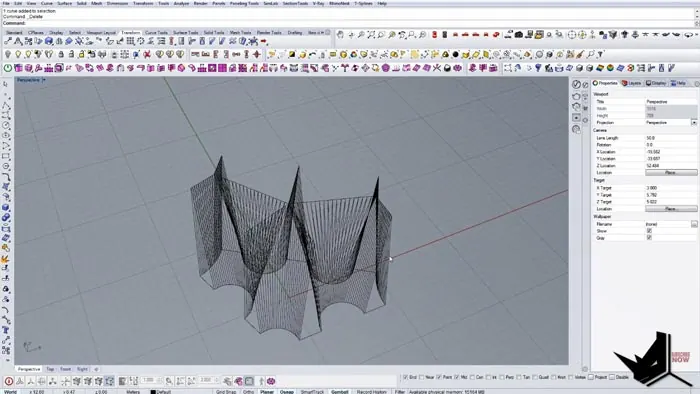
With the base constructed, we start creating the vertical beam structure. We split the half circles into segments and divide the straight sections as well.
Then we connect corresponding points between the top and bottom to form the beams. We turn off all snaps except the point snap to make this process fast and accurate.
Once we have all the vertical dividers in place, we delete the extra points and move on to creating the surfaces.
Creating the Surfaces
To make the surfaces, we first join all the dividing lines since they were drawn separately. Then we offset them inward and connect the offsets in a loop.
Using the Planar Surface command, we fill in all of the areas between the offsets. This creates the wooden panel surfaces quickly.
We also give the panels some thickness by offsetting them outward slightly. Now we have the complete structure for the Chapel ready to render.
Final Rendering
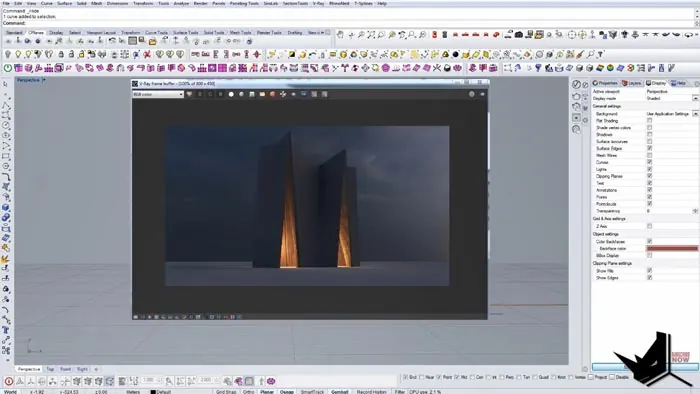
For the final rendering, we just needed to add the curved roof structure and glass enclosure. We rendered it out without the surrounding forest.
The resulting render shows an accurate model of a unique architectural example in Rhino. Let us know if you have any other questions about modeling the Sayama Forest Chapel!
- Start with a 5-sided polygon base
- Extrude sides and add half-circle beams
- Create vertical dividers between the top and bottom sections
- Use Planar Surface for wooden panels
- Add roof and enclosure
This example demonstrates an efficient workflow for recreating real-world architecture in Rhino. The step-by-step process focuses on the setup of the primary shapes and the logical construction of the major components.
With the techniques covered in this tutorial, you can model all kinds of complex buildings and structures. The Sayama Forest Chapel makes for an interesting and challenging modeling project.
If you liked this tutorial, make sure to subscribe for more Rhino modeling content like this.

Rhino for Architects Course
Give your architectural skillset a major boost with the Rhino for Architects Course. Get over 60 hours of focused training tailored specifically for architects. Master commands and techniques to model, render, and animate architectural visualizations at the highest level. Click below for more information and watch your designs come alive!