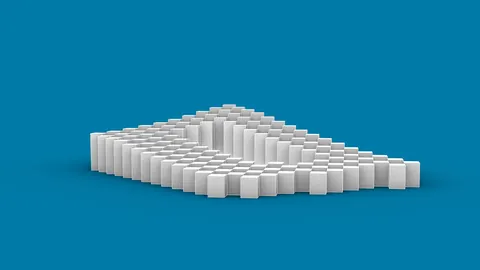
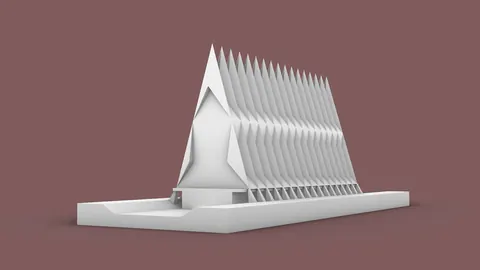
Parametric design is revolutionizing architecture. By combining parametric modeling in Grasshopper with Revit's powerful BIM capabilities, architects can explore designs faster and more efficiently than ever before. In this post, we'll look at how the Rhino Inside Revit plugin unlocks the potential of parametric BIM.
An Introduction to Parametric Modeling
Parametric modeling links model parameters to design geometry. By changing numeric values, you can quickly iterate on forms and spaces.
Grasshopper is a visual programming app for parametric modeling in Rhino 3D. It uses a node-based workflow where you connect component inputs and outputs to build scripts.
The scripts automatically update the geometry in Rhino when you tweak input numbers. This lets you explore possibilities faster than manual modeling.
Connecting Parametric Design to BIM Workflows
Revit is the leading BIM software for architects. It helps coordinate project teams through shared model data and documentation.
However, the procedural nature of Revit can make early design exploration cumbersome. This is where Grasshopper comes in.
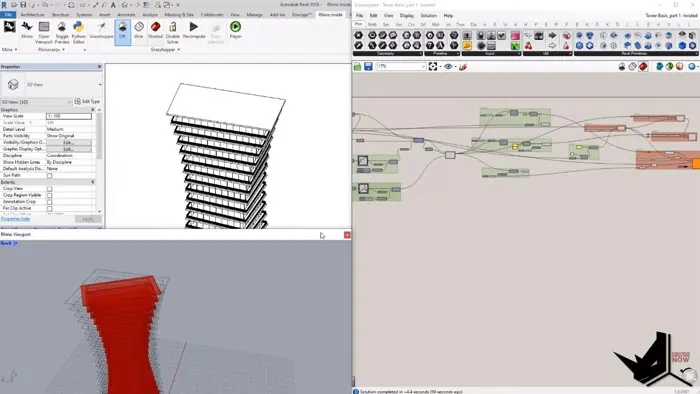
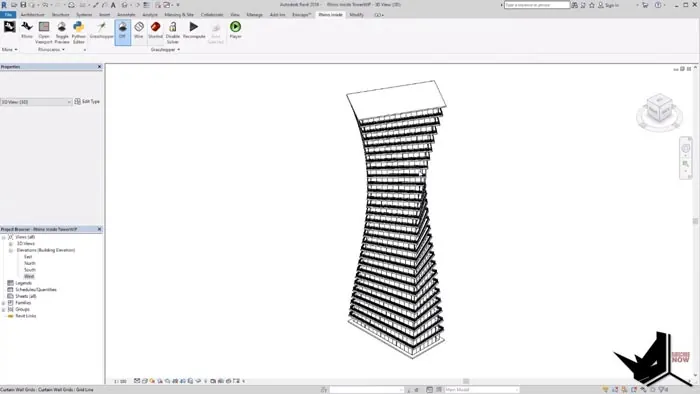
The Rhino Inside Revit plugin connects the two applications. Your parametric Grasshopper definitions now drive the Revit model. Geometry updates in real-time on both sides when you modify inputs.
This unlocks the freedom of early massing and form studies in Revit. By designing parametrically, you gain more flexibility over the building envelope.
Parametric Design in Revit: A Step-By-Step Example
Let's look at how parametric modeling in Grasshopper can speed up your Revit workflow:
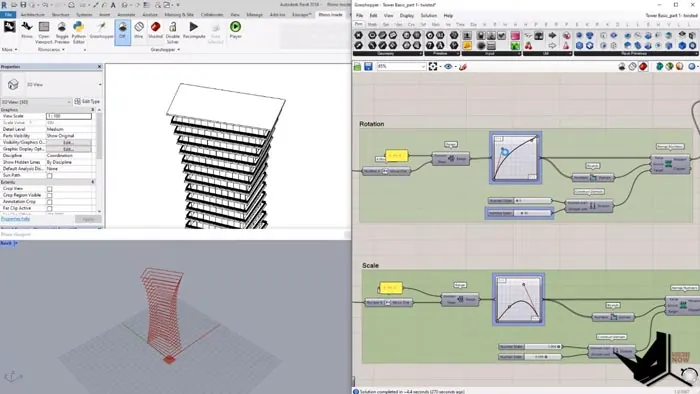
- Model basic massing in Grasshopper. Define planes, curves, and surfaces - the building blocks for your massing studies. Build parametric relationships between them using Grasshopper components.
- Link Grasshopper geometry to Revit elements. Use special components to generate Revit masses, walls, floors, etc. from the Grasshopper geometry.
- Update parameters, and update design. Tweak numeric inputs in Grasshopper and watch forms update in Revit in real-time. Experiment faster.
For example, you can link a floor outline curve to a dimension parameter. Changing the number will resize the floor plate and update the linked mass in Revit.
This parametric connection enables quick massing iterations without needing to manually redraw in Revit.
Architectural Use Cases for Parametric BIM
Parametric modeling in Revit supercharges your Revit abilities. Here are some common use cases:
- Iterative massing studies to find the ideal building form.
- Optimization of floorplates for daylighting, views, etc.
- Facade design - iterate on paneling, glazing patterns, and other envelope systems.
- Space planning - parametrically modify interior layouts.
- Structural optimization - refine framing patterns and component sizes.
- MEP system coordination - integrate parametric ductwork, plumbing, and electrical routing.
- Digital fabrication - output geometry for CNC milling, 3D printing.
Is Parametric BIM Right For Your Firm?
Parametric design in Revit requires a different approach to modeling. There is a learning curve as you get comfortable with visual scripting.
However, investing this time pays dividends across your Revit projects. Parametric workflows enable you to:
- Explore more options faster to make informed design decisions.
- Easily update designs after client feedback.
- Automate complex geometries for better building performance.
- Coordinate changes across entire project teams.
If these benefits sound appealing, parametric BIM may be right for your firm's needs. For architects looking to get started with Grasshopper and Rhino Inside Revit, video training can help shorten the learning curve considerably. In our structured, step by step approach in the Rhino Inside Revit Course, we will take you from beginner to advanced skills to ensure you can leverage parametric modeling for your Revit projects.
The future of design is parametric. Combining Grasshopper and Revit creates new possibilities for innovation and collaboration. Are you ready to take your architectural visualization skills to the next level?
Related Tutorials
If you found this tutorial on parametric design in Revit helpful, explore more:
- Parametric Design: A comprehensive guide to parametric design principles
- Parametric Architecture: How parametric tools are transforming building design
- CadMapper to Rhino: Import real-world terrain and buildings into your Rhino projects
Want to go further with parametric modeling? The Rhino for Architects Course covers Rhino and Grasshopper for powerful parametric workflows.

Rhino for Architects Course
Give your architectural skillset a major boost with the Rhino for Architects Course. Get over 60 hours of focused training tailored specifically for architects. Master commands and techniques to model, render, and animate architectural visualizations at the highest level. Click below for more information and watch your designs come alive!