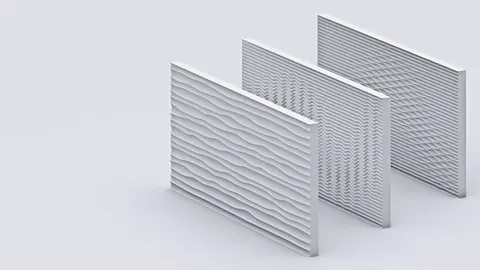
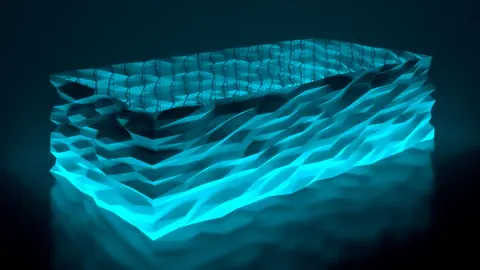
Rhino's powerful NURBS modeling combined with Grasshopper's parametric design can open up a new world of possibilities for architects, designers, and makers. In this post, we'll look at a step-by-step tutorial for creating a visually striking wavy structure design using these tools.
Overview
The wavy structure design we'll build takes inspiration from Nuru Karim’s Bookworm installation in Mumbai, India.

By following along, you'll learn techniques for:
- Creating curves from points with interpolation
- Mirroring geometry along a plane
- Offsetting curves and lofting to create surfaces
- Trimming/splitting surfaces using intersection planes
Understanding these core concepts will give you a foundation for taking parametric modeling to the next level. Let's dive in!
Wavy Structure Design: Initial Setup
We start by drawing a simple line in Rhino that will act as the base curve. After dividing this line into segments, we'll extract perpendicular vertical lines from each point.
The key is using the Perpendicular Frame command to get the plane at each point, then pulling out the X direction vector. We can then generate vertical lines of a defined length.
Next, we'll evaluate each vertical line into a curve using Graph Mapper and a sine wave function. Connecting the points gives us our first wavy profile curve.
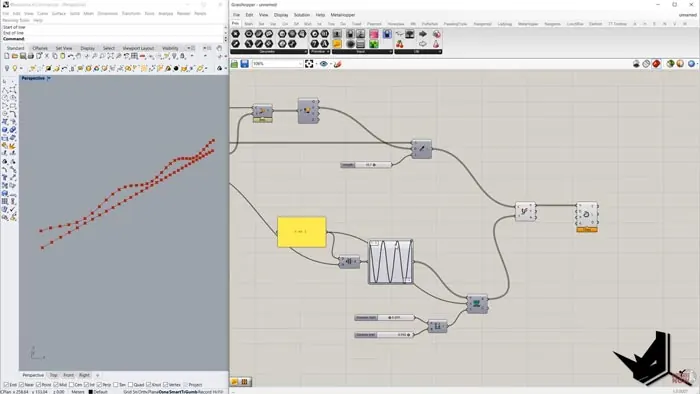
Mirroring and Offsetting
To translate the single wavy curve into our full 3D structure, we need to mirror it and create an offset duplicate.
The mirror plane uses our initial line to define the first direction and the vertical vectors for the second. This mirrors our curve to create the wavy profile on both sides.
After flattening the list of curves, we offset each one vertically based on the planes generated earlier. Adjusting the slider gives control over the offset distance.
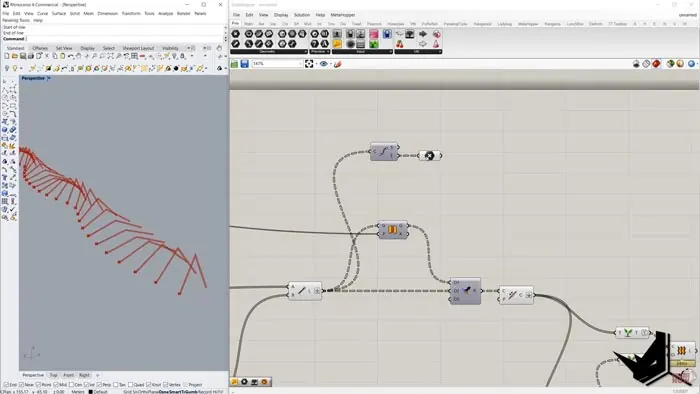
Lofting and Splitting
Now we have our full set of wavy curves, we can loft between them to create the surfaces.
While the model is really taking shape, the ends of the surfaces aren't quite right yet. We want clean horizontal edges on the top and bottom.
To achieve this, we get the endpoints of the curves, build intersection planes, and split the surfaces along these new dividing lines.
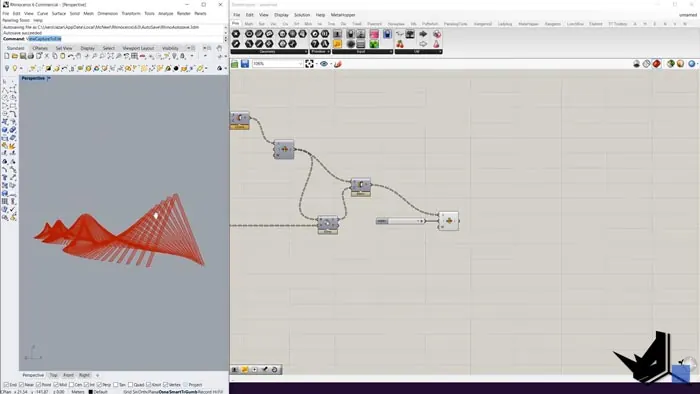
After trimming away the unneeded pieces, we're left with the clean wavy structure as desired!
Key Takeaways
The wavy structure design process demonstrates several important concepts:
- Curve interpolation to generate wavy paths
- Mirroring for quick duplication
- Offsetting and lofting to build surfaces
- Precision splitting tools
Following along with this tutorial is a great way to get hands-on experience with core parametric modeling techniques in Rhino and Grasshopper.
The end result is an undulating, organic structure with lots of potential for complex variations. Try experimenting with different input curves and parameter tweaks to make it your own!
More Resources
To get the complete Grasshopper definition and assets used in this tutorial, check out our Patreon page.
As always, feel free to leave any questions in the comments below!

Grasshopper Complete Course
Give your architectural skills a boost with the Grasshopper Complete Course. Get over 50 hours of comprehensive Grasshopper training tailored for architects. Learn to generate and iterate designs faster. Click below for more information and streamline your workflows!