
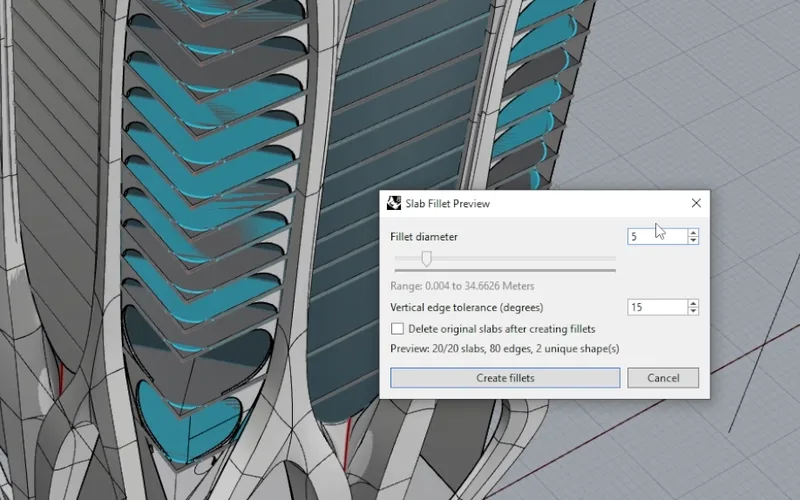
SlabFillet Solids
Select your floor slabs and get a uniform corner fillet on every one of them at once. A slider with a live preview shows the fillet range your slabs allow, with a vertical edge tolerance and an option to delete the originals.
Rhino 8 plugin / Completely Free
How to Rhino Tools is a free plugin with four commands for the boring part of facade modeling. Fillet every slab in one go, cover flat, intersected, and curved surfaces with mullions, and see a live preview before anything is created.
Why How to Rhino Tools
A 60-storey tower has dozens of slabs that need the same fillet and hundreds of mullions on a facade that keeps changing shape. Doing that by hand takes days. Each command in How to Rhino Tools opens a preview dialog: drag a slider, watch the geometry update in the viewport, and only click create when it looks right. The result lands on the layer you choose, cleaned up and ready to render.
Free, really
No account, no credits, no trial. Install it from Rhino's built-in Package Manager and start using it on your own projects today. These commands were born inside our One Thousand Museum mini course, and we released them so everyone can skip the tedious part of facade modeling.
Install it nowThe commands
Type the command name in Rhino, select your geometry, and tune the result in a preview dialog before anything is created.
Select your floor slabs and get a uniform corner fillet on every one of them at once. A slider with a live preview shows the fillet range your slabs allow, with a vertical edge tolerance and an option to delete the originals.
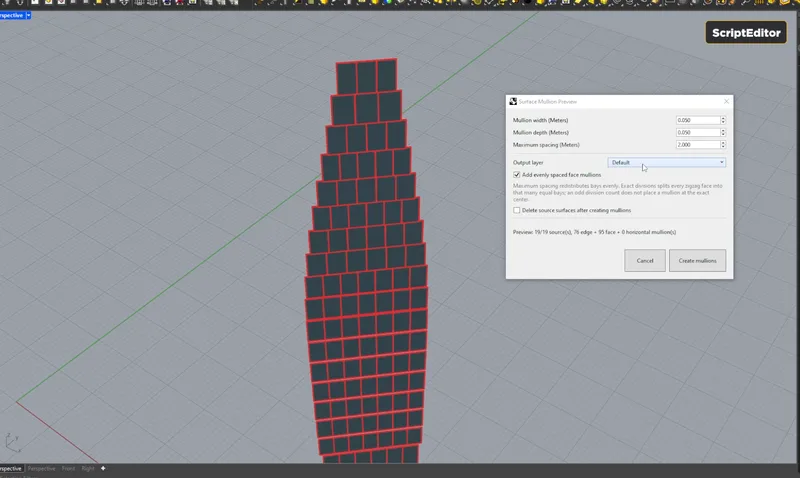
Turn any polysurface into a full mullion grid. Every edge becomes a mullion, evenly spaced face mullions fill the bays, and you control width, depth, maximum spacing, and the output layer from the preview dialog.
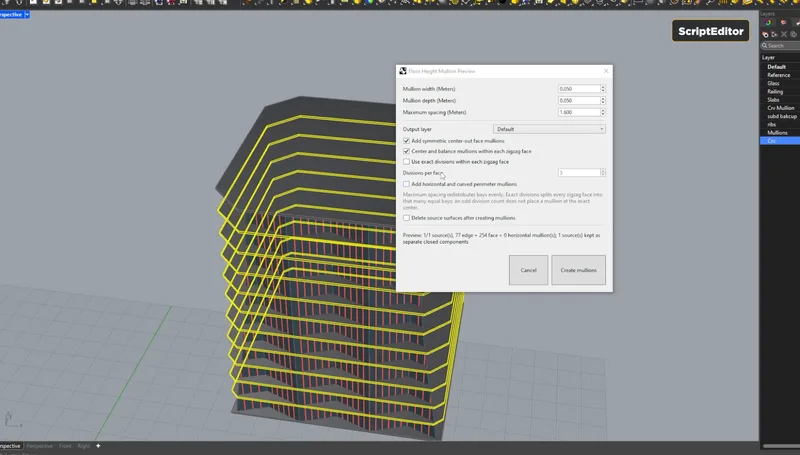
For facades that step across floor plates, including zigzag faces. Select the surface and the slabs that intersect it, then center and balance mullions per face or force exact divisions so every bay reads the same.
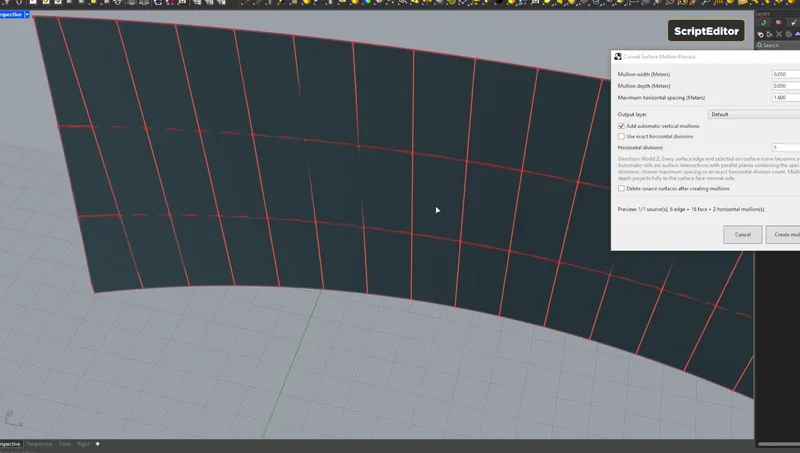
Mullions for doubly curved surfaces. Pick the surface, the curves lying on it that mark your divisions, and an optional reference direction curve, and the command builds the grid following the surface.
Rhino 8 on Windows and Mac.
Install
PackageManager in the command line and press Enter.How to Rhino Tools.SlabFillet, SurfaceMullions, FloorMullions, or CurveMullions to run a command.Where it comes from
We wrote all four commands with Codex, on camera, while modeling Zaha Hadid's One Thousand Museum in Miami for a How to Rhino Premium mini course. The recording shows the whole process, prompts, bugs, and back-and-forth included, so you can learn to build your own Rhino tools the same way. Then we used them to fillet 62 floors of slabs and cover the whole facade with mullions.
See the mini course
From the team behind
The education brand thousands of Rhino designers already learn from. How to Rhino Tools is built by people who use Rhino every day, for people who do the same.
We are Dusan and Lazar, the architects behind How to Rhino. Our mission is to reach as many architects as possible and help them learn Rhino and Grasshopper3D specifically for architecture.
We run a free community on Skool where we talk with students every day, a paid community with monthly workshops, mini courses, and live reviews, and intensive courses with a proven, step-by-step learning system.
How to Rhino is an official Authorized Rhino Training Center, approved by McNeel. How to Rhino Tools, like RhinoFrame, is a tool we built for the same people we teach every day.

15+
Years of experience
902
Students
90,100+
YouTube subscribers
102,718+
Instagram followers
211,818+
People in our community
Free forever for the community
Open the Package Manager in Rhino 8, search for How to Rhino Tools, and install. That's the whole onboarding.
Yes. How to Rhino Tools is completely free, with no account, credits, or trial period. Install it from the Package Manager and use it on any project, commercial work included.
Rhino 8 on Windows and Mac. Rhino 7 is not supported.
SlabFillet puts a uniform corner fillet on every slab you select. SurfaceMullions builds a mullion grid on any polysurface. FloorMullions handles facades that intersect floor plates, including zigzag faces. CurveMullions follows doubly curved surfaces using your division curves. All four show a live preview before creating anything.
We wrote them with Codex, live on camera, during our One Thousand Museum mini course in How to Rhino Premium. The mini course shows the whole process, prompt by prompt, so you can learn to build your own Rhino tools the same way.
Email us. The plugin grows with the projects our community throws at it.