
RhinoFrame · Free during the beta
Install RhinoFrame in a couple of minutes.
RhinoFrame runs as a Rhino 8 plugin on Windows and Mac. Create your free account, then install it straight from Rhino's built-in Package Manager. No separate download needed.
Rhino 8 only
RhinoFrame requires Rhino 8, on Windows or Mac. Rhino 7 is not supported.
Update Rhino first
Make sure Rhino 8 is on the latest version before installing. In Rhino, open Help, then Check for Updates.
-
1
Create your free RhinoFrame account. Fill in the beta access form on the RhinoFrame page and confirm your email. Already have an approved account? Go to step 3. Create your free account
-
2
Wait for the approval email. You can install RhinoFrame while you wait.
-
3
In Rhino 8, type
PackageManagerin the command line and press Enter. -
4
In the Package Manager, search for
RhinoFrame. -
5
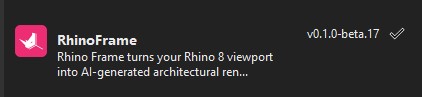
Select RhinoFrame and click Install.
-
6
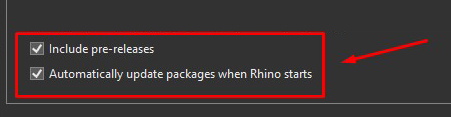
At the bottom of the Package Manager, tick Automatically update packages when Rhino starts, then restart Rhino when prompted.
-
7
Back in Rhino, type
RhinoFramein the command line to open the panel. -
8
Drag the panel to the side of the Rhino window to dock it.
-
9
Sign in inside the plugin with the email and password from step 1. Your starter credits are ready as soon as your account is approved.
Stuck on any step? Email us and we'll help you out.
Free beta
Don't have beta access yet?
Request access on the RhinoFrame page, confirm your email, and install while you wait for approval.