
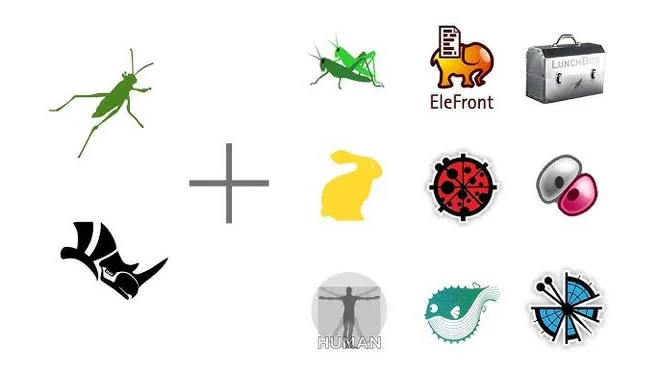
If you're a Revit user, you've probably heard of Dynamo and you know that it allows us to use parametric design within Revit. Even though Dynamo is a good tool, it does have limits. If we compare it with Grasshopper, it becomes clear that the community around Grasshopper is much stronger. There are many more developers who are building amazing plugins on top of Grasshopper that allow us to use this in our design process.
Revit has been one of the most popular BIM tools for a long time and is truly a king when it comes to the construction phase of the project and documentation. However, it's quite rigid and limited when it comes to modeling geometry that is not rectangular. It's definitely not the best choice for the initial design phase of the project.
That's when we have to develop a concept and create interesting new ideas. We need many different design iterations so that we can choose the best one based on our architecture analysis. If we want some organic or amorphic geometry, that's pretty much mission impossible in Revit! For that reason, we choose software like Rhino and Grasshopper which is much more flexible when it comes to geometry creation, site analysis, parametric design, architectural presentation, animation, etc.
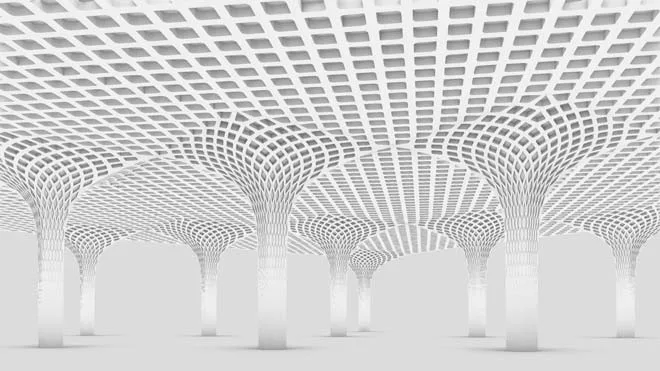
With Rhino and Grasshopper, you can design anything you imagine and at the same time you have the ability to play with parametric architecture and digital fabrication at the same time. The only limit is your creativity! Now, think about a workflow that can integrate these two worlds. Imagine having complete freedom to experiment with various different design iterations and then being able to push that to Revit instantly without the need to remodel anything in Revit from scratch. Sounds too good to be true, right?! Well, this time, it's real!
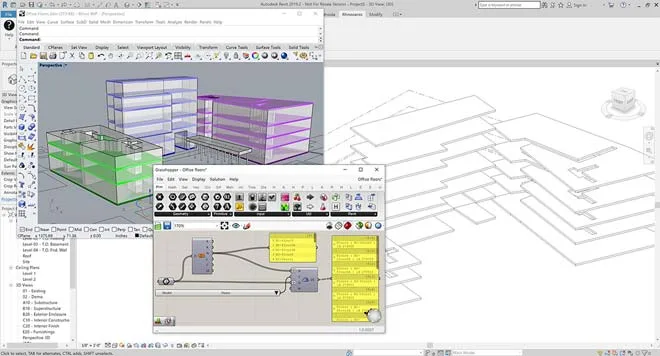
Guys from McNeel created this technology called Rhino Inside that allows us to run instances of Rhino and Grasshopper within Revit's interface. To put it simply, you can now use the full capabilities of Grasshopper and Rhino as if they are just another regular plugin for Revit. This is a perfect bridge that connects the power of parametric and organic design from Rhino/Grasshopper and the power of BIM capabilities of Revit.
Simply, this is the best possible design-to-production workflow for architecture! But you may be wondering... What's the best way to learn Rhino Inside in a structured and organized way? How do you start and do you need to know Revit or Grasshopper first? Let's go over this step by step. Let us introduce you to...
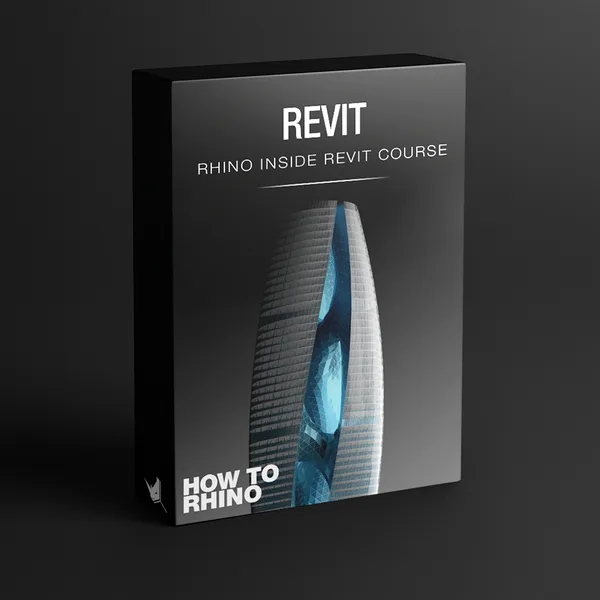
Rhino Inside Revit Course
With our Rhino Inside Revit Course, you'll learn...
- The connection between Rhino, Grasshopper and Revit
- All Rhino Inside components explained through Revit project examples
- Integration and optimization of a Revit project for 3D printing
- How to develop a building through Grasshopper / Revit workflow
- How to develop fluid form facade with SubDs and integrate it with Revit
- How to create a complex tower through Grasshopper and push it to Revit seamlessly
- 15+ hours of video
- Complete RIR Components
- 3 Modules
- Resources & PDF Guides
- Project & Homework Files
- Future Updates
Rhino Inside Revit Course is created for everyone who's interested in the newest Rhino Inside technology. Here, we explain in great detail how to get started with Rhino Inside, what are the important things you need to know when pushing projects from Rhino and Grasshopper into Revit and vice versa. We go over the best available design to production workflow using Grasshopper, Rhino and Revit.
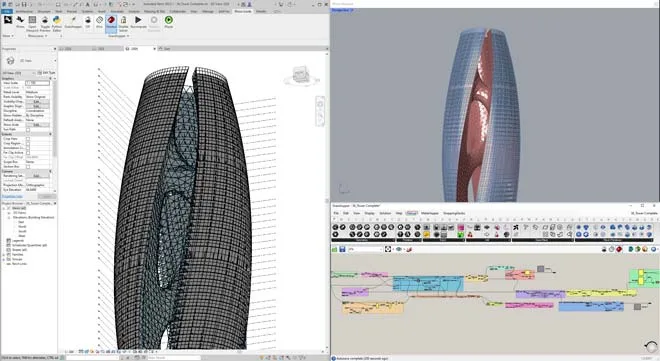
We talk about specific use cases of this integration in a particular architectural office. We'll go over the process of creating organic facade envelopes, and the custom distribution of the facade panels. 3D printing optimization and the print preparation process are also on our list! And lastly, we finish off with creating a extremely complex high-rise building through Grasshopper so that you can get an idea of how complex and how far you could push this integration.
Rhino Inside Revit Course consists of three modules which are very different from each other. The first module is going to give you a complete introduction to this technology and how to start using it with Rhino and Grasshopper. The second module is going to cover all possible components that exist within Rhino Inside Revit interface through practical examples and the last module is going to cover some specific use-cases when we would use Rhino Inside Revit.
What's inside?
In this module, we will introduce you to Rhino Inside Revit, its interoperability with Revit and Grasshopper. We'll touch upon some of the most important elements you need to know if you're planning on using Rhino Inside in your workflow.
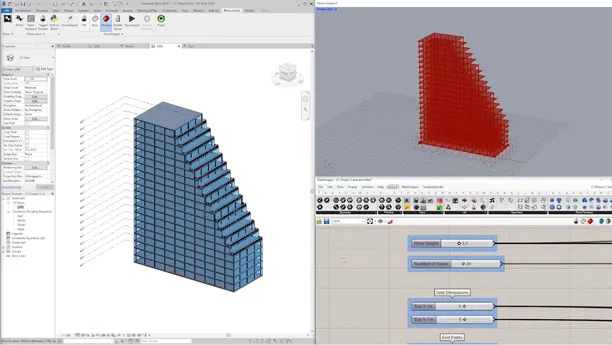
In this module you'll learn:
- How to properly install and start using Rhino Inside Revit
- Everything about Rhino Inside Interface in Revit and Grasshopper
- Connection between Grasshopper and Revit
- Revit terminology
- Unit Systems and Tolerances
- All types of Rhino Inside Revit Components
- Element Tracking
This module is going to focus on explaining all components that exist in Rhino Inside Revit version 1. We will go over all possible groups of components and explain in detail how they are used.
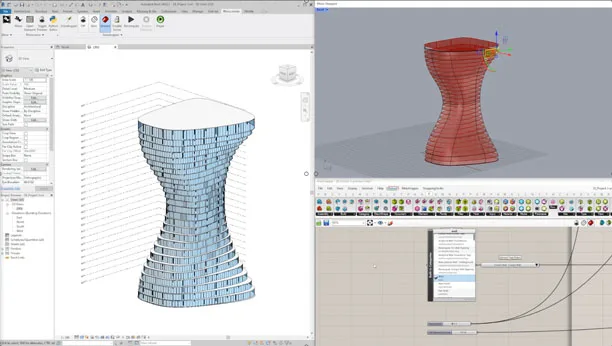
In this module you'll learn:
- Components from Revit Primitive Group
- Components from Assembly Group
- Components from Built Group
- Components from Category Group
- Components from Direct Shape Group
- Components from Document Group
- Components from Element Group
- Components from Family Group
- Components from Filter Group
- Components from Host Group
- Components from Input Group
- Components from Material Group
- Components from Model Group
- Components from Parameter Group
- Components from Site Group
- Components from Type Group
- Components from View Group
- Components from Wall Group
Use Cases module is all about the practical use of Rhino Inside Revit through architectural examples. We are going to create a couple of projects in this module with a focus on parametric connection with Grasshopper and the possibilities that Rhino Inside offers us.
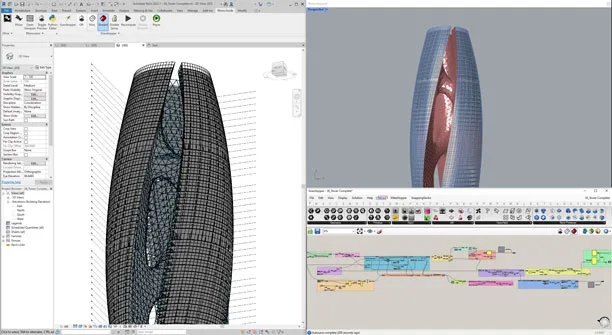
In this module you'll learn:
- How to create a "design to production" workflow with Rhino, Grasshopper and Revit
- How to create parametric levels, floors
- How to create parametric walls and columns
- How to create parametric curtain walls and terraces
- How to use fluid forms with Subs and integrate them in Revit seamlessly
- How to create complex facades using Adaptive Components
- Combining SubD geometry with Adaptive Components
- Using Rhino Inside Revit to send geometry to Rhino for 3D printing optimization
- Optimizing Geometry in Rhino for 3D printing
- How to create a complex tower using a complex Grasshopper algorithm from scratch
What Our Students Say
Georgi Lechtarski
The Creative Insider Podcast"I was introduced to How to Rhino classes through a friend's recommendation. After just the first two modules, I found it immensely helpful and well-structured, equipping me to model traditionally shaped architecture. The online format, allowing flexibility in when to attend classes and complete exercises, is invaluable for full-time workers like me. What stands out is their quick response with clear video explanations when questions arise, which I see as its prime asset"
Loke Zhi Ming
Malaysia"What I value about the courses is its constant updates with new information and videos, keeping me informed on the latest Rhino features and workflows. The course's worth grows over time, and it's tailored for architectural applications. I appreciate Dusan and Lazar's patience and support, especially when addressing my project questions. The course's strength lies in its support system and organized module approach."
Luis Ortiz
Puerto Rico"It is so easy to learn because they break it down every single step of the way. This course is made for anyone who wants to push the limits of design and creativity. I am so glad that I chose this course and it's the best money I've ever spent. You are not alone. You have all the instructors, including Dusan and Lazar, who are part of How to Rhino. Do not think that you are alone, you can always reach out."
Do I need to know Revit and Grasshopper?
Now, let's answer that question from earlier, do you need to know Revit and Grasshopper in order to understand this Rhino Inside Revit Course? The simple answer is YES. In order to fully comprehend what we're doing with Rhino Inside, you should be at least an intermediate-level user of Revit and Rhino/Grasshopper. If you don't understand how to create Grasshopper scripts on your own and how to create a family from scratch in Revit, it wouldn't make much sense to learn how to connect Grasshopper and Revit.
If you're not familiar with Grasshopper and Rhino yet, our suggestion is to learn that first and then go to Rhino Inside Revit. We have dedicated Rhino course that is tailored for both beginners with zero knowledge, but also for more advanced users. On the other hand, if you're already familiar with Rhino and you think that you're lacking Grasshopper knowledge only, you may want to check out our Grasshopper course which will help you understand parametric modeling and take you from a complete beginner to highly advanced user in Grasshopper.
Ready to start with Rhino Inside Revit Course?
The best way to get started is with a FREE presentation call. Just pick a time that works for you, and we'll meet on Zoom to go over everything about the course: what's included, how the lessons are organized, pricing, and how to begin your training immediately.

Every student who joins starts with this conversation. It gives us a chance to learn about your workflow, your experience with Revit and Grasshopper, and what you're looking to achieve. We'll open up the platform and show you around so you can see the course content firsthand. This is also your opportunity to ask us anything, and we'll give you honest answers right there on the call.
Select a time below and we'll see you on Zoom
Your Course Teachers

Dušan Cvetković
How to Rhino
Professional Architect
Dusan is a professional architect with over 13 years of Rhino experience and the founder of How to Rhino, where he has taught Rhino to thousands of architects around the globe.
Dusan Cvetkovic is a professional architect from Serbia with extensive international experience. For over 13 years, he has been using Rhino in the architectural industry, working on projects and consulting with companies in Poland, Italy, Portugal, Denmark, and throughout freelance contracts from all around the globe.
He is the founder of the How to Rhino community, a platform dedicated to teaching architects how to use Rhino in the most efficient way possible. Through his online courses, social media channels, and YouTube tutorials, Dusan has successfully taught Rhino to thousands of students and professionals worldwide, establishing himself as a leading educator in the field.

Lazar Đurić
How to Rhino
Computational Designer
Lazar is a professional architect and computational designer with over 13 years of experience using Grasshopper on international projects, specializing in parametric modeling and digital fabrication.
Lazar Djuric is a professional architect and computational designer who has been using Rhino and Grasshopper for over 13 years. His international experience includes working in Poland, Spain, the Maldives, and China, where he had the opportunity to implement his knowledge of parametric design on a multitude of projects of all scales and typologies.
As a core member of the How to Rhino community, Lazar is responsible for teaching parametric modeling and digital fabrication. He brings his deep, hands-on project experience to the community, helping architects and designers master Grasshopper to turn their complex design ideas into reality.