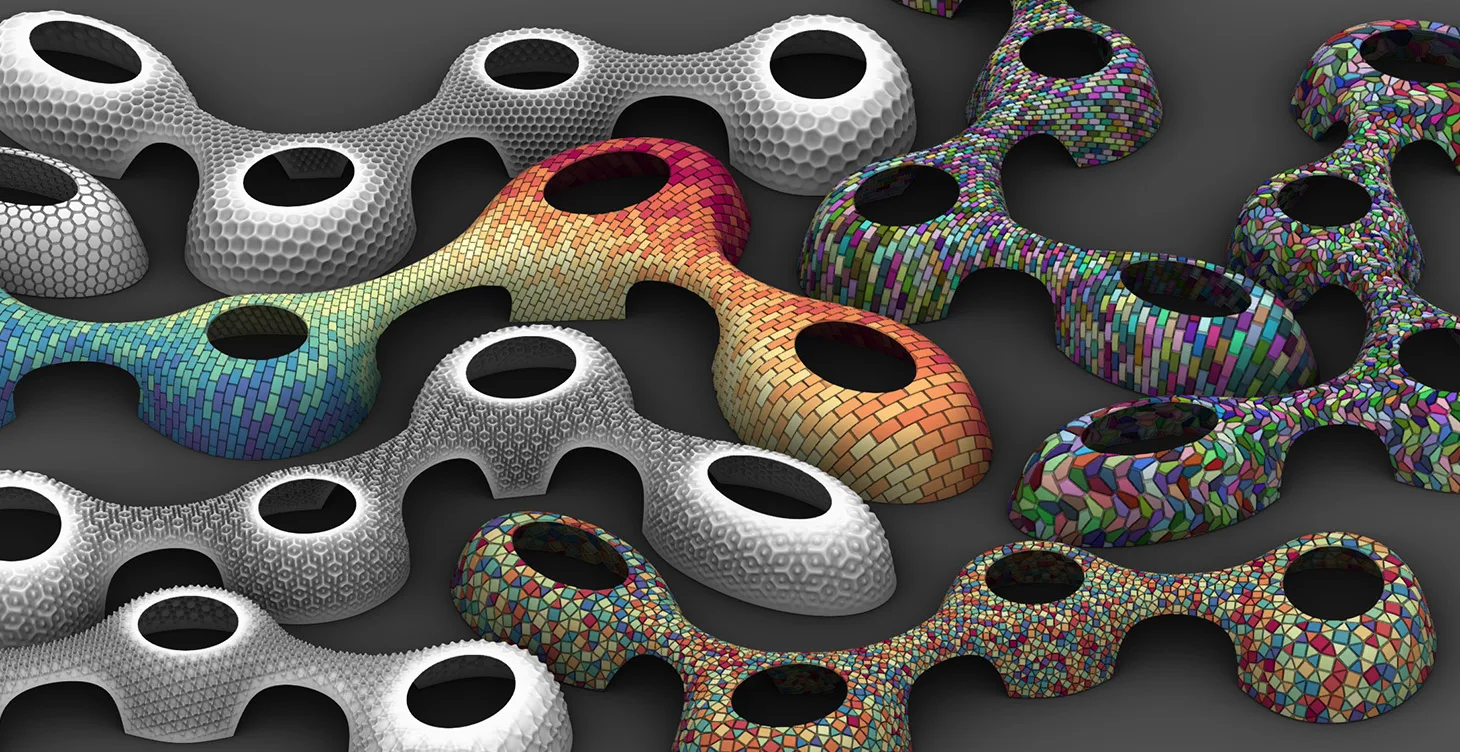
Parametric Patterns on Complex Forms
Learn how to map 2D and 3D parametric patterns onto SubD surfaces and polysurfaces in Grasshopper using the ShapeMap plugin, and discover how to color, subdivide, and image-drive your panels for production-ready results.

Lazar Djuric opens by explaining exactly why standard LunchBox paneling breaks down on SubD geometry: it produces unwanted triangular artifacts at interior face edges and applies the same UV density regardless of face size. The solution is ShapeMap, which unfolds the SubD or mesh to the XY plane, lets you generate patterns on the flat unfolded border, then maps them back to the original form.
The course covers working with SubDs that have holes, converting open curve networks into closed panels using NGon intersections, lofting scaled closed curves to build extruded 3D tile shapes, coloring meshes with random color wheels and gradient jitter, applying non-rectangular Parakeet tilings, and using the Image Sampler pipeline to drive 3D surface relief from a grayscale texture image.
- How to install and use the five required plugins (ShapeMap, LunchBox, NGon, Parakeet, Weaverbird)
- How to use the three-step ShapeMap pipeline: Shape Solver, ShapeMap, then Map to Shape
- How to handle SubDs with holes by sorting border curves and using Trim with Region for exclusion
- How to close open curve networks into watertight panels using the NGon Intersection component
- How to loft scaled curves to create extruded 3D tile geometry and map them back with Brep-to-Shape
- How to color mesh panels with random color wheels and gradient coloring with jitter-shuffled indices
- How to apply non-rectangular Parakeet tilings and center them over the unfolded border
- How to drive 3D surface relief from a grayscale image using Mesh-for-Image and Image Sampler