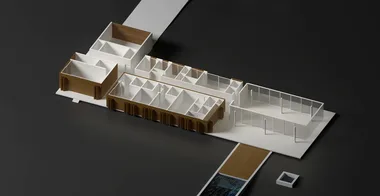
Rendering Redux House | Designed by MK27
Take the Redux House model through a complete V-Ray rendering workflow in Rhino 8: HDRI dome lighting, Chaos Cosmos materials, V-Ray Scatter vegetation, and compositing interior and exterior exposures.

Dusan Cvetkovic opens by auditing the layer structure from the modeling session and using it to drive material assignment. The course demonstrates a systematic V-Ray workflow that starts neutral (single white override material, ambient occlusion) and builds up layer by layer: dome light with HDRI, Chaos Cosmos concrete with box mapping, grass with planar mapping, water, glass, and varnished oak wood with manually varied mapping offsets.
The vegetation section introduces V-Ray Scatter in detail: importing Latin American tree species from Cosmos, controlling count and clustering, and using exclusion zones to prevent trees from growing through the house. The final sections cover Cosmos 3D furniture assets, camera exposure for exterior versus interior shots, and compositing two renders in Photoshop to resolve the burnt-out glass problem.
- How to set up a V-Ray dome light with HDRI and enable the invisible option for clean backgrounds
- How to apply Chaos Cosmos materials with correct box mapping scale values
- How to use Match Mapping to propagate mapping orientation across similar objects
- How to randomize wood panel texture by repositioning mapping widgets on adjacent panels
- How to set up V-Ray Scatter with Cosmos vegetation, control max count, and create exclusion area modifiers
- How to source HDRI sky images from polyhaven.com and adjust intensity and rotation
- How to set camera exposure to Auto for interior shots
- How to composite interior and exterior exposed renders in Photoshop to eliminate burnt-out glass