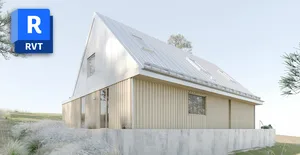
Revit Kickstart
Feeling stuck in 2D? This two-day workshop is designed to demystify Revit and empower you with the core skills needed to take a project from a blank screen to a full set of architectural drawings. We'll jump straight into a practical project, building a modern two-story house from the ground up.

Feeling stuck in 2D? Heard everyone talking about BIM but don't know where to begin? Autodesk Revit is the industry standard for Building Information Modeling, but learning it on your own can be intimidating and time-consuming. This two-day workshop is designed to demystify Revit and empower you with the core skills needed to take a project from a blank screen to a full set of architectural drawings.
We'll ditch the boring theory and jump straight into a practical project, building a modern two-story house from the ground up. You won't just learn how to use the tools, you'll understand the BIM mindset and why Revit will revolutionize your design workflow. No prior Revit experience is necessary.
- Think in BIM: understand the core difference between a Revit model and a 2D drawing or ordinary 3D model
- Navigate the Revit interface with confidence, including the Project Browser and Properties Palette
- Model a complete building with walls, floors, doors, windows, stairs, and a roof in 3D
- Generate plans, sections, and elevations directly from your 3D model with instant view creation
- Annotate your drawings professionally with dimensions, text, and intelligent tags
- Assemble professional drawing sheets with title blocks, ready for printing and export
- Generate live schedules that automatically update as your model changes, leveraging the "I" in BIM
Session 1: Building the Virtual Model
- Introduction to BIM thinking and how Revit differs from traditional CAD and 3D modeling
- Setting up a new Revit project with levels, grids, and project organization
- Creating walls, floors, and structural elements for the building core and shell
- Adding doors, windows, and openings with proper family placement and parameters
- Modeling stairs, railings, and vertical circulation elements
- Building a roof structure and understanding Revit's roof creation tools
Session 2: Creating the Documentation
- Cutting sections and creating detailed elevation views from the 3D model
- Setting up plan views with proper visibility graphics and view templates
- Adding dimensions, text annotations, and intelligent tags to drawings
- Creating and managing schedules that update automatically with model changes
- Assembling drawing sheets with title blocks for professional presentation
- Exporting and printing your final documentation set
Miljan Andjelkovic
Miljan Andjelkovic is an architect, BIM specialist, and the founder of Ark It Easy, the world's largest private online Revit learning community. With a career spanning over 12 years, he brings a wealth of practical architectural experience to his teaching. For the last seven years, Miljan has specialized in BIM, honing his expertise on large-scale, complex projects.
As an architect and BIM Manager at Sweco Architects, he contributed to landmark developments like Sture Kvarteret and the Hainan Future Industry Park. As a sought-after educator and Autodesk Certified Instructor, Miljan has empowered thousands of professionals through Ark It Easy, an Authorized Autodesk Training Center, creating engaging learning experiences that focus on practical application and real-world project outcomes.