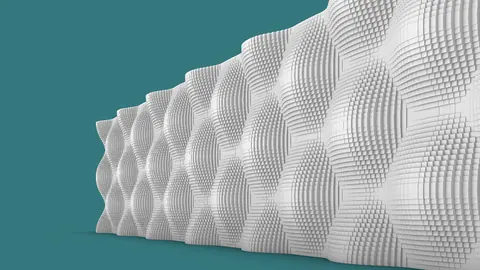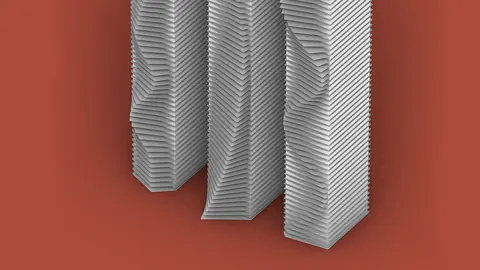
In this Graph Mapper Tutorial, you'll learn how to use Grasshopper's Graph Mapper component to create harmonized facade balconies. With just one parameter, you'll be able to modify how the balconies stick out from a flat facade.
Overview
The Graph Mapper is a powerful component in Grasshopper that allows you to remap numeric data based on a graph curve. By connecting number sliders to the Graph Mapper, you can create parametric relationships between the numbers and the curve shape.
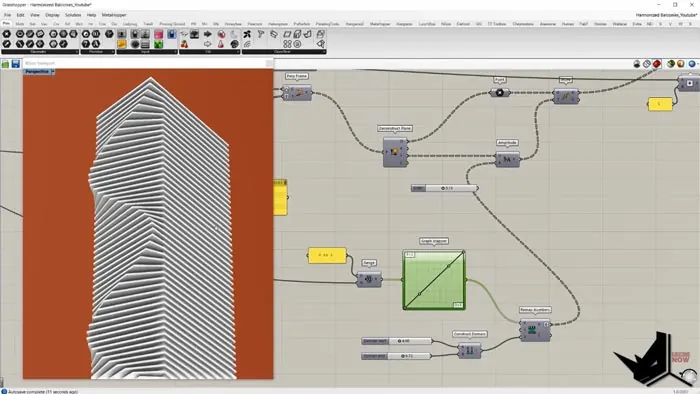
For this Graph Mapper tutorial, we’ll create a facade, and use the Graph Mapper to control the depth of each balcony along the building. By changing the graph curve, you can create different balcony patterns, from a smooth sine wave to a spiky sawtooth shape.
Step 1 - Create Base Curves
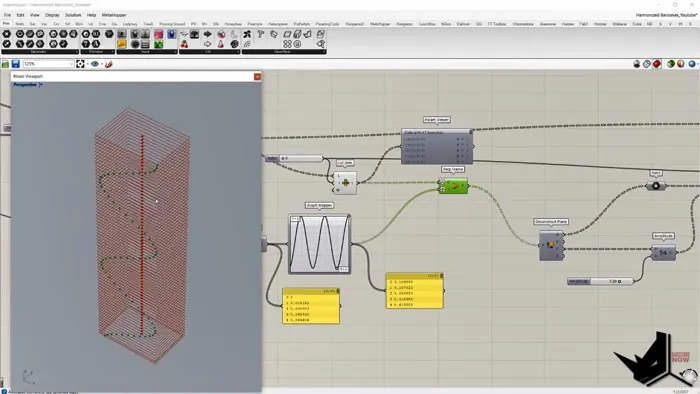
First, import a curve from Rhino into Grasshopper. This will be the base curve for the facade.
Next, move copies of the curve vertically using the Grasshopper Curve component. The Curve component allows you to move or scale curves along a vector.
Connect a Number Slider to a Grasshopper Range component to generate 67 numeric values. These values will be used to move each copy of the curve.
Finally, connect the numbers to the Curve component's Factor input to distribute the curve copies evenly over the building height.
Step 2 - Loft and Offset Curves
Use the Grasshopper Loft component to create a surface between the curve copies. This will form the basic facade shape.
To create balconies, the curves need to be offset from the surface. Find the center point of each curve with the Area component.
Then use the Points to XY Plane component to create a plane at each point. This will give us a plane to offset the curves on.
Finally, connect the planes and curves to the Curve Offset component. Set the offset distance to around 7 units.
Step 3 - Graph Mapper Points
Now for the tricky part! To create the balcony depths, points need to be extracted along each offset curve.
First, explode the offset curves to separate them. Then use the Perpendicular Frame component to get the frame geometry from each curve.
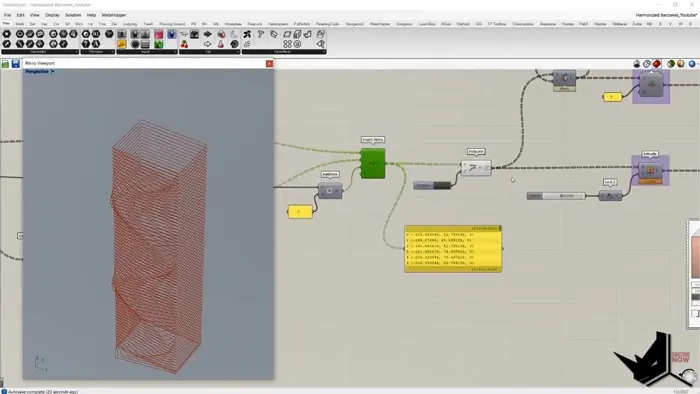
The Perpendicular Frame component needs a parameter between 0-1 to extract points. Use a Graph Mapper to remap values from 0-1 based on a graph curve. This will give us the balcony depth profile.
Graft the data trees so each curve gets its own set of points. Then use the Move component to push the points outward based on the curve frames.
Step 4 - Connect Points and Build Railings
Next, the points need to be combined into one list in the proper order. Use the Insert Items component to merge the sets of points.
With all the points in one list, create balconies with the Polyline and Surface components. Split the balcony surfaces to separate them.
Finally, make railings by extruding the balcony polylines upward.
Conclusion
The Graph Mapper is a very flexible tool for creating complex geometries in Grasshopper. By connecting it to numeric sliders, you gain parametric control over the output.
In this tutorial, you learned how to use the Graph Mapper to create procedural architectural facades with variable-depth balconies. The same techniques could be applied to many other modeling challenges as well.
I hope you enjoyed this Graph Mapper Tutorial for Grasshopper! Let me know if you have any other topics you'd like to see covered.
Grasshopper Complete Course
Give your architectural skills a boost with the Grasshopper Complete Course. Get over 50 hours of comprehensive Grasshopper training tailored for architects. Learn to generate and iterate designs faster. Click below for more information and streamline your workflows!