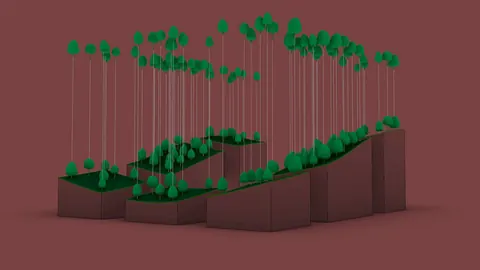
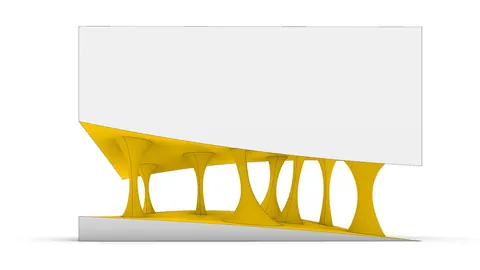
Grasshopper is a powerful parametric modeling tool for architects. One of its most useful features is the ability to generate complex surface geometries from curves. This opens up endless possibilities for creating dynamic, intricate building forms.
Overview of Creating Surfaces from Curves
The key to crafting unique surfaces from curves lies in strategically moving control points. By displacing points randomly, you can make the resulting surface twist and bend in organic ways.
The general workflow is:
- Distribute points along one axis
- Randomly move points along the other axis
- Connect points into a smooth interpolated curve
- Repeat for the second curve
- Loft between the curves to create the surface
This process provides control over the overall shape while introducing controlled randomness to add interest. The curves guide surface generation but aren't rigidly locked to a formula.
Step-by-Step Grasshopper Definition
Now let's walk through how to create a surface from curves in Grasshopper step-by-step.
First, place a point and duplicate it along the Y-axis. This forms the baseline for the bottom curve.
Next, move the points randomly in X using the "Move" and "Random" components. This displaces each point differently within a defined domain.
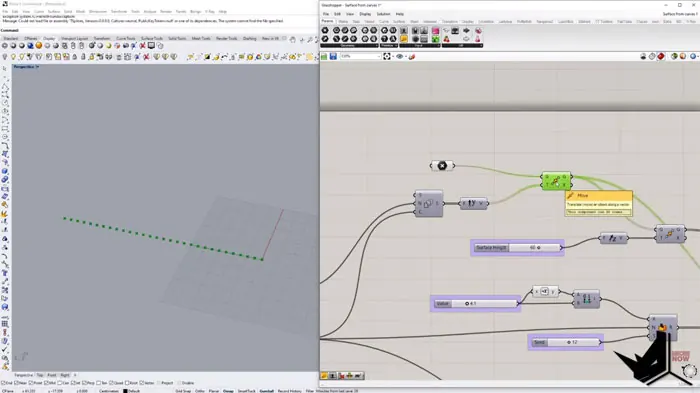
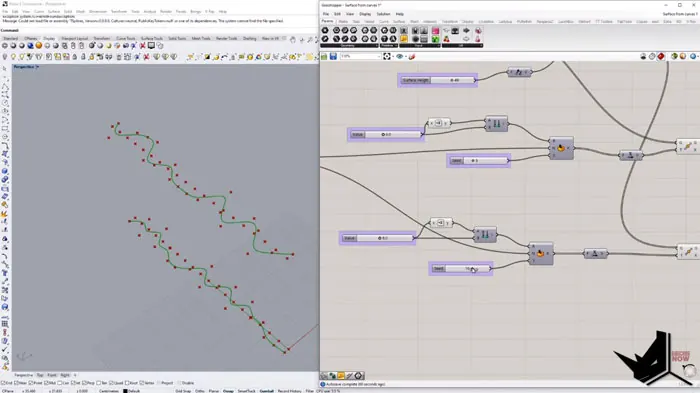
Then, connect the randomized points into a "NURBS Curve" to generate a smooth interpolated curve.
Repeat this for the upper curve but use a different randomization pattern. This gives two unique curves.
Finally, loft between the upper and lower curves with the "Loft" component. This creates the surface from curves by blending between the boundaries.
Customizing the Surface
Many parameters can be adjusted to customize the surface from curves:
- The density of points along the curves
- Magnitude of randomness in point displacement
- Changing the curve interpolation method
- Adjusting the loft to be sharp or rounded
Experiment with the settings to achieve the look you want for your architectural facade. The controlled randomness keeps things interesting while the overall system provides control.
Advanced Techniques for Surfaces from Curves
More advanced options to take things further:
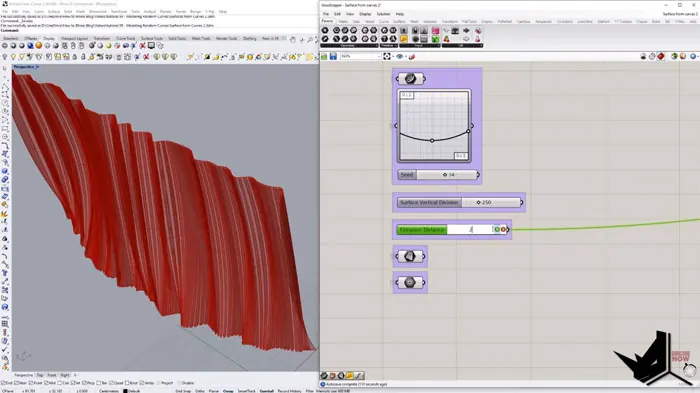
- Constrain point displacement to guide curves with "GraphMapper"
- Add surface divisions to panelize the geometry
- Extrude panels to create 3D facade elements
Guide curves allow for defining the overall shape while maintaining the random details. Extruding surface divisions generate panel geometry suitable for complex envelopes.
Architectural Applications
These techniques have many architectural applications:
- Facade design with unique organic patterns
- Complex ceiling forms for interior spaces
- Flowing, sculptural roof landscapes
- Rationalizing freeform shapes into buildable panels
Anywhere you want a dynamic surface with controlled randomness, this Grasshopper workflow is invaluable. The curves guide the overall form while creating irregularities impossible to model manually.
Summary
Generating surfaces from curves provides architects with an immensely powerful tool. The balance of control and randomness enables flowing, naturalistic forms difficult to achieve otherwise. Mastering this technique opens up new horizons for facade design, interior spaces, roofs, and rationalization. With some practice, you can create inspiring surfaces to enhance your next project.

Grasshopper Complete Course
Give your architectural skills a boost with the Grasshopper Complete Course. Get over 50 hours of comprehensive Grasshopper training tailored for architects. Learn to generate and iterate designs faster. Click below for more information and streamline your workflows!