If you are an architecture student or professional looking for 3D modeling software, chances are you have come across two names over and over again: Rhino and SketchUp. Both are widely used in architecture, but they are fundamentally different tools built for different purposes. Choosing between them will shape how you design, how fast you work, and what kind of projects you can take on.
In this comparison, we will break down both programs across every factor that matters for architects: modeling capabilities, precision, speed, rendering, parametric design, pricing, and more. By the end, you will have a clear picture of which tool is right for your workflow.
Quick Overview
Rhino (Rhinoceros 3D) is a professional NURBS-based 3D modeler developed by Robert McNeel & Associates. It was originally built for industrial design and has evolved into one of the most powerful and versatile modeling platforms available. Rhino is used across architecture, product design, jewelry, automotive, marine, and aerospace industries. Its mathematical precision, open file format support, and deep plugin ecosystem (especially Grasshopper) make it the tool of choice for architects who push the boundaries of design.
SketchUp is a polygon-based 3D modeler originally developed by @Last Software, later acquired by Google, and now owned by Trimble. It was designed from the ground up as an easy-to-learn tool for quick conceptual modeling. SketchUp is popular among architecture students, interior designers, and hobbyists. Its push-pull modeling approach makes it intuitive for beginners, but this simplicity comes with significant limitations as projects grow in complexity.
3D Modeling: NURBS vs Push-Pull
This is where the two programs differ most fundamentally, and where Rhino pulls far ahead.
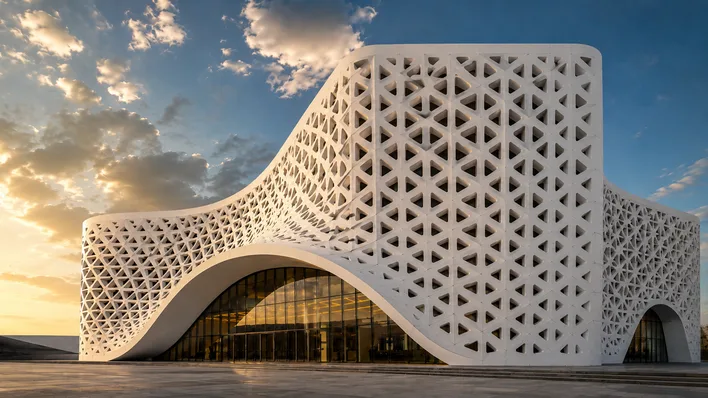
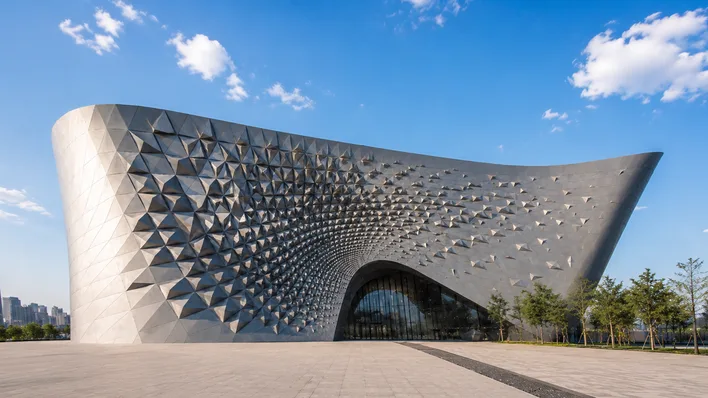
Rhino uses NURBS (Non-Uniform Rational B-Splines) as its core geometry type. NURBS curves and surfaces are mathematically defined, which means they are perfectly smooth at any scale. You can create complex, flowing, organic forms with absolute precision. When you design a curved facade, a twisted tower, or an intricate parametric structure in Rhino, the geometry is clean, accurate, and ready for fabrication.
SketchUp, on the other hand, uses polygon mesh modeling with its signature push-pull tool. You draw a 2D shape and push or pull it into 3D. It is fast and intuitive for boxy, rectilinear geometry. But the moment you need curves, SketchUp approximates them with straight-line segments. A "circle" in SketchUp is actually a polygon with 24 sides (by default). A curved wall is a faceted surface. At close range or in detailed renderings, these approximations become visible and unprofessional.
For architecture specifically, NURBS modeling gives you the ability to design complex roof geometries, curved facades, organic landscapes, and sculptural forms that simply cannot be achieved cleanly in SketchUp. If you have ever tried to model a Zaha Hadid-inspired design in SketchUp, you know the frustration. In Rhino, those forms are natural and precise.
SubD Modeling: A Game-Changer
Starting with Rhino 7, McNeel introduced SubD (Subdivision Surface) modeling, and in Rhino 8 it has matured into a seriously powerful toolset. SubD lets you model smooth, organic shapes by manipulating a lightweight control cage. Think of it as digital clay sculpting with architectural precision. You can quickly push, pull, and smooth geometry to explore complex forms, then convert SubD surfaces to NURBS for fabrication-ready output.
SketchUp has nothing comparable to SubD modeling. There are third-party plugins like SUbD and Artisan that attempt to add subdivision capabilities, but they are clunky workarounds compared to Rhino's native, fully integrated SubD tools. The ability to seamlessly switch between NURBS, SubD, and mesh geometry within a single Rhino model is something no other program at this price point offers.
For architects exploring conceptual design, pavilion structures, furniture, or any form that requires smooth organic geometry, Rhino's SubD tools alone justify choosing it over SketchUp.

Precision and Control
Architecture demands precision, and this is another area where Rhino dominates.
Rhino's command-line interface lets you type exact coordinates, distances, and angles. Every action can be numerically controlled. Object snaps (osnaps) lock to precise geometric points: endpoints, midpoints, intersections, perpendiculars, tangents, and more. You can set construction planes at any angle, work in multiple coordinate systems, and maintain sub-millimeter accuracy throughout your model.
But the real efficiency advantage is keyboard shortcuts. In Rhino, virtually every command can be assigned to a keyboard shortcut or alias. Experienced Rhino users rarely touch the toolbar. They type two or three letters, hit Enter, and the command executes. This keyboard-driven workflow is dramatically faster than SketchUp's toolbar-clicking approach. Once you learn Rhino's shortcuts, your modeling speed increases by an order of magnitude.
SketchUp does offer keyboard shortcuts, but they are limited in scope and the workflow still heavily relies on toolbar selections and the mouse. SketchUp's inference system (automatic snapping to edges and faces) works well for simple models but becomes unreliable on complex geometry. There is no command line, no typed coordinates mid-command, and fewer snap options.
If you value speed and precision in your daily workflow, Rhino's command-line approach and comprehensive keyboard shortcut system are in a completely different league.
Speed and Efficiency
When architects talk about software speed, they mean two things: how fast you can model and how well the software handles large files. Rhino excels at both.
Rhino's display engine is optimized for handling millions of objects without significant slowdown. Architects working on large campus models, urban plans, or detailed building models can work fluently even with heavy geometry. Rhino's ability to organize models with layers, named views, display modes, and blocks means you can manage complex projects efficiently without the software choking.
SketchUp struggles with file size. Once a SketchUp model exceeds a certain complexity (typically when you add detailed components, textures, and entourage), viewport performance degrades noticeably. The program was not built for the scale of models that professional architects produce. Lag, crashes, and file corruption become common complaints among SketchUp users working on large projects.
Rhino also supports Worksessions, which let multiple team members work on different parts of the same project simultaneously by referencing external files. This is invaluable for collaborative projects in architecture offices.
Grasshopper vs SketchUp Extensions
This comparison is not even close. Grasshopper is Rhino's secret weapon, and nothing in the SketchUp ecosystem comes remotely near it.
Grasshopper is a visual programming environment built directly into Rhino. It lets you create parametric designs, algorithmic structures, data-driven geometry, environmental analysis, and automated workflows by connecting nodes on a canvas. No coding required. With Grasshopper, you can:
- Generate parametric facades that adapt to sun angles and views
- Create complex structural patterns from simple rules
- Automate repetitive modeling tasks that would take hours manually
- Run environmental analysis (Ladybug/Honeybee plugins) for daylighting, energy, and wind studies
- Export directly to fabrication tools for CNC, laser cutting, and 3D printing
- Connect to Revit through Rhino.Inside for BIM workflows
SketchUp has its Extension Warehouse with thousands of plugins, and some are genuinely useful (like V-Ray for SketchUp, Profile Builder, and Curic extensions). But there is no parametric design capability in SketchUp. Every change is manual. If a client asks you to adjust the spacing of a facade panel system across 200 panels, in Grasshopper you change one slider and it updates instantly. In SketchUp, you edit each panel by hand.
For architects working on competition entries, complex geometries, or data-driven design, Grasshopper alone makes Rhino the only serious choice.
Rendering
Both Rhino and SketchUp support excellent rendering engines, so this category is closer than most.
Rhino works with V-Ray, Enscape, Lumion (via LiveSync), Corona, KeyShot, and many others. It also includes Rhino Render (based on Cycles) built in for free. The depth of material editing, lighting control, and camera settings available in Rhino's rendering workflow is professional-grade.
SketchUp also supports V-Ray, Enscape, Lumion, and Twinmotion. For many architects, SketchUp's rendering pipeline is perfectly adequate, especially for quick conceptual visualizations.
The difference is in the quality of the base geometry being rendered. Rhino's NURBS surfaces render with perfectly smooth curves and transitions. SketchUp's faceted mesh geometry can produce visible polygon edges in close-up renders, especially on curved surfaces. If your rendering workflow demands smooth, photorealistic results on complex forms, Rhino provides a cleaner foundation.

BIM and Documentation
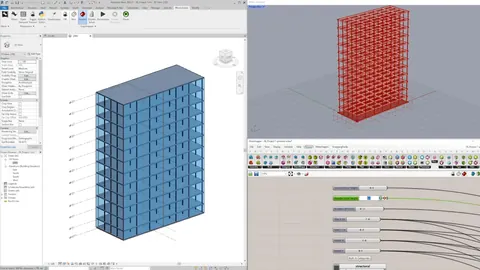
Neither Rhino nor SketchUp is a BIM tool in the way that Revit or ArchiCAD are. However, Rhino has a significant advantage here through Rhino.Inside.Revit, which lets you run Rhino and Grasshopper directly inside Revit. This means you can use Rhino's superior modeling tools to create complex geometry and push it directly into your BIM model with full Revit categories, parameters, and scheduling.
SketchUp offers Trimble Connect for collaboration and has some BIM-adjacent features through extensions like PlusSpec, but the integration is nowhere near as seamless as Rhino.Inside.Revit. If your office uses Revit for documentation and BIM deliverables, Rhino fits into that pipeline far more naturally than SketchUp does.
Learning Curve
This is the one area where SketchUp has a genuine advantage. SketchUp is easier to learn for absolute beginners. The push-pull interface is intuitive, the toolbar is simple, and you can produce a basic 3D building model within your first hour of using the software. For someone who has never touched 3D modeling before, SketchUp's low barrier to entry is appealing.
Rhino has a steeper initial learning curve. The command-line interface, NURBS concepts, and sheer number of tools can feel overwhelming at first. However, this investment pays off exponentially. Once you learn Rhino, you have a tool that can handle any project at any scale with any level of complexity. The ceiling in Rhino is essentially unlimited, while SketchUp's ceiling is relatively low.
Think of it this way: SketchUp is like learning to ride a bicycle. It is quick to pick up and fine for short trips. Rhino is like learning to fly a plane. It takes more training, but once you know how, you can go places a bicycle never could.
And with resources like our Rhino for Architects Course, the learning curve becomes much more manageable. Structured training with architecture-specific examples gets you productive in Rhino far faster than trying to learn on your own.

Pricing
Pricing is another area where Rhino offers a clear advantage for long-term users.
Rhino 8 costs a one-time fee of $995 (or $695 for educational licenses). You own the license permanently. There are no subscriptions, no annual renewals, and no features locked behind a paywall. Upgrades to new major versions (e.g., Rhino 7 to 8) cost $595, but are entirely optional. You can keep using your purchased version forever.
SketchUp moved to a subscription model. SketchUp Pro costs $349/year. SketchUp Studio (which includes V-Ray) costs $749/year. The free web version (SketchUp Free) exists but lacks professional features like solid tools, dynamic components, and file export options.
Over a typical 5-year period, SketchUp Pro costs $1,745 in subscriptions. Rhino costs $995 once (potentially $1,590 if you upgrade once). But with Rhino you also get Grasshopper included for free, which alone would justify the cost. If you factor in SketchUp's rendering plugins (V-Ray costs extra unless you buy Studio), the total cost of a SketchUp workflow often exceeds Rhino's.
For students and offices managing multiple licenses, Rhino's one-time pricing model is significantly more economical than SketchUp's recurring subscriptions.
File Compatibility
Rhino supports an enormous range of file formats: DWG, DXF, OBJ, FBX, STL, STEP, IGES, 3DM, 3DS, SKP, PDF, AI, and many more. It can import SketchUp (.skp) files directly, and it exports to virtually every format used in architecture, fabrication, and visualization.
SketchUp's native format is .skp, and it supports import/export of DWG, DXF, OBJ, FBX, STL, and a few others. The format support is adequate for most workflows but significantly narrower than Rhino's. If you collaborate with engineers, fabricators, or consultants who use specialized software, Rhino's broad file format support makes data exchange much smoother.
Rhino also handles site context imports from tools like CadMapper, GIS data, and point clouds, making it the better choice for architects who need to work with real-world site data.
The Verdict: Rhino is the Superior Choice for Architects
Let's be direct: Rhino is the better tool for architecture, and it is not particularly close.
SketchUp earned its place in architecture schools and small firms by being easy to learn and quick for simple conceptual models. There is nothing wrong with using SketchUp for a quick massing study or a simple interior layout. But the moment your work demands precision, complex geometry, parametric design, large-scale models, professional rendering, fabrication output, or BIM integration, SketchUp hits its ceiling while Rhino is just getting started.
Here is the summary:
- 3D Modeling: Rhino wins (NURBS + SubD vs faceted polygons)
- Precision: Rhino wins (command line, osnaps, typed coordinates)
- Speed/Efficiency: Rhino wins (keyboard shortcuts, large file handling)
- Parametric Design: Rhino wins (Grasshopper, no SketchUp equivalent)
- Rendering: Close, slight Rhino advantage (smoother base geometry)
- BIM Integration: Rhino wins (Rhino.Inside.Revit)
- Learning Curve: SketchUp wins (easier for beginners)
- Pricing: Rhino wins (one-time $995 vs $349/year subscription)
- File Formats: Rhino wins (broadest format support in the industry)
The only category where SketchUp comes out ahead is the initial learning curve, and that advantage disappears once you invest a few weeks into learning Rhino properly. The skills you build in Rhino will serve your entire career, from school to practice, from competitions to fabrication.
If you are serious about architecture, invest the time to learn Rhino. Your future self will thank you.
Related Resources

Rhino for Architects Course
Give your architectural skillset a major boost with the Rhino for Architects Course. Get over 60 hours of focused training tailored specifically for architects. Master commands and techniques to model, render, and animate architectural visualizations at the highest level. Click below for more information and watch your designs come alive!