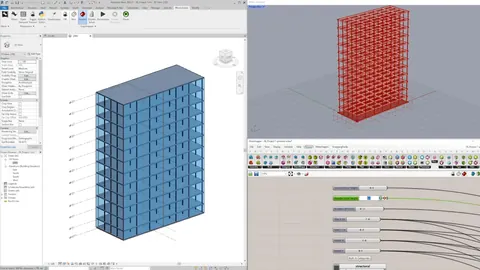
If you are an architect or designer exploring parametric and computational design, you have almost certainly encountered two tools: Grasshopper (for Rhino) and Dynamo (for Revit). Both are visual programming environments that let you create parametric models by connecting nodes on a canvas. Both generate geometry from logic rather than manual modeling. And both are free.
But that is where the similarities end. Despite looking similar on the surface, Grasshopper and Dynamo are fundamentally different in their architecture, capabilities, and ecosystems. One is a modular platform that can expand into virtually any domain. The other is a task automation tool that lives inside Revit. Understanding this distinction will save you months of frustration and help you invest your learning time wisely.
In this comparison, we will break down both tools across every factor that matters for architects: design capability, plugin ecosystem, scripting, performance, community, and more.
The Core Difference: Platform vs Automation Tool

The most important thing to understand about Grasshopper and Dynamo is their fundamental design philosophy.
Grasshopper is built as a platform. It is an open, extensible environment where the core visual programming canvas is just the starting point. On top of that canvas, developers and researchers have built hundreds of plugins that extend Grasshopper into environmental analysis, structural engineering, physics simulation, machine learning, fabrication, robotics, acoustic modeling, and much more. Grasshopper is not just a parametric modeling tool. It is a computational design ecosystem that happens to live inside Rhino.
Dynamo is built as an automation tool for Revit. Its primary purpose is to automate repetitive tasks within the Revit BIM environment: renumbering rooms, placing elements from spreadsheets, batch-modifying parameters, extracting data, and enforcing project standards. Dynamo can generate geometry, and it does have a package ecosystem, but its scope is narrower and its primary value proposition is making Revit workflows faster, not enabling new types of design.
This distinction shapes everything else in the comparison.
Plugin Ecosystem: Where Grasshopper Pulls Far Ahead

This is the single biggest advantage Grasshopper has over Dynamo, and it is not even close.
Grasshopper's plugin ecosystem, hosted primarily on Food4Rhino, includes hundreds of community-developed plugins that transform Grasshopper into a specialized tool for virtually any domain an architect might need:
- Environmental analysis: Ladybug and Honeybee provide comprehensive climate analysis, energy modeling, daylight simulation, radiation studies, and thermal comfort evaluation. These are professional-grade tools used by sustainability consultants worldwide.
- Wind analysis: Plugins like Butterfly connect Grasshopper to OpenFOAM for computational fluid dynamics (CFD), letting you simulate wind patterns around buildings directly from your parametric model.
- Acoustic analysis: Pachyderm Acoustics enables room acoustic simulation and sound propagation analysis within the Grasshopper environment.
- Structural analysis: Karamba 3D provides real-time finite element analysis, letting you optimize structural systems as part of your parametric design workflow.
- Physics simulation: Kangaroo Physics enables form-finding, tensile structure simulation, and dynamic relaxation for architects exploring complex structural forms.
- Mesh modeling: Weaverbird adds subdivision and mesh manipulation tools for architects working with complex surface geometries.
- Data visualization: Plugins like Human and Elefront provide advanced data management, custom previews, and Rhino document interaction.
- Fabrication: Tools for CNC toolpath generation, robotic control, and 3D printing preparation connect parametric designs directly to manufacturing.
Dynamo has its own package manager with community-contributed packages, and some are genuinely useful (Clockwork, Springs, BimorphNodes, archi-lab). But the total number and depth of available packages is significantly smaller than Grasshopper's ecosystem. More importantly, most Dynamo packages focus on Revit automation tasks rather than expanding into new design or analysis domains.
If you need to run an environmental analysis, wind study, structural optimization, or acoustic simulation as part of your parametric workflow, Grasshopper is currently the only viable option between these two tools. Dynamo simply does not have equivalent plugins for these specialized domains.
Scripting and Extensibility
Both Grasshopper and Dynamo support custom scripting, but the experience is quite different.
Grasshopper supports scripting through C# and Python components that you can drop directly onto the canvas. You write your code inside the component, and it becomes a live node in your definition. This makes it straightforward to create custom logic, connect to external APIs, process data in ways that visual nodes cannot handle, or build entirely new tools. The C# scripting component in Grasshopper is fast, well-documented, and integrates seamlessly with the .NET framework. Python scripting (via CPython in Rhino 8) gives you access to the entire Python ecosystem including NumPy, pandas, and machine learning libraries.
The key advantage is modularity. Because Grasshopper is designed as a platform, custom scripts feel like a natural extension of the tool. You can package your scripts as reusable components, share them with your team, or publish them as plugins for the community.
Dynamo also supports Python and C# scripting. Python nodes work well for Revit API automation tasks, and C# can be used to create "Zero-Touch" nodes (compiled .dll libraries that automatically become Dynamo nodes) or explicit custom NodeModel nodes with custom UI. So on paper, Dynamo has similar scripting capabilities.
In practice, however, Dynamo scripting is more commonly used for Revit task automation (manipulating elements, extracting data, batch operations) rather than for computational geometry or design exploration. The scripting experience in Grasshopper feels more fluid and design-oriented, while Dynamo scripting tends to be more procedural and data-management focused.
Performance and Speed
Performance is an area where users consistently report that Grasshopper is significantly faster than Dynamo.
The core issue is architectural. When you change a value in Dynamo, the engine typically re-evaluates all nodes in the graph, not just the ones affected by your change. In complex definitions with many nodes, this creates noticeable lag. Users working with large parametric models in Dynamo frequently report delays of several seconds (or more) after each parameter adjustment, which makes real-time design exploration frustrating.
Grasshopper handles updates more efficiently. Its solver is optimized for incremental computation, meaning it recalculates only the parts of the definition that are affected by your change. Combined with Rhino's fast geometry engine, this means you can adjust a slider and see the result in near real-time, even with complex definitions containing hundreds of components.
For architects who use parametric tools for design exploration (adjusting parameters, comparing options, fine-tuning forms), this speed difference is critical. A tool that responds instantly encourages experimentation. A tool that makes you wait discourages it.
Dynamo's performance is adequate for its primary use case (Revit automation scripts that run once and produce a result), but it struggles as an interactive design exploration tool.
Community and Learning Resources
Grasshopper has one of the most active and generous communities in the computational design world, and this is a major practical advantage.
The Grasshopper forum on McNeel Discourse has been active for over 15 years, with thousands of answered questions, shared definitions, and detailed tutorials from experienced users. When you get stuck on a problem in Grasshopper, chances are someone has already solved it and posted the solution.
Beyond the forum, there are:
- Hundreds of YouTube tutorials covering every aspect of Grasshopper, from absolute basics to advanced algorithmic design
- University courses and workshops at architecture schools worldwide that teach Grasshopper as part of their computational design curriculum
- Active plugin developers who maintain documentation, provide support, and continuously improve their tools
- Dedicated courses like our Grasshopper Complete Course that provide structured learning paths specifically for architects
Dynamo also has a community (the Dynamo BIM Forum and Autodesk's community resources), and it has grown significantly in recent years. However, the volume of available tutorials, shared resources, and community-contributed content is substantially smaller than Grasshopper's. If you are learning computational design for the first time, the sheer amount of Grasshopper learning material available will accelerate your progress considerably.
Integration with BIM

This is the one area where Dynamo has a clear, unambiguous advantage.
Dynamo runs natively inside Revit. It can directly access and modify Revit elements, read and write parameters, create and delete families, generate views, and automate documentation workflows. If your goal is specifically to automate tasks within Revit (renumber rooms, place elements from a spreadsheet, batch-edit parameters, generate schedules from external data), Dynamo is the right tool for the job.
Grasshopper does not run inside Revit natively. However, Rhino.Inside.Revit bridges this gap by letting you run Rhino and Grasshopper directly within Revit. This means you can use Grasshopper's superior parametric design capabilities to generate complex geometry and then push it into Revit with proper BIM categories, parameters, and family assignments. For design-to-BIM workflows, Rhino.Inside.Revit gives you the best of both worlds.
The distinction is important: if you need to automate Revit-specific tasks (data management, documentation, element manipulation), Dynamo is more direct. If you need to create parametric geometry and then bring it into Revit, Grasshopper via Rhino.Inside.Revit is more powerful.
Learning Curve
Both tools use a similar visual programming paradigm (nodes connected by wires), so the basic concepts transfer between them. If you learn one, picking up the other becomes much easier.
Dynamo is often described as having a slightly gentler entry point for absolute beginners, partly because its node library is smaller and less overwhelming. With fewer choices, it is easier to find the node you need. Dynamo's integration with Revit also means you can see practical BIM results quickly, which is motivating for beginners.
Grasshopper has a steeper initial curve due to its larger component library and the need to understand data trees (Grasshopper's way of handling hierarchical data). However, once you understand data trees, you unlock the full power of the platform. The learning investment in Grasshopper pays off exponentially because the same skills apply across environmental analysis, structural optimization, fabrication, and any other domain you expand into through plugins.
For architects, we recommend starting with Grasshopper. The design-oriented workflow, the massive plugin ecosystem, and the larger community make it the better foundation for computational design skills. You can always add Dynamo later for Revit-specific automation tasks.
The Verdict: Grasshopper for Design, Dynamo for Revit Automation

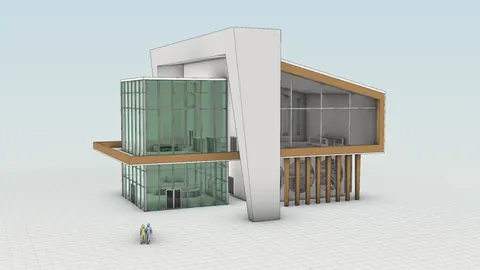
Grasshopper for freeform computational design (left) and Dynamo for disciplined Revit-based modeling (right)
Here is the honest summary:
- Parametric design and form generation: Grasshopper wins decisively
- Plugin ecosystem and extensibility: Grasshopper wins (hundreds of plugins vs a smaller package library)
- Environmental and structural analysis: Grasshopper wins (Ladybug, Honeybee, Karamba, Butterfly have no Dynamo equivalents)
- Scripting flexibility: Both support C# and Python, but Grasshopper's scripting is more design-oriented
- Performance and speed: Grasshopper wins (faster solver, better for real-time exploration)
- Community and resources: Grasshopper wins (15+ years of community content)
- Revit BIM automation: Dynamo wins (native Revit integration for task automation)
- Learning curve: Dynamo slightly easier for absolute beginners, but Grasshopper's ceiling is much higher
If your primary goal is computational design, parametric modeling, environmental analysis, or any form of design exploration, Grasshopper is the clear choice. It is a platform that grows with you as your skills develop, and its plugin ecosystem means you will never hit a wall.
If your primary goal is automating repetitive Revit tasks (data extraction, batch modifications, documentation workflows), Dynamo is the more direct tool for that specific job.
And if you need both? Use Grasshopper for design and analysis, Dynamo for Revit automation, and Rhino.Inside.Revit to connect them. That is what the most advanced architecture firms do today.
If you want to learn Grasshopper from scratch with a structured, architecture-focused approach, we have a dedicated course for exactly that. The Grasshopper Complete Course gives you over 50 hours of comprehensive training covering parametric modeling, data trees, key plugins, and real-world architecture projects. Over 900 students have already gone through our courses, and many started with zero programming experience. Whether you are switching from Dynamo or learning parametric design for the first time, this course will get you there.
Frequently Asked Questions
Should architects learn Grasshopper or Dynamo first?
For architects, we recommend starting with Grasshopper. The plugin ecosystem covers environmental analysis, structural simulation, fabrication, and more, which means the same skills carry across many domains. Dynamo can be added later when you specifically need to automate Revit tasks like batch parameter edits or family placement.
Is Dynamo free for architects?
Yes, Dynamo is free and ships built into Revit, with the standalone Dynamo Sandbox also available as a free download. Grasshopper is also free and ships built into Rhino. The cost difference between these tools is essentially zero for architects who already use Rhino or Revit.
Can you run Grasshopper inside Revit?
Yes, with Rhino.Inside.Revit. This free Autodesk and McNeel collaboration runs Rhino and Grasshopper directly inside Revit, letting you generate complex parametric geometry in Grasshopper and push it into Revit as native BIM elements. It is the most powerful workflow for architects who use both Rhino and Revit on the same project.
Which is faster, Grasshopper or Dynamo?
Grasshopper is significantly faster for interactive design exploration. Its solver only recalculates the parts of a definition that are affected by your change, while Dynamo often re-evaluates the full graph on every parameter adjustment. For real-time slider tweaking on complex definitions, Grasshopper feels noticeably more responsive.
Can Dynamo replace Grasshopper for parametric design?
Not really. Dynamo can generate parametric geometry, but its strength is automating Revit tasks rather than enabling free-form computational design. Grasshopper has hundreds of design and analysis plugins (Ladybug, Karamba, Kangaroo, Wallacei) that have no Dynamo equivalent. Most architecture firms use Grasshopper for design and Dynamo for Revit automation, not one or the other.
Related Resources

Grasshopper Complete Course
Give your architectural skills a boost with the Grasshopper Complete Course. Get over 50 hours of comprehensive Grasshopper training tailored for architects. Learn to generate and iterate designs faster. Click below for more information and streamline your workflows!