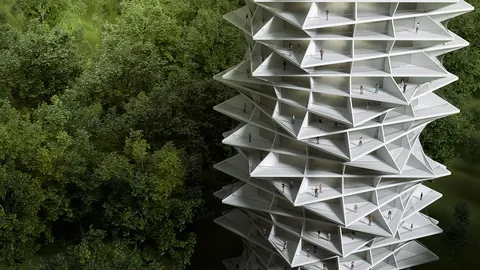
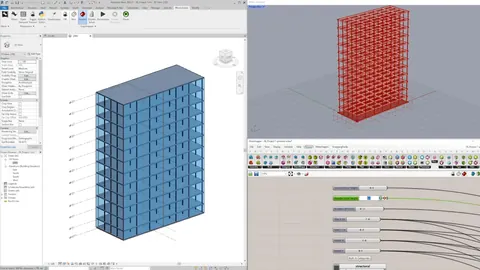
Rhino and Blender are two of the most capable 3D modeling programs available today, and both can be used for architectural design. If you are an architect or architecture student trying to decide between them, you might find it difficult to get a straight answer because they are genuinely good at different things.
Unlike the Rhino vs Revit comparison where the tools serve completely different project phases, Rhino and Blender actually overlap significantly. Both are used in the design and conceptual phase of projects. Both can generate complex 3D geometry. Both have strong communities. But they come from different worlds, they are built on different modeling foundations, and they are dominant in different industries.
In this article, we will break down exactly where each tool excels, where it falls short, and which one makes more sense for architects in 2026.
Different Industries, Different DNA
The first thing to understand is that Rhino and Blender evolved in very different professional contexts, and that history shapes how each tool works today.
Rhino was born in industrial design and engineering. Its core modeling engine is built on NURBS (Non-Uniform Rational B-Splines), which are mathematically precise curves and surfaces used in fields where accuracy is non-negotiable: architecture, product design, jewelry, automotive, marine engineering, and aerospace. Rhino thinks in millimeters. Every curve is a mathematical equation, every surface is precisely defined, and the software is built to produce geometry that can go directly to fabrication or construction documentation.
Blender grew up in the VFX, animation, and film industry. It is a polygon mesh modeler at its core, designed to create characters, environments, special effects, and cinematic sequences. Blender's strength is visual output: rendering, animation, compositing, motion tracking, and video editing are all built into a single integrated package. In recent years, Blender has expanded into architecture, game design, and product visualization, but its DNA remains rooted in visual storytelling.
This heritage matters because it determines what each tool prioritizes. Rhino prioritizes geometric precision and CAD compatibility. Blender prioritizes visual quality and creative workflow fluidity.

Modeling: NURBS Precision vs Mesh Fluidity
Both tools can create complex 3D geometry, but they approach it in fundamentally different ways.
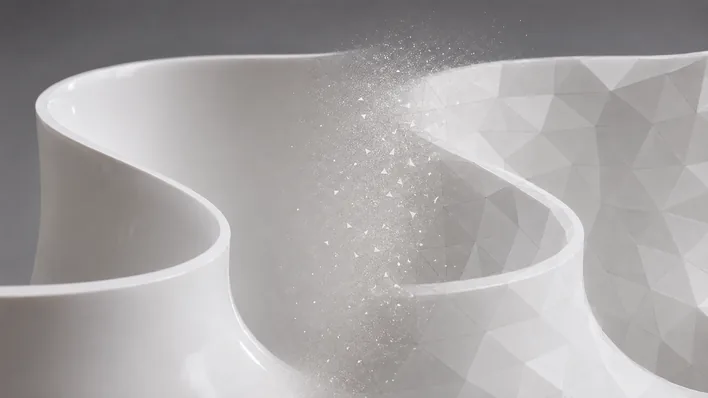
Rhino's NURBS engine produces curves and surfaces that are mathematically smooth at any scale. A curved wall in Rhino is a true curve, not an approximation made of flat polygon segments. This matters enormously for architecture because NURBS geometry exports cleanly to CAD/CAM systems, CNC machines, laser cutters, and fabrication tools. When an engineer receives your Rhino file, the geometry is precise and ready for production. Rhino also has excellent SubD (subdivision surface) tools for organic form exploration and comprehensive 2D drafting capabilities for technical drawings.
Blender's mesh engine works with vertices, edges, and faces. It is incredibly flexible and powerful for creating organic shapes, detailed environments, and freeform geometry. Blender does have NURBS support on paper, but it is basic and underdeveloped compared to Rhino. Blender's real strength is in polygon and subdivision surface modeling, where tools like proportional editing, sculpting, and modifiers let you shape geometry with a fluidity that feels almost like working with clay.
Here is an honest observation from personal experience: after working in Rhino for over 13 years, I started exploring Blender to understand what it could offer. What struck me immediately was how smooth and natural the modeling process feels in Blender. There are modeling techniques and interaction patterns in Blender that I did not know were possible, things the developers clearly thought through to create the most fluid experience. In many ways, Blender feels like a hybrid of Rhino and 3ds Max, combining precise modeling with intuitive creative tools, plus the entire VFX and animation toolkit on top.
That said, when it comes to architectural precision (exact dimensions, construction-ready geometry, CAD compatibility), Rhino is in a different league. Blender's polygon modeling is inherently an approximation: curved surfaces are made of small flat faces, and precision depends on mesh density rather than mathematical definition. For conceptual visualization this is perfectly fine. For construction documentation and fabrication, it is not.
Rendering and Visualization
This is where Blender has a significant advantage, and it deserves full credit.
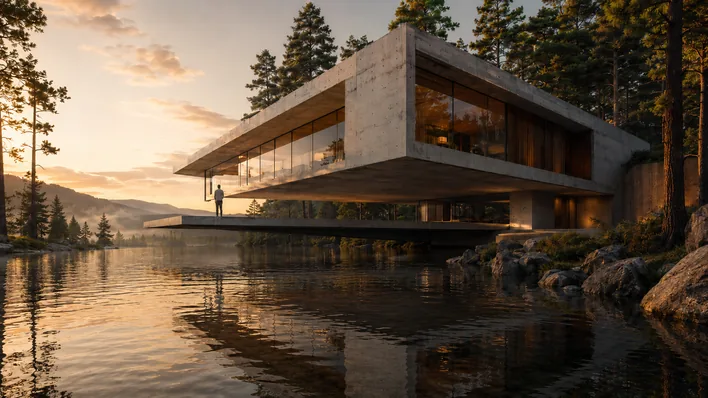
Blender ships with two built-in render engines: Cycles (a production-quality path-tracing renderer) and Eevee (a real-time renderer). Both are excellent. Cycles produces photorealistic images that compete with V-Ray and Corona. Eevee gives you near-instant visual feedback while you work, which is invaluable during the design process. And both are completely free.
But rendering in Blender is not just about the engines. It is about the entire integrated pipeline. Material editing, texture painting, lighting, camera animation, compositing, and post-processing are all built into Blender as native tools. You can model a building, apply materials, set up lighting, render a photorealistic image, composite it with a background plate, and output a final presentation image without ever leaving the application. The seamlessness of this workflow is genuinely impressive.
Rhino's built-in renderer (Rhino Render, based on Cycles) is capable but more basic. Most architects using Rhino rely on external rendering plugins like V-Ray, Enscape, or Lumion for high-quality output. These are powerful tools, but they add cost and complexity to the workflow. The integration between Rhino and external renderers is good but not as seamless as Blender's all-in-one approach.
For architectural visualization specifically (client presentations, competition images, portfolio renderings), Blender's integrated rendering pipeline is arguably the best value proposition in the industry: world-class quality, zero cost.
Animation and Walkthroughs
If you need to create animated walkthroughs, fly-throughs, or cinematic presentations of your architecture projects, Blender wins this category hands down.
Blender has a full animation system with keyframing, motion paths, physics simulation, particle systems, and a video sequence editor. You can animate cameras through a building, simulate daylight changes over time, add animated people and vehicles, and render the final video all within Blender. Architecture firms that produce high-quality video content for clients or competitions find Blender's animation tools invaluable.
Rhino has basic animation capabilities (primarily through Bongo, a paid plugin), but it is not designed for cinematic output. Most architects who need animation from Rhino export to Lumion, Twinmotion, or Enscape for walkthrough generation, which again adds cost and workflow steps.
Parametric Design
Both tools have parametric/procedural capabilities, but they work very differently.
Rhino has Grasshopper, which is the most established visual programming environment for parametric architecture. Grasshopper's plugin ecosystem (Ladybug, Honeybee, Karamba, Kangaroo) extends it into environmental analysis, structural optimization, and fabrication. For architects, Grasshopper is the industry standard for parametric design, and as we covered in our Grasshopper vs Dynamo comparison, nothing else comes close to its plugin ecosystem.
Blender has Geometry Nodes, a node-based procedural modeling system introduced in Blender 2.92. Geometry Nodes is powerful and rapidly improving with each Blender release. It can generate complex procedural geometry, scatter objects, create parametric patterns, and automate repetitive modeling tasks. However, Geometry Nodes is younger and has a smaller ecosystem than Grasshopper. There are fewer architecture-specific tutorials, no equivalent to Ladybug/Honeybee for environmental analysis, and the community around architectural parametric design in Blender is still growing.
If parametric design is central to your architecture practice, Grasshopper is the more mature and capable choice today. But Geometry Nodes is worth watching as it evolves rapidly.
BIM Integration and Construction Pipeline
This is a critical difference for practicing architects.
Rhino integrates directly with Revit through Rhino.Inside.Revit, which lets you run Rhino and Grasshopper inside Revit and push parametric geometry directly into your BIM model with proper categories, parameters, and family assignments. Rhino also exports to DWG, DXF, STEP, IGES, and dozens of other CAD/engineering formats. It fits naturally into the architecture office pipeline.
Blender has no native integration with Revit or other BIM tools. The closest options are the Bonsai plugin (which adds IFC/OpenBIM support to Blender) and Speckle (a data exchange platform that can bridge Blender and Revit). These are useful but not as seamless as Rhino.Inside.Revit. Blender's native file format (.blend) is not recognized by CAD or BIM software, so getting geometry from Blender into a construction documentation pipeline always requires conversion steps.
If your work needs to eventually reach construction drawings, BIM models, engineering consultants, or fabrication shops, Rhino provides a much more direct and reliable path. If your work stays in the visualization and presentation domain, Blender's format limitations are less of a concern.

Pricing
Blender is free. Completely, permanently free. It is open-source software maintained by the Blender Foundation with funding from companies like Epic Games, NVIDIA, AMD, Apple, Meta, and others. There are no licenses, no subscriptions, no feature tiers. Every user gets every feature.
Rhino 8 costs a one-time fee of $995 (around $195 for educational licenses). No subscription. Grasshopper is included for free. But add-ons like V-Ray ($350+/year for rendering) or Bongo (for animation) increase the total cost.
For students and independent designers, Blender's zero cost is a massive advantage. For architecture firms that already own Rhino licenses and rely on its CAD pipeline, the cost is justified by the productivity and precision it provides.
Community and Industry Adoption
Both tools have exceptional communities, but they are different in character.
Blender's community is one of the largest in all of 3D software, spanning artists, animators, game developers, product designers, and increasingly architects. The volume of free tutorials, assets, and add-ons available for Blender is staggering. The Blender Foundation's open-source model means the software improves rapidly, with major releases every few months adding significant new features.
Rhino's community is smaller but deeply specialized in architecture, industrial design, and engineering. The McNeel Forum is highly active with expert users who solve complex technical problems. The Grasshopper community in particular is a goldmine for architects working with parametric design.
In terms of industry adoption in architecture, Rhino is well established. Major firms (Zaha Hadid Architects, BIG, SHoP, Foster + Partners) use Rhino as a core design tool. Blender is gaining traction in architectural visualization studios but is not yet widely adopted by architecture firms for design work. The architecture industry is historically slow to adopt new software because firms have established workflows, deadlines to meet, and little appetite for disrupting processes that already work. This does not mean Blender will not become standard in architecture offices eventually, but right now, listing Rhino on your resume carries more weight with architecture employers.
The Verdict: Which Should Architects Choose?
Here is the summary:
- Geometric precision and CAD output: Rhino wins (NURBS vs polygon approximation)
- Rendering and visualization: Blender wins (Cycles + Eevee, fully integrated, free)
- Animation and walkthroughs: Blender wins (full cinematic pipeline)
- Parametric design: Rhino wins (Grasshopper + mature plugin ecosystem)
- BIM integration: Rhino wins (Rhino.Inside.Revit, no Blender equivalent)
- Construction pipeline: Rhino wins (DWG/DXF/STEP export, ISV certification)
- Modeling fluidity: Blender has the edge (smoother interaction design)
- Pricing: Blender wins (free vs $995)
- Industry adoption in architecture: Rhino wins (established in major firms)
For architects, the practical recommendation is: use Rhino as your primary design and production tool, and learn Blender as a complementary tool for rendering, visualization, and animation. This gives you the precision and pipeline compatibility you need for professional architecture work, plus world-class visualization capabilities at zero additional cost.
If your work is primarily conceptual or visualization-focused (competitions, portfolio, speculative design), Blender alone can take you very far. But if your designs need to become buildings, with construction documents, engineering coordination, and fabrication output, Rhino provides the pipeline that Blender currently cannot.
If you want to master Rhino with an architecture-specific approach, our Rhino for Architects Course gives you over 60 hours of training covering 2D drafting, complex 3D modeling, rendering, and animation. Over 900 students have already completed the course, building the skills that architecture firms look for. And once you have Rhino down, adding Blender to your toolkit for visualization becomes a natural next step.
Related Resources

Rhino for Architects Course
Give your architectural skillset a major boost with the Rhino for Architects Course. Get over 60 hours of focused training tailored specifically for architects. Master commands and techniques to model, render, and animate architectural visualizations at the highest level. Click below for more information and watch your designs come alive!