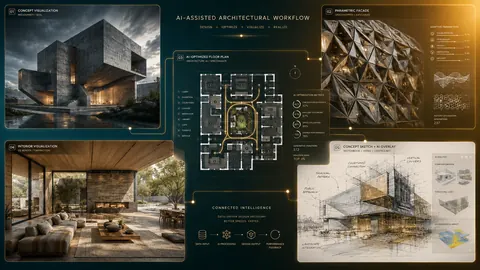
A few years ago, talking about artificial intelligence in architecture meant talking about the future. Today it means talking about Tuesday afternoon. AI in architecture has moved out of conference keynotes and research papers and into the everyday workflow of practicing architects, from the first concept sketch to the final construction document.
The numbers moved fast. According to the RIBA Artificial Intelligence Report 2026, 74% of architecture practices now use AI on most of their projects, up from 59% a year earlier, and 75% say it has improved their productivity. The same report shows the uncertainty that comes with it. 59% of practices expect AI to lead to staff reductions, and 61% believe it will make it harder for early-career architects to learn essential skills.
The problem is that most of what gets written about AI in architecture is either breathless hype or vague fear, and almost none of it is written by people who actually open Rhino or Grasshopper every day. This guide is different. At How to Rhino, we have spent the past two years teaching AI workflows to architects through our Premium workshops and minicourses, and we have watched 900 students put these tools to work on real projects.
This is the complete picture: what AI in architecture actually means, the tools that matter across every phase of design, how AI is reshaping the way firms operate, the risks worth taking seriously, and a practical path for getting started without drowning in the noise.
Key Takeaways
- AI in architecture is no longer experimental. Three quarters of practices now use AI on most projects, and the early, exploratory phases of design adopted it first.
- AI now spans the entire design process, from concept visualization and space planning to computational design, rendering, documentation, and custom tool development.
- The most valuable AI tools connect to your real model, not just a text box. Tools that read your Rhino geometry or build inside Grasshopper deliver far more than disconnected image generators.
- Generative design and optimization let architects explore thousands of layout and performance options that would be impossible to test by hand.
- AI is commoditizing routine tasks while raising the value of design judgment, curation, and the uniquely human side of architecture.
- The right way to start is narrow. Pick the single biggest bottleneck in your workflow and adopt one tool that solves it before expanding.
What Is AI in Architecture?
AI in architecture refers to the use of artificial intelligence systems to assist with, accelerate, or automate parts of the architectural design and delivery process. That covers a wide range of technologies, but for practicing architects, it helps to think about AI in two broad families.
The first family is generative and creative AI. These are the tools that produce something new from a prompt: images from text descriptions, renders from a viewport, code from plain language, or written documentation from a few bullet points. This is the category that has exploded since 2023 and that most architects encounter first.
The second family is analytical and optimization AI. Instead of generating imagery, these systems evaluate and improve a design against defined goals. Generative floor plan tools, structural optimization, daylight and energy analysis, and parametric optimization all live here. This category is less flashy but arguably more transformative for how buildings actually perform.
The reason the distinction matters is that the two families fit into different parts of your process and require different skills. Creative AI rewards good prompting and a strong design eye. Analytical AI rewards a clear understanding of constraints, parameters, and what you are actually trying to optimize for.
Where AI Fits in the Design Process
It is easy to assume AI is only useful for making pretty concept images, but in practice, it now touches every stage:
- Concept and ideation: generating design directions, mood boards, and form studies in minutes.
- Design development: optimizing floor plans, testing massing options, and analyzing performance.
- Visualization: producing presentation-quality renders directly from your model.
- Documentation: drafting specifications, narratives, and code compliance summaries.
- Communication: writing client emails, presentation scripts, and competition text.
- Custom tooling: building bespoke plugins and scripts that automate repetitive work.
The State of AI in Architecture in 2026

The single biggest shift over the past two years is that AI in architecture has crossed from curiosity to infrastructure. In 2023, most firms were experimenting on the side, often with a single enthusiastic team member running Midjourney for fun. In 2026, AI is increasingly a normal line item in the workflow, with dedicated tools, internal guidelines, and in some cases full pipelines built around it.
The adoption is not evenly spread, and that is where the opportunity lies. The early design phase has absorbed AI the fastest because the cost of a bad output is low and the value of fast iteration is high. Generating fifty concept directions before lunch carries no risk to a building, but it can completely change the quality of the conversation you have with a client that afternoon.
What gives the trend real credibility is the caliber of firms involved. Practices like Herzog and de Meuron and White Arkitekter are using AI-driven layout tools on live projects, not demos. When firms of that reputation integrate a technology into production work, it stops being a gimmick and starts being a baseline expectation for everyone else.
If you want the practical, tool-by-tool breakdown of what professionals are actually running, we cover it in depth in our guide to the best AI tools for architects. This guide stays at the bigger picture of how those tools connect into a workflow.
AI for Concept Design and Visualization
Concept visualization is where most architects first feel the impact of AI, and for good reason. The ability to translate a written idea into a compelling image in under a minute fundamentally changes the speed of early design.
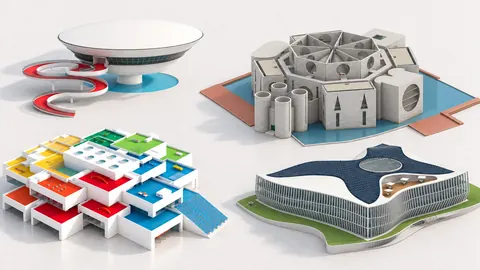
Text-to-image tools like Midjourney, OpenAI's GPT Image 2.5 (released in September 2026) and Google's Nano Banana models lead this space. You can prompt with architectural language such as "brutalist concrete pavilion with clerestory lighting" and get back imagery with a genuine understanding of material, atmosphere, and spatial composition. The catch is that these tools generate images, not geometry. You cannot extract a plan, section, or model from the output. Think of them as an extraordinarily fast concept artist rather than a design tool.
Free options are catching up quickly. Google's image generation inside Gemini, which the community calls Nano Banana, now produces architectural imagery with a convincing 3D quality, and it is accessible without a paid subscription. We built an entire Nano Banana for Architecture minicourse around using it specifically for architectural visualization. If you are weighing the major image models against each other, our Midjourney vs DALL-E comparison is a useful starting point.
AI Rendering Inside Your 3D Model
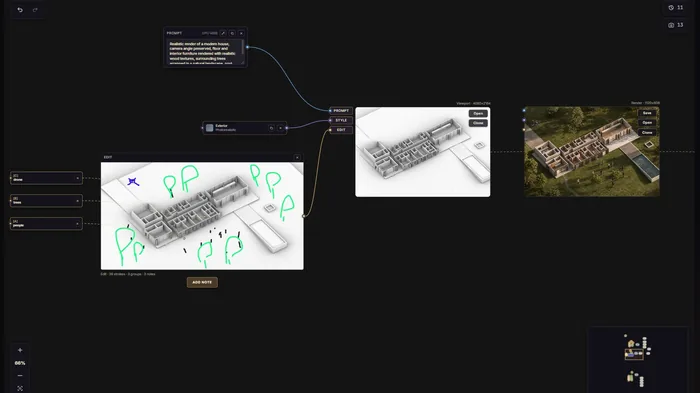
The bigger leap for serious architectural work is AI rendering that uses your actual model as the starting point. Instead of describing a building from scratch and hoping the AI invents something close, these tools take your real geometry and apply photorealistic materials, lighting, and atmosphere on top of it. Your design stays yours. The AI handles the polish.
This category went mainstream in 2026. Chaos now includes its AI tool Veras, running on Google's Nano Banana Pro, in every licensing tier of Enscape, V-Ray and Corona, as AEC Magazine reported. Tools in this category let you go from a basic massing model to a presentation-quality image in a fraction of the time traditional rendering takes. This is exactly the kind of speed that matters for early design reviews, where communicating intent quickly is worth more than pixel-perfect accuracy.
This is also the space we decided to build in ourselves. RhinoFrame is our own plugin for Rhino 8 that pairs an AI rendering engine with a node-based interface that feels instantly familiar to anyone who has used Grasshopper. You describe what you want in plain language and build the render as a small graph of connected nodes, which makes iteration fast and visual rather than a guessing game with one long prompt.
Custom Rendering Pipelines with Full Control
For architects who want complete control, open-source tools like ComfyUI running Stable Diffusion or FLUX represent the power user end of the spectrum. By exporting depth maps and line work from your Rhino viewport and feeding them into a controlled pipeline, you can generate consistent, repeatable results that preserve your design geometry while adding photorealistic styling.
The trade-off is a steep learning curve and a need for capable hardware. The payoff is unlimited renders and a level of control no cloud tool can match. We dedicate two full sessions to this in our Premium library, starting with Workshop #06: ComfyUI for Architects, which walks through building a pipeline from scratch.
AI for Space Planning and Generative Design
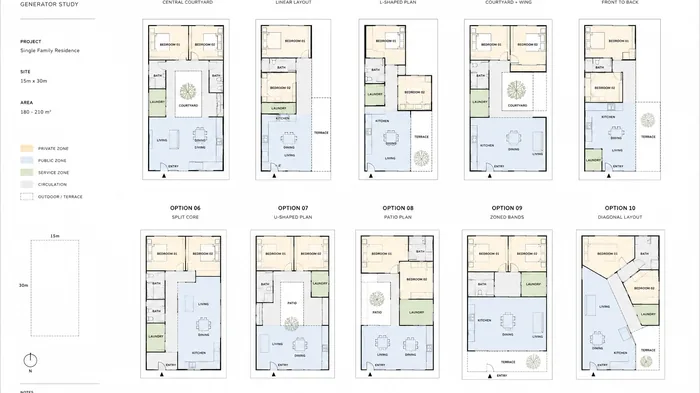
If visualization is the most visible application of AI in architecture, generative design might be the most consequential. This is where AI stops decorating a design and starts shaping it.
Generative space planning tools take your site boundaries, structural grid, and program requirements as inputs, then generate and evaluate thousands of layout permutations against goals like natural light, circulation efficiency, structural logic, and code compliance. The output is not a rough suggestion. It is a dimensioned plan you can bring into your CAD environment and develop further. For residential and commercial projects where efficient space planning drives the design, this can compress weeks of manual iteration into hours.
The underlying idea here is optimization: defining what "good" means in measurable terms and letting the computer search a vast solution space for you. That is the same principle that powers parametric optimization in Grasshopper, and it is one of the most valuable skills an architect can develop in 2026. The difference between an architect who can frame a design problem as an optimization and one who cannot is becoming a genuine competitive advantage.
AI in Grasshopper and Computational Design
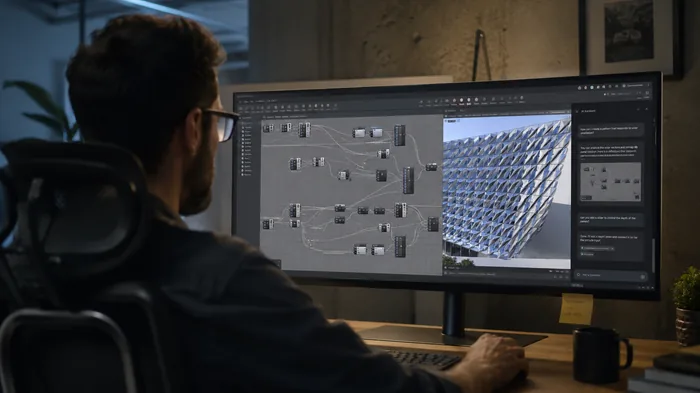
Computational design has always sat at the technical frontier of architecture, and it is now one of the most exciting places where AI is landing. Tools like Raven, an AI assistant that lives inside Grasshopper, can generate, debug, and optimize parametric definitions from plain text prompts.
Consider what that changes. Instead of spending half an hour wiring up a definition to create a parametric facade panel system, you describe what you want in natural language, and the assistant builds the graph for you. Instead of hunting through component tabs, you tell it what you need, and it places and connects the components. Because these assistants increasingly support popular plugins, they can work with the tools you already rely on rather than being limited to vanilla components.
At the end of September 2026, McNeel added its own option. RhinoAI is a plugin that connects Rhino and both Grasshopper 1 and Grasshopper 2 to assistants like Claude, GitHub Copilot, Codex, Gemini or a local model, so they can create and refine Grasshopper definitions, write Python and C# scripts and build new commands. It ships with the Rhino beta and installs into Rhino 8 through the Package Manager, according to McNeel's announcement.
This lowers the barrier to entry for computational design dramatically. A technique that once required months of practice to attempt is now approachable for an architect in their first week. That does not remove the need to understand the fundamentals, but it does change the learning curve from a cliff into a ramp. We hosted a full session on this in Workshop #17: AI in Grasshopper with Raven.
If you are still deciding which computational platform to invest in, our Grasshopper vs Dynamo comparison lays out the differences, and our Grasshopper course for architects teaches the foundations these AI tools build on.
AI for Coding and Custom Tools
One of the most underappreciated applications of AI in architecture is its impact on custom tooling. For years, building a bespoke Rhino plugin or a complex script meant either learning to program seriously or hiring a developer. AI coding assistants have collapsed that barrier.
Tools like OpenAI Codex and Claude Code can translate architectural logic into working code. You describe what you want a script or plugin to do in plain English, and the assistant generates functional code you can drop into a GHPython component or compile into a full Rhino plugin. We have built two minicourses around creating Rhino plugins with AI, going from a custom image viewer panel all the way to a plugin that generates 3D models from text and images.
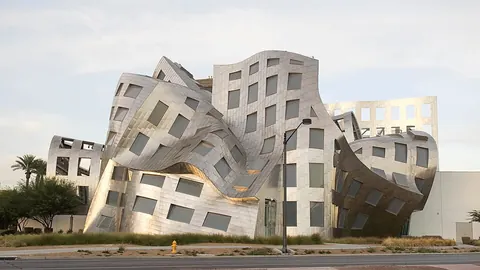
The same coding ability now reaches 3D modeling itself. In September 2026 we gave OpenAI's GPT-6 Astra ten famous buildings, from Farnsworth House to the Heydar Aliyev Center, and let it research and model each one in Rhino by writing Python into the open session. Orthogonal and rule-based buildings came out detailed and largely correct, the Serpentine Pavilion came back as an editable Grasshopper definition, and the freeform Zaha Hadid building still failed. The full test is our Automating 3D Modeling with GPT 6 Astra minicourse.
The important caveat is that AI-generated code is not always correct on the first attempt. You still need enough understanding to review the output, catch edge cases, and verify behavior before relying on it in a real project. The skill is shifting from writing every line yourself to directing, reviewing, and refining what the AI produces. For the full rundown of coding assistants and how architects use them, see our best AI tools for architects guide.
AI for the Everyday Architectural Workflow
Not all of AI's value in architecture is dramatic. A large share of it is quietly removing friction from the text-heavy parts of an architect's day. Writing project descriptions and specifications, researching building codes and zoning requirements, drafting client and consultant emails, summarizing meeting notes, and preparing competition submissions all consume enormous amounts of time, and general-purpose assistants like ChatGPT and Claude handle this work exceptionally well.
Beyond writing, these assistants are surprisingly capable at architectural problem-solving. You can paste a building code section and ask for a plain language interpretation, describe a structural challenge and brainstorm options, or have a Grasshopper script explained to you line by line. The right mental model is a knowledgeable colleague available around the clock who handles the research and writing so you can focus on design judgment. We explored this shift in detail in our earlier piece on ChatGPT in architecture, which remains a useful primer on where these tools fit.
How AI Is Changing Architectural Practice
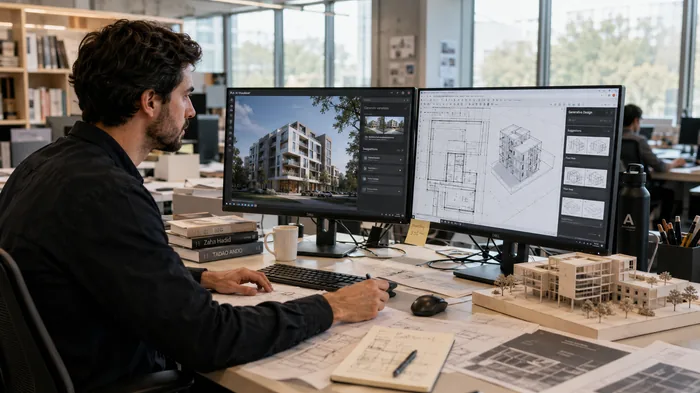
Step back from the individual tools, and a clear pattern emerges. AI is not replacing the architect. It is rearranging where an architect's time and value go.
The most immediate effect is productivity. Work that used to take days now takes hours, which means more design options explored, faster client turnaround, and lower cost on routine deliverables. The second effect is breadth of exploration. When generating an option is nearly free, the rational move is to generate many, which tends to surface ideas a linear process would never reach.
The harder effect to sit with is commoditization. As AI absorbs routine drafting, modeling, and basic visualization, the market value of those services falls. Architectural visualization, in particular, is feeling this pressure as AI automates much of the traditional pipeline. The firms that thrive are the ones that lean into what AI cannot do well: design judgment, cultural and contextual sensitivity, client relationships, and the synthesis of competing constraints into a coherent vision.
Finally, AI is reshaping the skills that matter. Prompt craft, the ability to frame a problem for an optimizer, and fluency in directing AI tools are becoming as relevant as traditional software skills. In the long run, lower barriers to entry may level the field between large incumbents and small, agile practices that adopt these tools aggressively.
The Risks and Limitations of AI in Architecture
An honest guide has to name the downsides. AI in architecture is powerful, but it is not magic, and treating it as such causes real problems.
- Accuracy and hallucination: generative tools can produce confident, plausible, and entirely wrong output, whether that is a misread code clause or a structurally nonsensical form. Human verification is not optional.
- Intellectual property: the training data and ownership status of AI-generated imagery remain legally unsettled, which matters for anything client-facing or published.
- Data privacy: uploading client drawings or project data to cloud tools raises confidentiality questions that firms need clear policies for.
- Over-reliance: AI is a tool for augmenting judgment, not outsourcing it. The architect remains responsible for the building.
- Geometry limits: most image tools produce pictures, not buildable models, and bridging that gap back to real geometry still takes skill and effort.
The Future of AI in Architecture
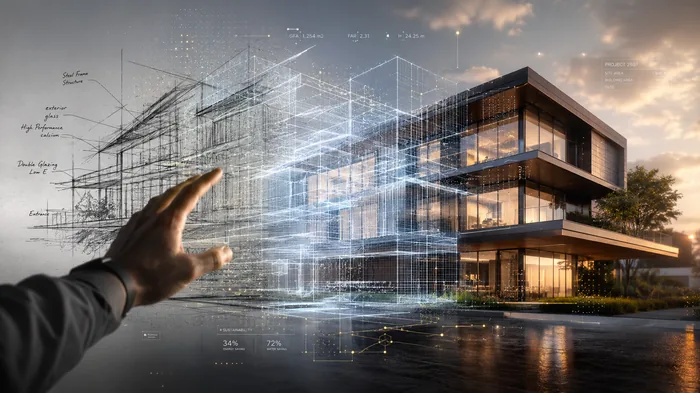
Predicting technology is risky, but several directions look clear enough to plan around. The first is tighter integration. AI is moving from separate apps you switch into and out of toward features embedded directly in the modeling tools architects already use, which removes friction and keeps the design at the center.
The second is the closing of the gap between image and model. The holy grail of AI in architecture is reliably turning a description, a sketch or a set of drawings into editable geometry. In 2026 that started to happen, as models like GPT-6 Astra began rebuilding real buildings in Rhino from published drawings. Freeform architecture is still out of reach, but expect drawing-to-model, sketch-to-model and text-to-BIM workflows to improve with every release.
The third is the rise of AI agents that can carry out multi-step tasks rather than single prompts, coordinating analysis, generation, and documentation across a project. The plumbing for this arrived in 2026, as McNeel, Autodesk and other AEC vendors released MCP connections that let assistants work directly inside their software. As models become more multimodal, blending text, image, geometry, and performance data, the assistant that can reason across all of them at once becomes genuinely powerful. The architects who will benefit most are the ones building fluency now, while the tools are still imperfect and the learning curve is forgiving.
How to Get Started with AI in Architecture
With so many options, the temptation is to try everything at once. Resist it. The architects getting real value from AI are not the ones with the most tools. They are the ones who picked the right tool for their biggest bottleneck and made it part of their daily routine.
Here is a practical path:
- Identify your bottleneck. Is it slow concept visualization, endless layout iteration, repetitive scripting, or time lost to documentation? Name the one that costs you the most.
- Adopt one tool that solves it. Start with Midjourney, GPT Image or Nano Banana for visualization, a generative layout tool for planning, Raven or RhinoAI for Grasshopper, or a coding assistant for custom tools.
- Use it on real work, not side experiments. Integration into actual projects is what turns a novelty into a workflow.
- Keep learning the fundamentals. AI accelerates the skills, it does not replace them. The stronger your grasp of Rhino and Grasshopper, the more you get out of every AI tool.
- Expand deliberately. Add the next tool only once the first is genuinely part of how you work.
If you want structured, hands-on guidance instead of trial and error, our How to Rhino Premium membership includes workshops and minicourses on Midjourney, ComfyUI, Raven, Nano Banana, GPT-6 Astra, and building Rhino plugins with AI. Every session is taught by practicing architects and designers who use these tools on real projects, so you learn workflows that hold up in practice rather than theory that falls apart on a deadline.
Frequently Asked Questions
Will AI replace architects?
No. AI is automating routine tasks like basic drafting, modeling, and visualization, but it cannot replace design judgment, contextual understanding, client relationships, or the responsibility an architect holds for a building. The realistic outcome is that architects who use AI will replace architects who do not, rather than AI replacing the profession.
Is AI in architecture worth learning right now?
Yes, and the timing matters. The tools are capable enough to deliver real value today and still forgiving enough that the learning curve is manageable. Building fluency now, while the field is forming, is far easier than catching up once AI workflows become the default expectation.
What is the best AI tool for architects?
There is no single best tool, only the best tool for a specific job. Image models like Midjourney, GPT Image and Nano Banana lead concept visualization, generative tools handle space planning, Raven and RhinoAI bring AI into Grasshopper, and coding assistants build custom plugins. Our best AI tools for architects guide breaks down which tool fits which task.
Is AI rendering accurate enough for client presentations?
For early and mid-stage design reviews, yes. AI rendering is excellent at quickly communicating mood, material, and intent. For final construction documents or contractually precise visuals, traditional rendering still offers the control and accuracy you need. Many architects use AI rendering early and switch to conventional tools as the design locks down.
Do I need coding skills to use AI in architecture?
Not for most tools. Image generation, AI rendering, and generative design tools require no coding at all. Coding assistants like Claude Code do involve some technical understanding, but they have lowered the barrier so much that architects with little programming background can now build custom tools they never could before.
Related Resources

Grasshopper Complete Course
Give your architectural skills a boost with the Grasshopper Complete Course. Get over 50 hours of comprehensive Grasshopper training tailored for architects. Learn to generate and iterate designs faster. Click below for more information and streamline your workflows!