Artificial intelligence is no longer a futuristic concept in architecture. It is here, it is practical, and it is changing how architects work at every stage of the design process.
According to recent industry surveys, 46% of architects are already using AI tools in their daily practice, with another 23% planning to adopt them within the next year. What is particularly interesting is that nearly 69% of AI usage in architecture happens during the early design phase, where speed and iteration matter most.
The challenge for most architects is not whether to use AI, but which tools actually deliver value. The market is flooded with options, and most "best AI tools" lists you will find online are written by people who have never opened Rhino or Grasshopper in their lives.
This article is different. At How to Rhino, we have been teaching AI workflows to architects through our Premium workshops and minicourses for the past two years. We have tested these tools hands on, built entire workshop curricula around them, and watched 873 students use them in real projects. These are the 9 AI tools that actually matter for architects in 2026.
Key Takeaways
- AI tools now cover every phase of architectural design, from early concept sketches to construction documentation and custom plugin development.
- Midjourney and ComfyUI lead concept visualization, while Nano Banana 2 from Google is quickly gaining ground with free, accessible image generation.
- Raven brings AI directly into Grasshopper, letting architects generate and debug computational design definitions using plain text prompts.
- AI coding tools like Claude Code let architects build custom plugins for Rhino without deep programming expertise, opening up entirely new workflows.
- Start with one or two tools that address your biggest workflow bottleneck rather than trying to adopt everything at once.
Concept and Visualization Tools
1. Midjourney
Best for: Concept Visualization and Mood Boards

Midjourney remains the gold standard for AI generated architectural imagery. No other tool consistently produces the level of photorealism and atmospheric quality that Midjourney delivers, especially when it comes to architectural subjects.
What makes Midjourney stand out is its understanding of architectural language. You can prompt it with terms like "brutalist concrete pavilion with clerestory lighting" or "parametric timber facade with deep reveals" and it will produce images that genuinely look like professional architectural renders. The level of material understanding, lighting, and spatial composition is remarkable.
Architects are using Midjourney primarily in two ways. First, for rapid concept exploration at the earliest design stages, generating dozens of design directions in minutes rather than days. Second, for client presentations and mood boards, where the photorealistic quality helps communicate design intent far more effectively than rough SketchUp models or hand sketches.
The main limitation is that Midjourney generates images, not geometry. You cannot extract floor plans, sections, or 3D models from its output. It is a visualization tool, not a design tool. Think of it as an incredibly fast concept artist, not a replacement for your 3D modeling software.
Midjourney operates through Discord and its web interface, with subscriptions starting at $10/month. If you want to see how architects use Midjourney in practice, we covered this extensively in our Creative Hallucination workshop, where architect Xinyi Wang demonstrated AI driven architectural design workflows.
2. Nano Banana 2 (Google Gemini)
Best for: Free AI Image Generation with Architectural Potential
Nano Banana 2 is the name the community has given to Google's latest image generation capabilities inside Gemini. Built on Google's Imagen and Veo models, it represents a significant leap in what free AI tools can produce for architects.
The biggest advantage of Nano Banana 2 is accessibility. Unlike Midjourney, which requires a paid subscription, you can access Nano Banana 2 for free through Google AI Studio. For students and emerging architects on tight budgets, this is a game changer.
What makes it particularly interesting for architects is its ability to generate images that have a 3D quality to them. While it does not produce actual 3D geometry, the outputs often look like they were rendered from a 3D model rather than generated flat. Google has also been developing capabilities to generate short video clips, which opens up possibilities for architectural walkthroughs and concept animations.
The quality is not quite at Midjourney's level for architectural subjects yet, but it is improving rapidly. Google is iterating on the model almost monthly, and the gap is closing fast.
We created an entire minicourse around using this tool for architecture. In our Nano Banana for Architecture minicourse, we explored how to use Google's Gemini model specifically for architectural visualization and concept development.
3. Veras by Chaos
Best for: AI Rendering Directly Inside Your 3D Software
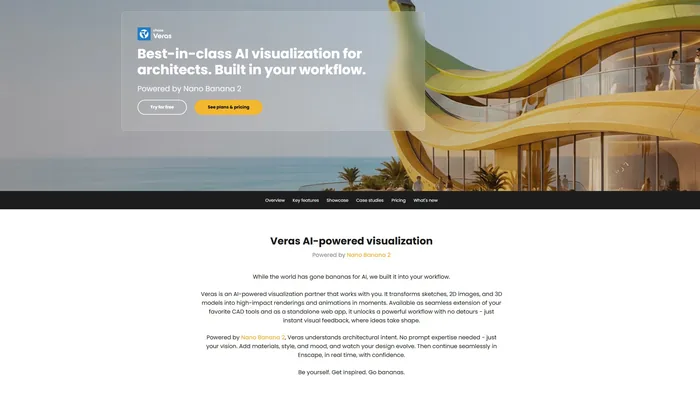
Veras is an AI rendering plugin built by Chaos, the company behind V-Ray. That pedigree matters because Chaos understands rendering better than almost anyone in the industry.
What sets Veras apart from other AI visualization tools is that it works directly inside Rhino, SketchUp, and Revit. You do not need to export your model, switch to a different application, or write prompts from scratch. Veras takes your existing 3D viewport as a starting point and applies AI styling, materials, and atmospherics on top of it.
This means your renders maintain the actual geometry and spatial relationships of your design. Unlike Midjourney, which generates images from text descriptions with no connection to your model, Veras uses your model as the foundation. The AI adds photorealism, but the architecture stays yours.
The workflow is incredibly fast. You can go from a basic massing model to a presentation quality render in under a minute. For early stage design reviews where you need to communicate intent without spending hours on materials and lighting, Veras is hard to beat.
The trade off is control. If you need precise material specifications, exact lighting setups, or production quality renders for construction documents, you still want traditional rendering tools. Veras is a speed tool, not a precision tool. Pricing starts at around $9.90/month for the basic plan.
4. ComfyUI + Stable Diffusion / FLUX
Best for: Custom AI Rendering Pipelines with Full Creative Control
ComfyUI is the power user option. It is an open source, node based interface for running AI image generation models like Stable Diffusion and FLUX. If Midjourney is like using Instagram filters, ComfyUI is like building your own photo editing pipeline from scratch.
For architects who want full control over their AI rendering workflow, nothing else comes close. ComfyUI lets you build custom pipelines using ControlNet (which uses depth maps, edge detection, or line drawings from your Rhino viewport as guides), style transfer nodes, inpainting for selective editing, and batch processing for rendering multiple views automatically.
The architectural community has built some remarkable workflows around this tool. Architects are exporting depth maps directly from Rhino, feeding them into ComfyUI with specific architectural style prompts, and getting consistent, controllable results that maintain their design geometry while adding photorealistic materials and environments.
The learning curve is steep. Setting up ComfyUI requires downloading models, installing dependencies, and understanding how the node graph works. You also need a decent GPU (8GB VRAM minimum, 12GB recommended) to run it locally. But once your pipeline is set up, you get unlimited free renders with a level of control that no cloud based tool can match.
We have dedicated two full workshops to ComfyUI for architects. Workshop #06: ComfyUI for Architects covers the fundamentals, and Workshop #09: ComfyUI for Architects vol.2 goes deeper into advanced architectural rendering techniques. Both workshops walk you through setting up pipelines from scratch.
Design and Layout Tools
5. Finch 3D
Best for: AI Optimized Floor Plan Generation

Finch 3D is one of the most genuinely useful AI tools for architects because it solves a real, everyday problem: floor plan optimization. Instead of manually iterating through dozens of layout options, Finch generates optimized floor plans based on your constraints, building codes, and spatial requirements.
What gives Finch 3D credibility is its client list. Firms like Herzog and de Meuron and White Arkitekter are actively using it in their workflows. This is not a startup demo. It is a production tool being used on real projects by some of the world's most respected architectural practices.
Finch works by taking your site boundaries, structural grid, and program requirements as inputs, then using AI to generate and evaluate thousands of layout permutations. It considers factors like natural light distribution, circulation efficiency, structural logic, and building code compliance. The output is not a rough sketch or a suggestion. It is a dimensioned floor plan that you can bring directly into your CAD environment.
The limitation is scope. Finch is focused specifically on plan generation and optimization. It does not help with elevation design, facade development, or 3D massing. Think of it as a specialist tool that does one thing exceptionally well rather than a general purpose design assistant. For architects working on residential or commercial projects where efficient space planning drives the design, Finch can compress weeks of iteration into hours.
6. Raven
Best for: AI Assistant for Grasshopper
Raven is the tool on this list that gets computational designers most excited, and for good reason. Born from research at UC Berkeley, Raven is an AI assistant that lives inside Grasshopper and can generate, debug, and optimize definitions from plain text prompts.
Think about what that means in practice. Instead of spending 30 minutes wiring up a Grasshopper definition to create a parametric facade panel system, you describe what you want in natural language and Raven builds the definition for you. Instead of hunting through component tabs to find the right node, you tell Raven what you need and it places the components and connects them.
What makes Raven particularly powerful is that it now supports Grasshopper plugins. It is not limited to vanilla Grasshopper components. If you have plugins like LunchBox, Kangaroo, or Ladybug installed, Raven can use them in the definitions it generates. This dramatically expands what you can accomplish through text prompts alone.
Raven is still evolving. Complex definitions with many dependencies may need manual refinement, and the AI occasionally misunderstands spatial relationships in more advanced setups. But for learning Grasshopper, quickly prototyping parametric ideas, and debugging existing definitions, it is already remarkably useful.
We hosted a full workshop on Raven with Moritz Rietschel. Workshop #17: AI in Grasshopper with Raven covers everything from basic text to definition workflows to advanced optimization techniques. If you are a Grasshopper user, Raven is worth exploring immediately.
AI Coding Tools
7. OpenAI Codex
Best for: AI Code Generation for Architectural Automation
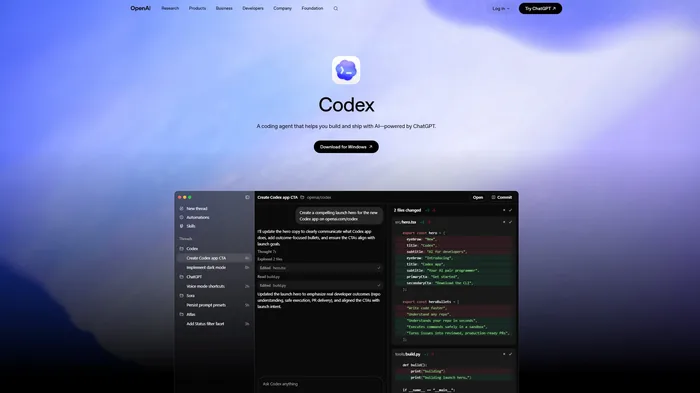
OpenAI Codex is an AI agent built specifically for writing, testing, and running code. For architects who work with scripting in Rhino (Python, C#, or GHPython), Codex can dramatically speed up the process of creating custom tools and automating repetitive tasks.
Where Codex shines is in translating architectural logic into working code. You can describe what you want in plain English, something like "write a GHPython script that takes a list of curves and offsets them inward by a variable distance based on their length," and Codex will generate functional code that you can drop directly into a GHPython component.
For architects who are not professional programmers (which is most architects), this is transformative. Tasks that previously required hiring a developer or spending weeks learning RhinoCommon can now be accomplished in an afternoon. Codex handles the syntax and API calls while you focus on the design logic.
Codex works as a cloud based agent that can handle multi file tasks, run tests, and iterate on its own output. It is particularly effective for Python scripting in Grasshopper, C# components, and automating repetitive Rhino commands. The key consideration is that you still need enough programming understanding to verify the output and debug edge cases. AI generated code is not always correct on the first try, and reviewing the results before deploying them in a real project is essential.
8. Claude Code (Anthropic)
Best for: Building Custom Rhino Plugins and Complex Automation
Claude Code is Anthropic's AI coding assistant that runs in your terminal and has full awareness of your project files, code structure, and build systems. If OpenAI Codex is effective for generating individual scripts, Claude Code is built for larger projects like creating full Rhino plugins from scratch.
This is not theoretical. We have built two minicourses around creating Rhino plugins with Claude Code. In Mini Course #07: Building Rhino Plugin with AI, we built a custom image viewer panel for Rhino from scratch. In Mini Course #12: Building a Rhino Plugin with AI, we went further and built a plugin that generates 3D models from text and images. Both were built using Claude Code as the primary development tool.
What makes Claude Code different from other AI coding tools is context awareness. It can read your entire project directory, understand how files relate to each other, and make changes across multiple files simultaneously. When building a Rhino plugin with C#, that means it understands your RhinoCommon references, your UI layout, your build configuration, and your plugin manifest all at once.
For architects who want to create custom tools for their practice, whether that is a specialized panel system generator, a site analysis tool, or an automated drawing export workflow, Claude Code makes it possible without years of software development experience. You describe what you want the plugin to do, and Claude Code handles the implementation across all the files and configurations that a Rhino plugin requires.
9. ChatGPT and Claude
Best for: Research, Writing, and Problem Solving
General purpose AI assistants like ChatGPT and Claude might not feel as "architectural" as the other tools on this list, but they are arguably the AI tools that architects use most frequently in their daily work. And for good reason.
The daily workflow of an architect involves enormous amounts of text based work that general AI handles exceptionally well. Writing project descriptions and specifications. Researching building codes and zoning requirements. Drafting emails to clients and consultants. Summarizing meeting notes. Creating presentation scripts. Preparing competition submissions. All of this can be done faster and often better with AI assistance.
Beyond writing, these tools are surprisingly capable at architectural problem solving. You can paste a building code section and ask for a plain English interpretation. You can describe a structural challenge and brainstorm potential solutions. You can even use them to explain Grasshopper scripts, walk through RhinoCommon API documentation, or help you understand a Dynamo graph that a colleague shared with you.
Claude in particular excels at long form analysis and technical writing, while ChatGPT offers broader plugin integrations and image analysis capabilities. Many architects use both, choosing whichever is stronger for a specific task. The key is to think of these tools as a highly knowledgeable colleague who is available around the clock. They do not replace your design judgment or technical expertise, but they handle the research, writing, and information processing that consumes a significant portion of an architect's workday. If you want to see how architects are integrating these tools into their daily practice, our AI Productivity for Architects workshop covers exactly that.
How to Choose the Right AI Tools
With nine compelling options on this list, the temptation is to try everything at once. Resist that urge. Start with one or two tools that address your biggest workflow bottleneck.
If you spend too much time on early concept visualization, start with Midjourney or Nano Banana 2. If floor plan iteration is eating your schedule, try Finch 3D. If you are a Grasshopper user who wants to work faster, Raven is the obvious starting point. If you find yourself wishing you had custom tools but lack the development skills to build them, Claude Code can get you there.
The most important thing is to actually integrate these tools into your real projects, not just experiment with them on the side. The architects who are getting the most value from AI are the ones who have made it part of their daily workflow. They use Midjourney for every concept phase, run ComfyUI renders for every design review, and ask ChatGPT or Claude to draft every specification.
If you want structured, hands on guidance with any of these tools, our How to Rhino Premium membership includes workshops and minicourses on Midjourney, ComfyUI, Raven, Nano Banana, and building Rhino plugins with AI. Each session is taught by practicing architects and designers who use these tools on real projects, so you learn practical workflows rather than just theory.
Related Resources

Grasshopper Complete Course
Give your architectural skills a boost with the Grasshopper Complete Course. Get over 50 hours of comprehensive Grasshopper training tailored for architects. Learn to generate and iterate designs faster. Click below for more information and streamline your workflows!